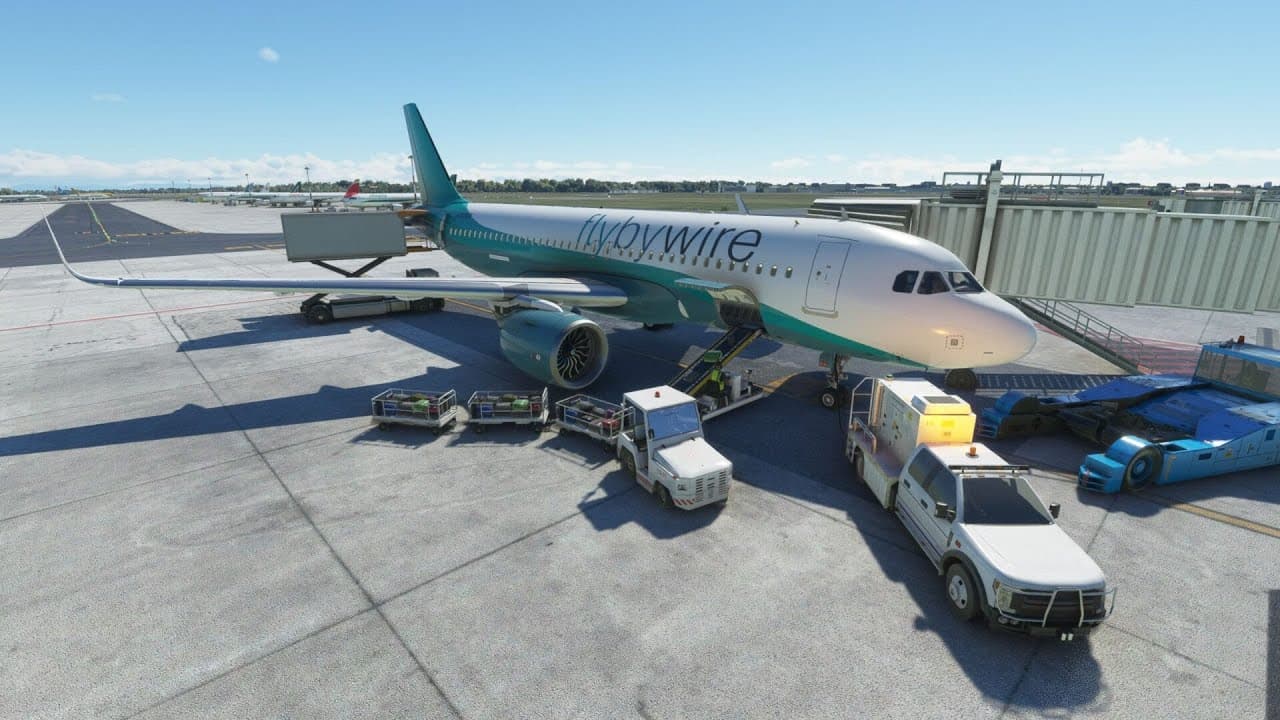
Returning to the FlyByWire Airbus A320 in Microsoft Flight Simulator
TL;DR
"An in-depth explanation of how to configure and fly the Fly By Wire A320 in Microsoft Flight Simulator."
Transcript
hello so we are at Stansted Airport with the flyby wire A320 and Microsoft flight simulator if you've not seen this aircraft before if you've just started out with the simulator it's actually a free study level A320 Airbus A320 so you can download it from flybywire sim.com on the internet and it gives you a new version of the A320 in the game that ... Read More
Key Insights
- ❓ The Fly By Wire A320 is a highly accurate and realistic simulation of the Airbus A320.
- 🔋 Proper configuration of batteries, power systems, and avionics is crucial for a successful flight.
- ✈️ The MCDU plays a key role in programming the flight plan and managing various aircraft systems.
- 🌍 Paying attention to detail and adhering to real-world procedures is essential for a safe and immersive flight experience.
- 🧑✈️ The aircraft's autopilot can handle most aspects of the flight, but pilots should remain aware and ready to make manual adjustments when necessary.
Install to Summarize YouTube Videos and Get Transcripts
Explore YouTube Video Summarizer or Get YouTube Transcript Extractor
Questions & Answers
Q: How is the Fly By Wire A320 different from the default A320 in Microsoft Flight Simulator?
The Fly By Wire A320 is a more accurate and detailed representation of the real aircraft. It features advanced avionics, systems, and flight modeling that closely mimic real-world operations.
Q: How do you configure the battery and power systems in the Airbus A320?
To power up the aircraft, start by turning on the batteries and ensuring both battery switches are illuminated. If external power is available, engage it. The APU can also provide electrical power and compressed air. Turn on the APU master switch and press the start button to initiate start-up.
Q: How do you program the flight plan in the Fly By Wire A320?
Use the MCDU (multi-function control and display unit) to input the departure and destination airports. Then select the appropriate departure and arrival procedures from the available options. The flight plan will be automatically generated based on your inputs.
Q: What precautions should be taken during takeoff in the Fly By Wire A320?
Ensure that the landing lights are on, the auto brakes are set to maximum, and the nose light is set to taxi. When ready, push the throttle all the way forward, maintain proper speed, and rotate at the designated V1 speed. Be mindful of engine overspeed and engage the autopilot once airborne.
Key Insights:
- The Fly By Wire A320 is a highly accurate and realistic simulation of the Airbus A320.
- Proper configuration of batteries, power systems, and avionics is crucial for a successful flight.
- The MCDU plays a key role in programming the flight plan and managing various aircraft systems.
- Paying attention to detail and adhering to real-world procedures is essential for a safe and immersive flight experience.
- The aircraft's autopilot can handle most aspects of the flight, but pilots should remain aware and ready to make manual adjustments when necessary.
- The Airbus A320 in Microsoft Flight Simulator offers a comprehensive and immersive flight experience, suitable for both beginners and experienced sim pilots.
Summary & Key Takeaways
-
The Fly By Wire A320 is a free study-level aircraft for Microsoft Flight Simulator that accurately models the real Airbus A320.
-
The aircraft features advanced avionics, systems, and flight modeling, making it a realistic option for most sim pilots.
-
The video covers the process of setting up the aircraft, including battery and power configuration, APU start, and ADIR system alignment.
-
The pilot also demonstrates programming the flight plan, configuring the autopilot, and performing a successful takeoff.
Read in Other Languages (beta)
Share This Summary 📚
Summarize YouTube Videos and Get Video Transcripts with 1-Click
Try YouTube Summary with ChatGPT & Claude or YouTube Transcript Generator