Appointo Help: Getting Started
TL;DR
Learn how to manage store bookings with Appointo.
Transcript
hey there this is today we are gonna tell you about how you can manage bookings and appointments in your store and also provide your customers you know the ability to book an appointment with you to get started we click on the add products to appoint a button here we'll see all the list of products that are there in our store we click on yo... Read More
Key Insights
- Appointo allows store owners to manage appointments by adding products to the platform, enabling customers to book directly.
- Each product variant can have independent configurations, such as meeting duration and buffer time, providing flexibility for different offerings.
- Meeting details, such as links or instructions, are shared with customers post-purchase, ensuring they have necessary information for their appointments.
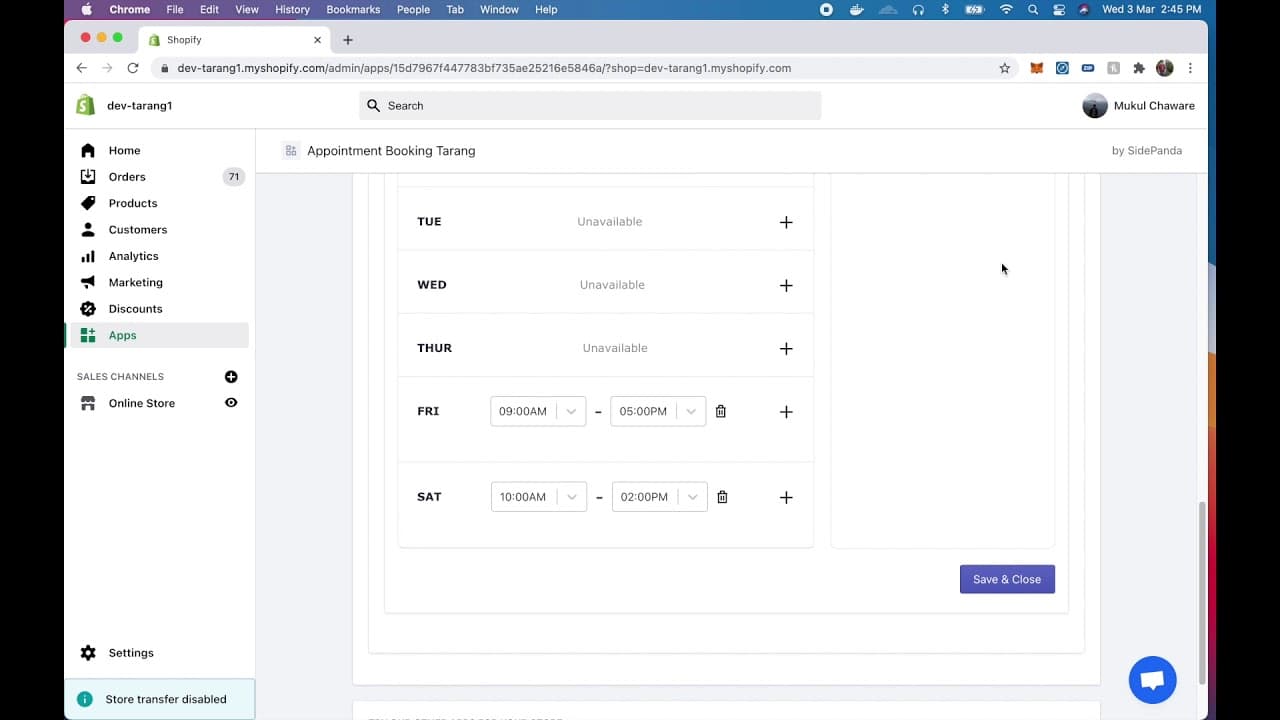
- Store owners can specify availability by setting working hours and blocking specific days, allowing for customized scheduling options.
- Group appointments can be configured, enabling multiple customers to book the same time slot, with a limit on the number of participants.
- The system automatically updates the store interface, changing 'Add to Cart' to 'Schedule Your Time' based on availability settings.
- Customers receive confirmation emails post-purchase, detailing appointment specifics, which helps in reducing no-shows and miscommunications.
- Store owners can manage bookings via an admin screen, with options to reschedule or cancel appointments, keeping both parties informed through email notifications.
Install to Summarize YouTube Videos and Get Transcripts
Explore YouTube Video Summarizer or Get YouTube Transcript Extractor
Questions & Answers
Q: How does Appointo handle product variants?
Appointo allows each product variant to have its own independent configurations. This means you can set different meeting durations, buffer times, and availability for each variant. This flexibility ensures that you can offer tailored scheduling options for different products or services, accommodating various customer needs.
Q: What are the benefits of group appointments in Appointo?
Group appointments in Appointo allow multiple customers to book the same time slot, which is ideal for classes or workshops. You can set a maximum number of participants, ensuring the session is not overcrowded. This feature helps optimize your schedule and maximize resource utilization by accommodating more customers at once.
Q: How can store owners manage their availability in Appointo?
Store owners can manage their availability by setting specific working hours and blocking certain days. This customization ensures that bookings are only made when the store is operational. For example, you can set different hours for weekdays and weekends or block off holidays, preventing customers from booking during unavailable times.
Q: What happens after a customer completes a purchase in Appointo?
After a customer completes a purchase, they receive a confirmation email with the appointment details, including date, time, and any meeting links or instructions provided. This confirmation helps reduce misunderstandings and ensures that the customer has all the necessary information for their upcoming appointment, improving the overall customer experience.
Q: How does the Appointo platform update the store interface?
The Appointo platform automatically updates the store interface based on availability settings. When appointments are enabled, the 'Add to Cart' button changes to 'Schedule Your Time,' reflecting the available booking options. This dynamic interface ensures customers are aware of the scheduling process and can easily book appointments directly from the product page.
Q: How are rescheduling and cancellations handled in Appointo?
Rescheduling and cancellations are managed through the admin screen, where store owners can adjust bookings. When a booking is rescheduled or canceled, both the customer and the owner receive email notifications, ensuring both parties are informed of the changes. This communication helps maintain transparency and reduces the likelihood of missed appointments.
Q: What details are included in the customer confirmation email?
The customer confirmation email includes the appointment date and time, meeting details such as a Google Meet link or instructions, and a summary of the purchase. This detailed information ensures that customers are fully informed about their appointment, reducing the risk of confusion and enhancing the overall booking experience.
Q: Can Appointo block specific dates for appointments?
Yes, Appointo allows store owners to block specific dates for appointments. This feature is useful for marking holidays or personal days off, ensuring that customers cannot book during these times. By blocking certain dates, store owners can maintain control over their schedule and prevent overbooking or scheduling conflicts.
Summary & Key Takeaways
-
Appointo integrates with your store to manage bookings, allowing customers to schedule appointments directly. You can configure each product variant with specific settings such as duration and buffer time, ensuring flexibility and control over your schedule.
-
The platform provides options for group appointments and allows store owners to set availability by blocking certain days or adjusting working hours. This ensures that customers can only book when you are available, reducing the risk of overbooking.
-
Post-purchase, customers receive confirmation emails with appointment details. The admin screen offers tools to manage bookings, including rescheduling and cancellations, with notifications sent to both parties to keep everyone informed.
Read in Other Languages (beta)
Share This Summary 📚
Summarize YouTube Videos and Get Video Transcripts with 1-Click
Try YouTube Summary with ChatGPT & Claude or YouTube Transcript Generator