🆕how To Make Layer Standard File In Revit 🏽👉🏾 Cad Layer Standard In Revit Top Video
TL;DR
Guide on creating layer standards for CAD exports in Revit.
Transcript
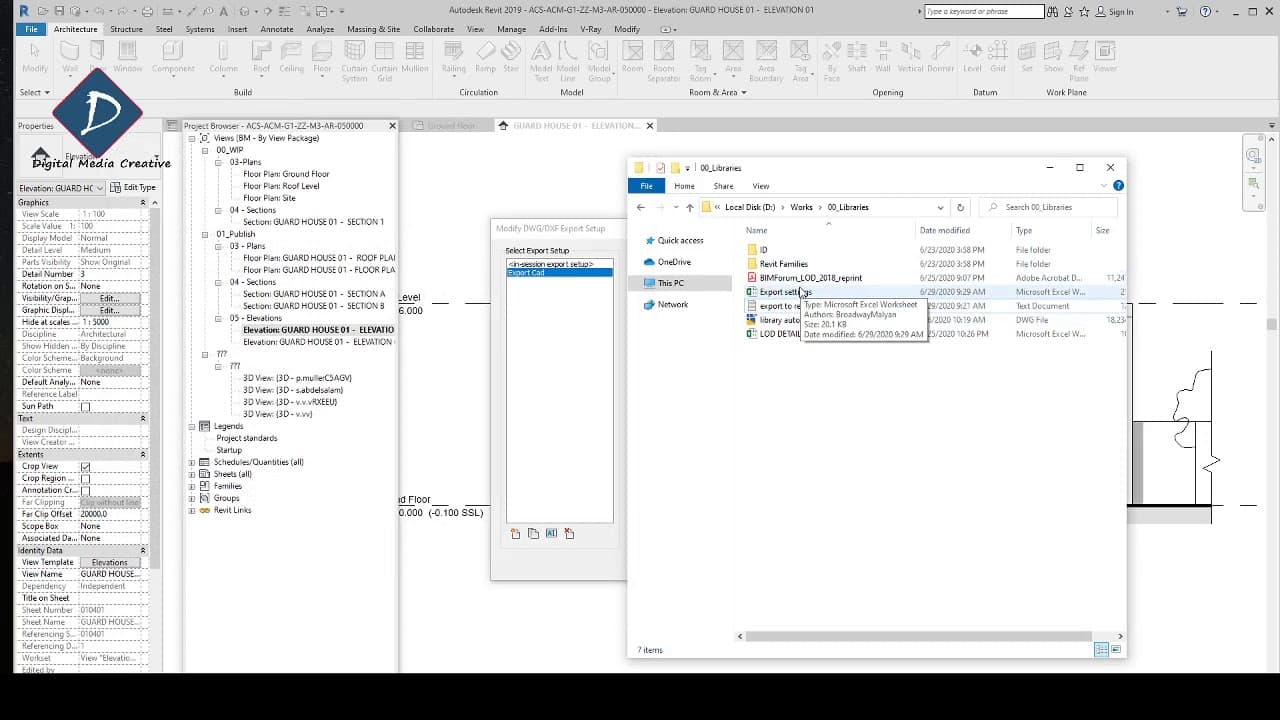
hi guys welcome back now I'm going to show you how to set up the laser standard okay in the previous video I show you how to set up that export fitting for CAD okay I'm in exports to cat the same where I'm going to click file export I'm going to report a sorry option and export settings okay in last video I show you ... Read More
Key Insights
- The video provides a step-by-step guide on setting up layer standards in Revit for exporting to CAD, ensuring consistent output.
- It highlights the importance of creating a text or Excel file to manage and import layer standards into Revit.
- The tutorial emphasizes the need to align Revit's layer settings with CAD standards, including layer names and color values.
- Users are encouraged to customize their layer settings to match project requirements, ensuring seamless integration with existing CAD standards.
- The presenter offers an Excel and notepad file template for viewers to use, enhancing the ease of setting up layer standards.
- The video demonstrates the process of exporting settings from Revit, ensuring that all properties are correctly layered for CAD export.
- The presenter provides contact information for viewers to request the template files, promoting community interaction and support.
- The tutorial concludes with a call to action for viewers to subscribe for more Revit tips, indicating ongoing educational content.
Install to Summarize YouTube Videos and Get Transcripts
Explore YouTube Video Summarizer or Get YouTube Transcript Extractor
Questions & Answers
Q: How can you set up layer standards in Revit?
To set up layer standards in Revit, create a text or Excel file with your desired layer settings, including layer names and color values. Import this file into Revit to ensure your export settings align with your CAD standards, facilitating consistent and accurate CAD exports.
Q: Why is it important to align Revit layer settings with CAD standards?
Aligning Revit layer settings with CAD standards ensures that exported files maintain consistency and compatibility with existing CAD projects. This alignment helps prevent errors and discrepancies in layer names and color values, making it easier to integrate Revit exports into broader project workflows.
Q: What resources does the presenter offer to assist with layer standard setup?
The presenter offers an Excel and notepad file template that viewers can use to set up their layer standards. These resources simplify the process by providing a structured format for inputting layer names, categories, and color values, which can then be imported into Revit.
Q: What steps are involved in exporting settings from Revit?
To export settings from Revit, navigate to the export settings menu and ensure all properties are set to export by layer. This process involves selecting the correct layer standards and verifying that all model categories and subcategories are appropriately configured for CAD export.
Q: How can viewers obtain the template files mentioned in the video?
Viewers can obtain the template files by contacting the presenter via the email address provided in the video's description. This allows them to request the Excel and notepad files, which can aid in setting up their Revit layer standards efficiently.
Q: What customization options are available for Revit layer settings?
Revit layer settings can be customized to match specific project requirements, including adjusting layer names, color values, and categories. This customization ensures that exported CAD files align with project standards and facilitates seamless integration with other CAD software.
Q: What is the significance of the call to action at the end of the video?
The call to action encourages viewers to subscribe to the channel for more Revit tips and tutorials. This indicates that the presenter is committed to providing ongoing educational content and building a community of viewers interested in enhancing their Revit skills.
Q: How does the video contribute to understanding Revit and CAD integration?
The video provides practical insights into the process of integrating Revit with CAD software through the setup of layer standards. By offering step-by-step guidance and resources, it helps viewers understand how to maintain consistency and accuracy in their CAD exports, improving overall project workflows.
Summary & Key Takeaways
-
This video tutorial guides viewers through the process of setting up layer standards in Revit for exporting to CAD. It emphasizes the creation of text or Excel files to manage these standards, ensuring consistency and compatibility with CAD software.
-
The presenter demonstrates how to align Revit's layer settings with existing CAD standards, including naming conventions and color values. The video offers practical tips and a template file for viewers to simplify the setup process.
-
Viewers are encouraged to customize their export settings to meet project needs and are invited to request template files from the presenter. The tutorial ends with a call to subscribe for additional Revit tips and tutorials.
Read in Other Languages (beta)
Share This Summary 📚
Summarize YouTube Videos and Get Video Transcripts with 1-Click
Try YouTube Summary with ChatGPT & Claude or YouTube Transcript Generator