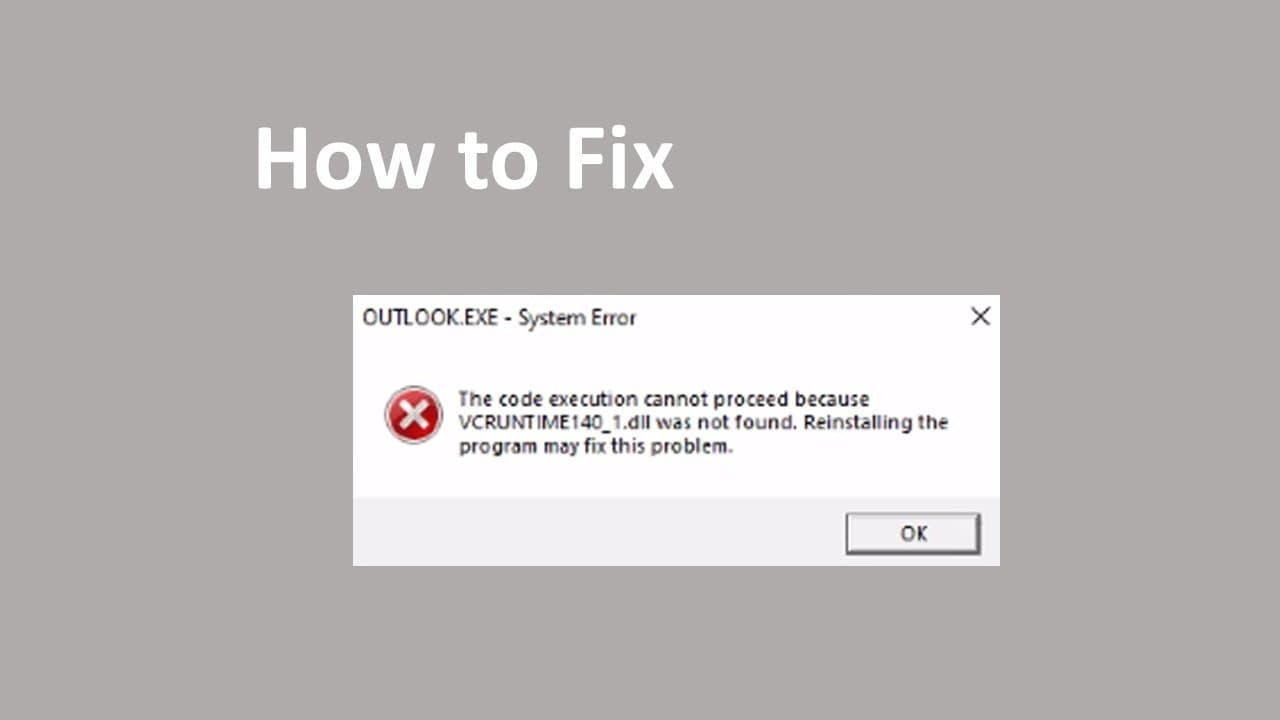
How TO Fix the code execution cannot proceed because vcruntime140_1.dll was not found
TL;DR
Instructions to fix the "C++ runtime" error without reinstalling applications.
Transcript
foreign talk about how to solve the problem System error the code is cutable cannot process because we see runtime one for all dash one dot dll was not found so it gives you an option to reinstall the program May fix the problem so that actually not means you need to reinstall the program has the problem for example in my cases outlook.exe so when ... Read More
Key Insights
- 🈸 The C++ runtime error is often mistakenly attributed to the application itself, like Outlook, when it's actually a C++ redistributable issue.
- 🫦 It's crucial to verify the compatibility of the Visual C++ Redistributable version with the user’s operating system architecture (32-bit vs. 64-bit).
- 👤 Frequent updates for Windows and the Visual C++ Redistributable can prevent and resolve many runtime errors encountered by users.
- 💻 Manually copying system files from a functioning computer can be an effective last resort in troubleshooting complex runtime errors.
- ❓ Identifying the correct version of the redistributable to download greatly influences the chances of successfully resolving the runtime error.
- 👤 The process of fixing C++ errors is often simpler than users realize, as many issues can be resolved through straightforward updates rather than complete reinstalls.
- 👤 Users should be cautious about selecting the correct download links to prevent receiving outdated or incompatible versions of software.
Install to Summarize YouTube Videos and Get Transcripts
Explore YouTube Video Summarizer or Get YouTube Transcript Extractor
Questions & Answers
Q: What is the main issue discussed in the content?
The main issue is the "C++ runtime error" that occurs when attempting to launch applications like Outlook.exe. This error stems from missing or incorrect installations of the Visual C++ Redistributable. Instead of reinstalling the problematic application, users are guided to focus on fixing the underlying C++ runtime environment to resolve the issue efficiently.
Q: How can I download the correct version of Visual C++ Redistributable?
To download the correct version, users should search for "Visual C++ Redistributable" and focus on the latest supported versions for Visual Studio 2019 to 2022. The document advises against using outdated links. It also indicates that users with 64-bit systems should be sure to select the proper architecture version to avoid compatibility issues.
Q: What should I do if updating the C++ Runtime doesn’t solve the problem?
If updating the C++ Runtime does not resolve the error, the next step is to check for Windows updates. Users can navigate to Windows settings and search for pending updates. Installing these updates might fix any underlying software issues that could be contributing to the runtime error.
Q: Can I fix the runtime error by copying files from another computer?
Yes, if all else fails, users can copy the missing runtime files from a compatible Windows system. By locating the required files in the Windows System32 directory of a functioning machine and copying them to the affected computer, it may resolve the C++ runtime error without requiring a full reinstallation.
Summary & Key Takeaways
-
The content explains how to resolve a specific C++ runtime error without reinstalling programs like Outlook.exe, emphasizing that the problem often lies in the C++ redistributable installations rather than the applications themselves.
-
It guides users to download and install the correct version of the Visual C++ Redistributable, specifically for 64-bit systems, and highlights the importance of selecting the proper version to avoid further errors.
-
Additional steps are provided, including checking for Windows updates and manually locating system files in the Windows directory to copy necessary files from a working system to resolve persistent issues.
Read in Other Languages (beta)
Share This Summary 📚
Summarize YouTube Videos and Get Video Transcripts with 1-Click
Try YouTube Summary with ChatGPT & Claude or YouTube Transcript Generator
Explore More Summaries from E Micro Tech 📚

Summarize YouTube Videos and Get Video Transcripts with 1-Click
Try YouTube Summary with ChatGPT & Claude or YouTube Transcript Generator