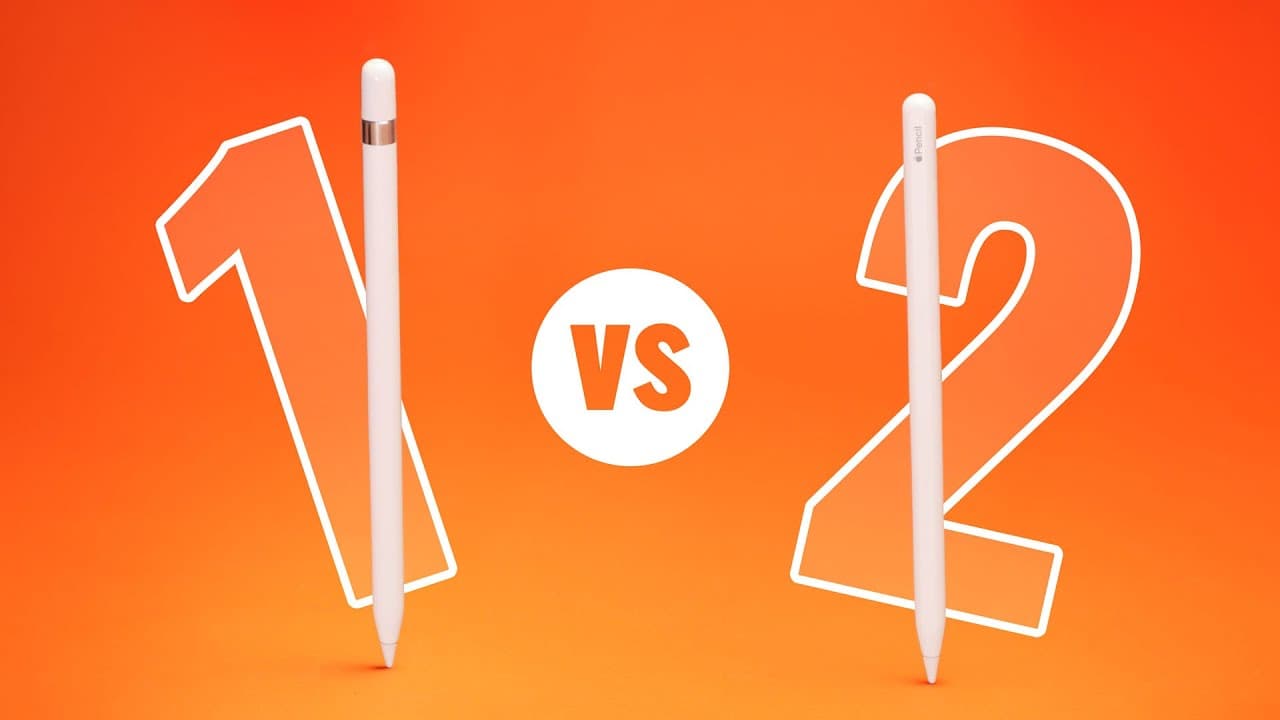
WHY PAY MORE? Apple Pencil 1 vs 2
TL;DR
The second-generation Apple Pencil is more comfortable, convenient, and offers additional features, but it may not be worth the extra cost.
Transcript
- I get so many questions about whether there's enough of a difference between the first and second-generation Apple Pencils. And the answer is, it depends. Because the second-generation pencil is better, but the question should be, is it better enough to justify the extra cost? Now, if we're looking at the price, at least in the US, the difference... Read More
Key Insights
- 👤 The second-generation Apple Pencil offers a more comfortable and convenient user experience compared to the first-generation pencil.
- 📝 The decision between the two pencils depends on personal preferences, budget, and specific use cases such as drawing or note-taking.
- ✏️ The second-generation pencil is more expensive, especially when considering the additional cost of upgrading to a compatible iPad.
- ✏️ The first-generation pencil is still a viable option for those on a tighter budget or who do not require the extra features of the second-generation pencil.
- ❓ Compatibility should be considered when choosing an Apple Pencil, as certain iPads only support one generation.
- 🧑🎨 The second-generation pencil is recommended for artists and illustrators due to its enhanced user experience and compatibility with iPads that have a fully laminated display.
- 🔋 Long-term considerations, such as battery life and processing power, should be taken into account when making an investment in an Apple Pencil and iPad setup.
Install to Summarize YouTube Videos and Get Transcripts
Explore YouTube Video Summarizer or Get YouTube Transcript Extractor
Questions & Answers
Q: What are the main differences between the first-generation and second-generation Apple Pencils?
The second-generation Apple Pencil has a more comfortable design with a flat edge and a matte finish. It charges magnetically and has a double-tap function, unlike the first-generation pencil.
Q: Can the first-generation Apple Pencil be charged while using the iPad?
Yes, it can be charged by plugging it into the Lightning port on the iPad or using a Lightning adapter. However, this means you cannot charge the iPad and the pencil simultaneously.
Q: Are there any compatibility issues with the Apple Pencils?
Yes, the first and second-generation Apple Pencils are not cross-compatible. The first-generation pencil is compatible with the iPad 9, while the second-generation pencil is compatible with the iPad Mini 6, iPad Air 4, and the 11 and 12.9 inch models of the iPad Pro.
Q: Which Apple Pencil is recommended for drawing and illustration purposes?
The second-generation Apple Pencil is recommended for artists and illustrators due to its more comfortable design, double-tap function, and compatibility with iPads that have a fully laminated display.
Key Insights:
- The second-generation Apple Pencil offers a more comfortable and convenient user experience compared to the first-generation pencil.
- The decision between the two pencils depends on personal preferences, budget, and specific use cases such as drawing or note-taking.
- The second-generation pencil is more expensive, especially when considering the additional cost of upgrading to a compatible iPad.
- The first-generation pencil is still a viable option for those on a tighter budget or who do not require the extra features of the second-generation pencil.
- Compatibility should be considered when choosing an Apple Pencil, as certain iPads only support one generation.
- The second-generation pencil is recommended for artists and illustrators due to its enhanced user experience and compatibility with iPads that have a fully laminated display.
- Long-term considerations, such as battery life and processing power, should be taken into account when making an investment in an Apple Pencil and iPad setup.
- Individual preferences and requirements should be taken into consideration when choosing between the first and second-generation Apple Pencils.
Summary & Key Takeaways
-
The second-generation Apple Pencil is more comfortable to hold and has a matte finish that makes it less slippery than the glossy finish of the first-generation pencil.
-
Charging the first-generation pencil can be inconvenient and it is easy to lose the cap, while the second-generation pencil charges magnetically and is always ready to use.
-
Both pencils have the same tip, low latency, and precision, but the second-generation pencil offers a double-tap function for added convenience.
Read in Other Languages (beta)
Share This Summary 📚
Summarize YouTube Videos and Get Video Transcripts with 1-Click
Try YouTube Summary with ChatGPT & Claude or YouTube Transcript Generator
Explore More Summaries from Tech Gear Talk 📚
Summarize YouTube Videos and Get Video Transcripts with 1-Click
Try YouTube Summary with ChatGPT & Claude or YouTube Transcript Generator