How to Embed Looping Audio with Autoplay in WordPress
TL;DR
To embed looping audio with autoplay in WordPress, upload your audio file, then insert an HTML embed tag with the source URL and attributes 'autostart=true' and 'loop=true'. Remember to use audio conservatively, offer controls for users to mute or pause, and ensure the audio loops seamlessly for the best experience.
Transcript
hey there vom blurred here again sometimes you just need to agree so we're going to talk about embedding audio looping with autoplay in your WordPress why does one want to do this well you may want to district you're running a site dedicated to music for example if you just want to have a background loop that sets the mood for your page I've seen t... Read More
Key Insights
- ❓ Embedding audio can create a more engaging website experience.
- 👻 Uploading audio and using embed HTML tags allows for seamless integration.
- 💁 Tips for using audio in WordPress include being conservative and providing user controls.
- 👤 Seamless audio looping is crucial for a pleasant user experience.
- ❓ WordPress offers a variety of features for enhancing website functionality.
- ❓ Vaughn demonstrates the process of embedding audio with autoplay effectively.
- ☺️ Providing a relaxing audio experience can enhance a spa or music-themed website.
Install to Summarize YouTube Videos and Get Transcripts
Explore YouTube Video Summarizer or Get YouTube Transcript Extractor
Questions & Answers
Q: Why would one want to embed audio in WordPress?
Embedding audio can enhance user experience, set the mood, and create a more immersive website, especially for music or spa-related sites.
Q: What steps are involved in embedding audio in WordPress?
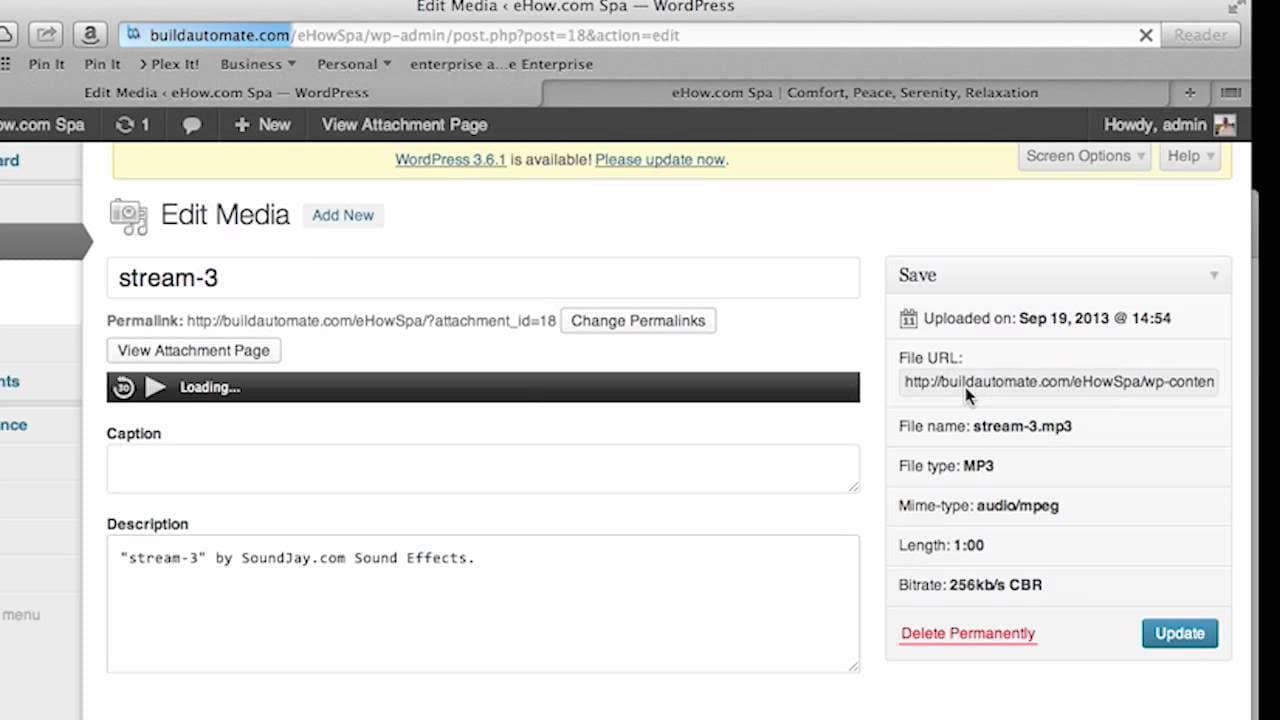
You need to upload the audio file, grab the URL, use the embed HTML tag in the raw HTML section, add attributes like autostart and loop, and update the page.
Q: How can one ensure a good user experience when using looping audio in WordPress?
Use audio conservatively, provide user controls like pause and mute options, and ensure seamless looping by using editors to stitch audio together.
Q: What are some tips for embedding audio in WordPress?
Tips include using audio sparingly, providing control options for users, ensuring seamless looping, and exploring other cool features in WordPress for a better user experience.
Summary & Key Takeaways
-
Embedding audio in WordPress can enhance user experience, especially for music or spa websites.
-
Vaughn demonstrates how to upload and embed audio using raw HTML in WordPress.
-
Tips include using audio conservatively, providing user controls, and ensuring seamless looping.
Read in Other Languages (beta)
Share This Summary 📚
Summarize YouTube Videos and Get Video Transcripts with 1-Click
Try YouTube Summary with ChatGPT & Claude or YouTube Transcript Generator
Explore More Summaries from ehow 📚

Summarize YouTube Videos and Get Video Transcripts with 1-Click
Try YouTube Summary with ChatGPT & Claude or YouTube Transcript Generator