3D Modeling and Printing Software Easy to Use
TL;DR
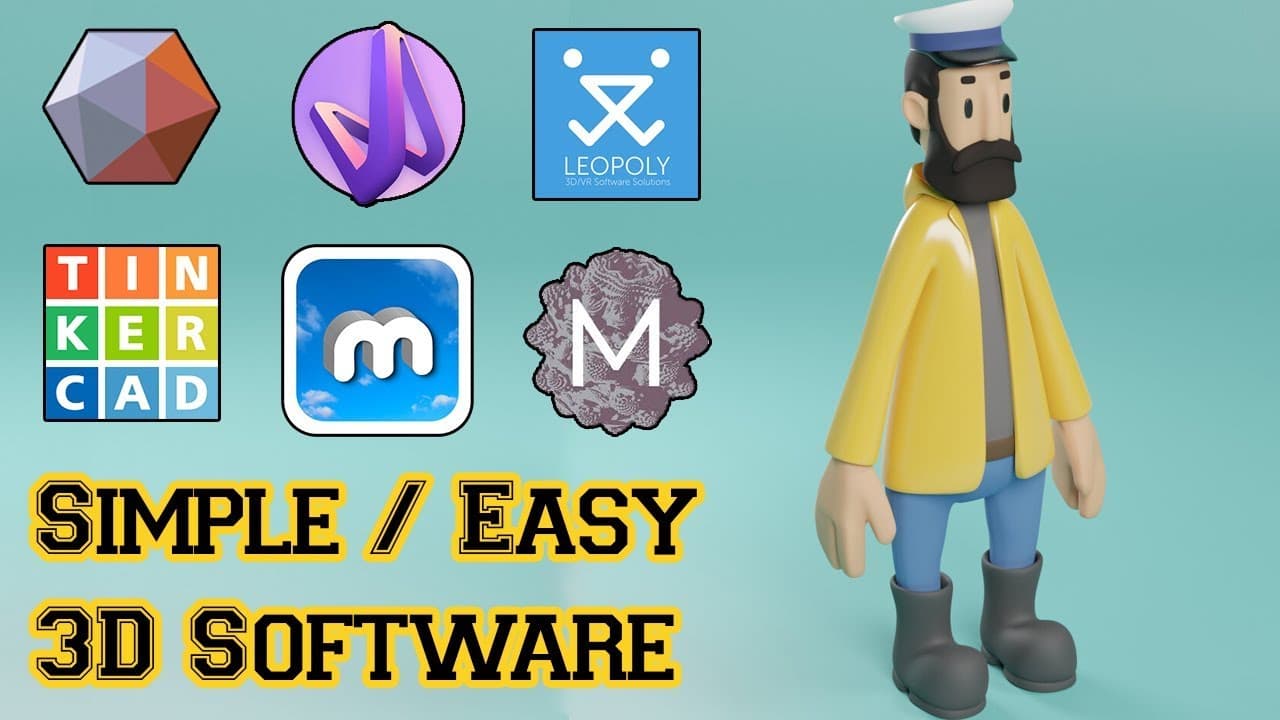
A list of user-friendly 3D software tools for beginners, including Mesh Mixer, 3D Slices, Vectary, Tinkercad, Morphi, Leopoly, FreeCAD, Mandelbulb 3D, Cura, and SelfCAD.
Transcript
there are a lot of 3d software out there and most of them are not easy to use so today we've got a list of easy and simple 3d software for you if you want to create your own 3d models without having a lot of experience this list of 3d software is focused on accessibility is abuse so as a result we're going to see different applications for these so... Read More
Key Insights
- 😒 Easy-to-use 3D software options cater to beginners and non-designers.
- ⚾ Cloud-based platforms like Vectary and SelfCAD offer accessibility and collaboration possibilities.
- 🎨 Tinkercad's community-focused approach has made it a popular choice among 3D design enthusiasts.
- 🧍 Mandelbulb 3D's intuitive interface and robust features make it stand out in the world of fractal imaging.
- 🦾 FreeCAD's parametric modeling capabilities suit engineering disciplines with a focus on mechanical design and architectural projects.
- 🔨 Tools like Mesh Mixer and 3D Slices provide essential features for animation, modeling, and 3D printing.
- 🎨 The democratization of 3D design tools through online platforms like Leopoly and Morphi aims to reach a wider audience.
Install to Summarize YouTube Videos and Get Transcripts
Explore YouTube Video Summarizer or Get YouTube Transcript Extractor
Questions & Answers
Q: What is Mesh Mixer and what features does it offer for 3D modeling?
Mesh Mixer is a beginner-friendly 3D software by Autodesk that enables animation, modeling, sculpting, and more. It provides tools for creating patterns, lattices, and advanced selection options like brushing and surface lasso.
Q: How does Tinkercad stand out in the realm of 3D design software?
Tinkercad is a browser-based tool known for its simplicity, attracting over 7 million users. Founded in 2011, Tinkercad offers an easy platform for creating 3D models, especially for beginners in 3D design.
Q: What is the unique selling point of Mandelbulb 3D in the realm of 3D fractal imaging?
Mandelbulb 3D is a user-friendly software for creating fractal images. Developed by enthusiasts, it provides a vast range of fractal objects with lighting, color, effects control, and a supportive online community for sharing creations and tips.
Q: How does FreeCAD cater to users interested in 3D modeling for various engineering fields?
FreeCAD is an open-source parametric 3D modeler suitable for mechanical design, architecture, and more. Users can extend its functionality with Python scripting but may find it challenging for beginners due to its modular workflow.
Summary & Key Takeaways
-
Explore ten user-friendly 3D software options suitable for beginners.
-
Mesh Mixer, 3D Slices, Vectary, Tinkercad, Morphi, Leopoly, FreeCAD, Mandelbulb 3D, Cura, and SelfCAD offer accessible 3D modeling tools.
-
These software tools cater to users with varying levels of experience, from simple modeling to advanced fractal imaging.
Read in Other Languages (beta)
Share This Summary 📚
Summarize YouTube Videos and Get Video Transcripts with 1-Click
Try YouTube Summary with ChatGPT & Claude or YouTube Transcript Generator
Explore More Summaries from InspirationTuts 📚
Summarize YouTube Videos and Get Video Transcripts with 1-Click
Try YouTube Summary with ChatGPT & Claude or YouTube Transcript Generator