Products
Features
YouTube Video Summarizer
Summarize YouTube videos
Web & PDF Highlighter
Highlight web pages & PDFs
Chat with PDF
Ask any PDF questions with AI
Ask AI Clone
Chat with your highlights & memories
Audio Transcriber
Transcribe audio files to text
Glasp Reader
Read and highlight articles
Kindle Highlight Export
Export your Kindle highlights
Idea Hatch
Hatch ideas from your highlights
Integrations
Obsidian Plugin
Notion Integration
Pocket Integration
Instapaper Integration
Medium Integration
Readwise Integration
Snipd Integration
Hypothesis Integration
Apps & Extensions
Chrome Extension
Safari Extension
Edge Add-ons
Firefox Add-ons
iOS App
Android App
Discover
Discover
Ideas
Discover new ideas and insights
Articles
Curated articles and insights
Books
Book recommendations by great minds
Posts
Essays and notes from readers
Quotes
Inspiring quotes collection
Videos
Curated videos and summaries
Explore Glasp
Glasp Newsletter
Weekly insights and updates
Glasp Talk
Interview series with great minds
Glasp Blog
Latest news and articles
Glasp Use Cases
Learn how others use Glasp
Build & Support
Glasp API
Access Glasp's API for developers
MCP Connector
Connect Glasp to Claude & ChatGPT
Community
Glasp Reddit Community
Students
Student discount and benefits
FAQs
Frequently Asked Questions
AboutPricing
DashboardLog inSign up

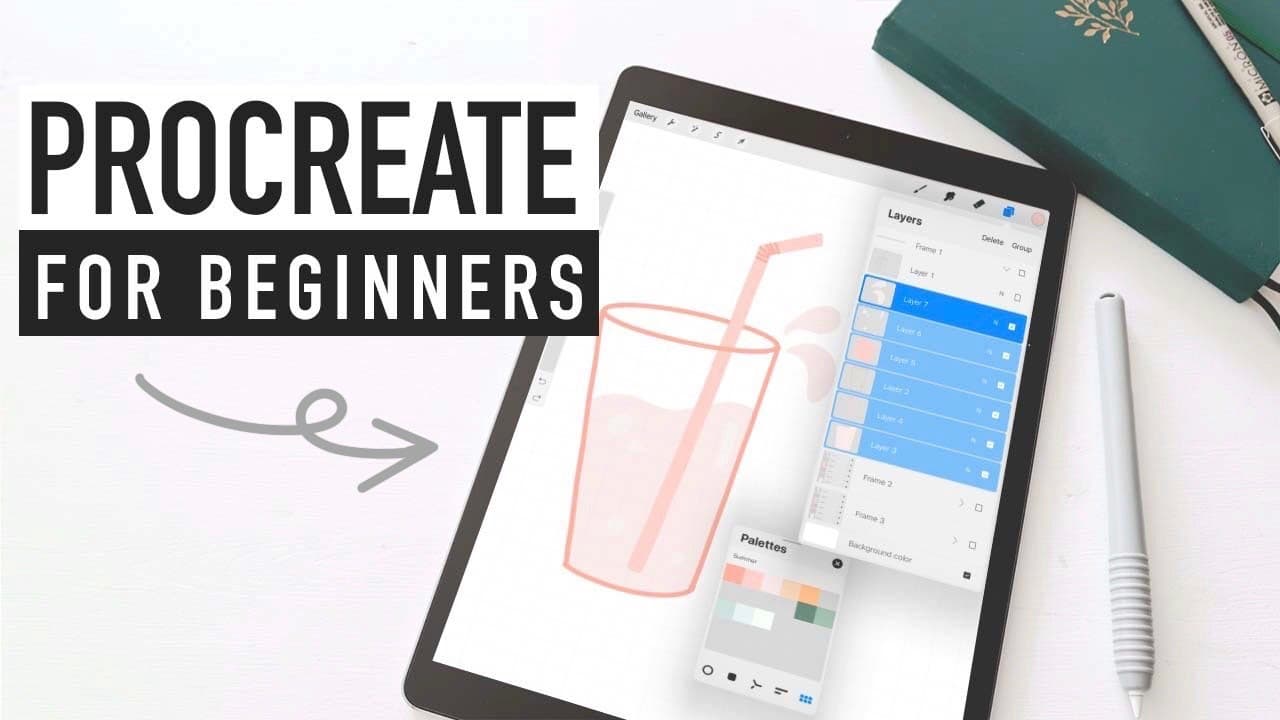
PROCREATE for BEGINNERS | how to animate texts & doodles
June 12, 2020
by
Caitlin's Corner
YouTube video player
PROCREATE for BEGINNERS | how to animate texts & doodles

TL;DR

Learn to create digital art with Procreate, explore its features, and animation capabilities.

Transcript

last month I posted a what's on my iPad video and ever since that video went live I've been getting a lot of requests to talk more about procreate so that's what I'm doing today if you haven't already I highly recommend going to feast your eyeballs on that video though it will be linked in the description box below as I mentioned in that video proc... Read More

Key Insights

  • 😀 Procreate is a powerful app for digital art and animations on the iPad, offering various tools and features for creativity.
  • 🦮 Custom canvases, drawing guides, and layers enhance precision and flexibility in artwork creation.
  • 🛟 Utilizing color palettes and animation tools can add depth and life to digital projects.
  • 💱 Embracing layers in Procreate provides the ability to make intricate changes to artwork without affecting the entire canvas.
  • ❓ Online resources like Coolers can inspire color combinations for artwork in Procreate.
  • 🖼️ Animation in Procreate can be achieved by utilizing layers as frames and exploring transforming, duplicating, and adjusting opacity for animated effects.
  • 👻 Time-lapse replay in Procreate allows users to view the process of creating artwork, providing insights into the creative workflow.

Install to Summarize YouTube Videos and Get Transcripts

Explore YouTube Video Summarizer or Get YouTube Transcript Extractor

Questions & Answers

Q: What is Procreate and how is it used for digital art?

Procreate is an app for creating digital art and animations on the iPad. It offers customizable canvases, drawing guides, layers, and various brush options to enhance artistic capabilities.

Q: How can one start using Procreate effectively for art projects?

To start using Procreate effectively, begin by setting up custom canvases, utilizing the drawing guide for precision, exploring different brush options, and embracing layers for flexibility in editing details.

Q: What are some tips for utilizing color palettes in Procreate?

Color palettes in Procreate can be used effectively by exploring various color views, entering hex codes for specific colors, and utilizing online resources like Coolers for inspiration to create appealing color combinations.

Q: How can Procreate be used for animations and adding life to artwork?

Procreate offers animation tools and the ability to create animated text, objects, and movements by utilizing layers as frames for the animation. Additionally, features like transforming, duplicating, and adjusting opacity enhance the animation process.

Summary & Key Takeaways

  • Procreate is a versatile app for digital art and animations on the iPad.

  • Custom canvases, drawing guides, layers, and brush options enhance creativity.

  • Utilize features like color palettes, animation tools, and time-lapse replay for in-depth projects.


Read in Other Languages (beta)

English

Share This Summary 📚

Summarize YouTube Videos and Get Video Transcripts with 1-Click

Download browser extensions on:

Try YouTube Summary with ChatGPT & Claude or YouTube Transcript Generator

Explore More Summaries from Caitlin's Corner 📚
Bullet Journal PLAN WITH ME May 2018 | HEXAGON WEEKLY SPREAD thumbnail
Bullet Journal PLAN WITH ME May 2018 | HEXAGON WEEKLY SPREAD
Caitlin's Corner
WHY I VLOG ALONE 👀 | Portuguese cooking & what I got for Christmas thumbnail
WHY I VLOG ALONE 👀 | Portuguese cooking & what I got for Christmas
Caitlin's Corner
Bullet Journal SEPTEMBER PLAN WITH ME 2018 | Dutch Door Weekly Spread thumbnail
Bullet Journal SEPTEMBER PLAN WITH ME 2018 | Dutch Door Weekly Spread
Caitlin's Corner
UNBOXING my MACBOOK PRO 2021 | setup & first impressions on 14in M1 Max chip thumbnail
UNBOXING my MACBOOK PRO 2021 | setup & first impressions on 14in M1 Max chip
Caitlin's Corner
Bullet Journal SUMMER DOODLES | Doodle With Me thumbnail
Bullet Journal SUMMER DOODLES | Doodle With Me
Caitlin's Corner
STATIONERY HAUL | book annotating tools, custom kindle & to-do lists thumbnail
STATIONERY HAUL | book annotating tools, custom kindle & to-do lists
Caitlin's Corner

Summarize YouTube Videos and Get Video Transcripts with 1-Click

Download browser extensions on:

Try YouTube Summary with ChatGPT & Claude or YouTube Transcript Generator

Apps & Extensions

  • Chrome Extension
  • Safari Extension
  • Edge Add-ons
  • Firefox Add-ons
  • iOS App
  • Android App

Key Features

  • YouTube Video Summarizer
  • Web & PDF Summarizer
  • Web & PDF Highlighter
  • Chat with PDF
  • Ask AI Clone
  • Audio Transcriber
  • Glasp Reader
  • Kindle Highlight Export
  • Idea Hatch

Integrations

  • Obsidian Plugin
  • Notion Integration
  • Pocket Integration
  • Instapaper Integration
  • Medium Integration
  • Readwise Integration
  • Snipd Integration
  • Hypothesis Integration

More Features

  • APIs
  • MCP Connector
  • Blog & Post
  • Embed Links
  • Image Highlight
  • Personality Test
  • Quote Shots

Company

  • About us
  • Blog
  • Community
  • FAQs
  • Job Board
  • Newsletter
  • Pricing
Terms

•

Privacy

•

Guidelines

© 2026 Glasp Inc. All rights reserved.