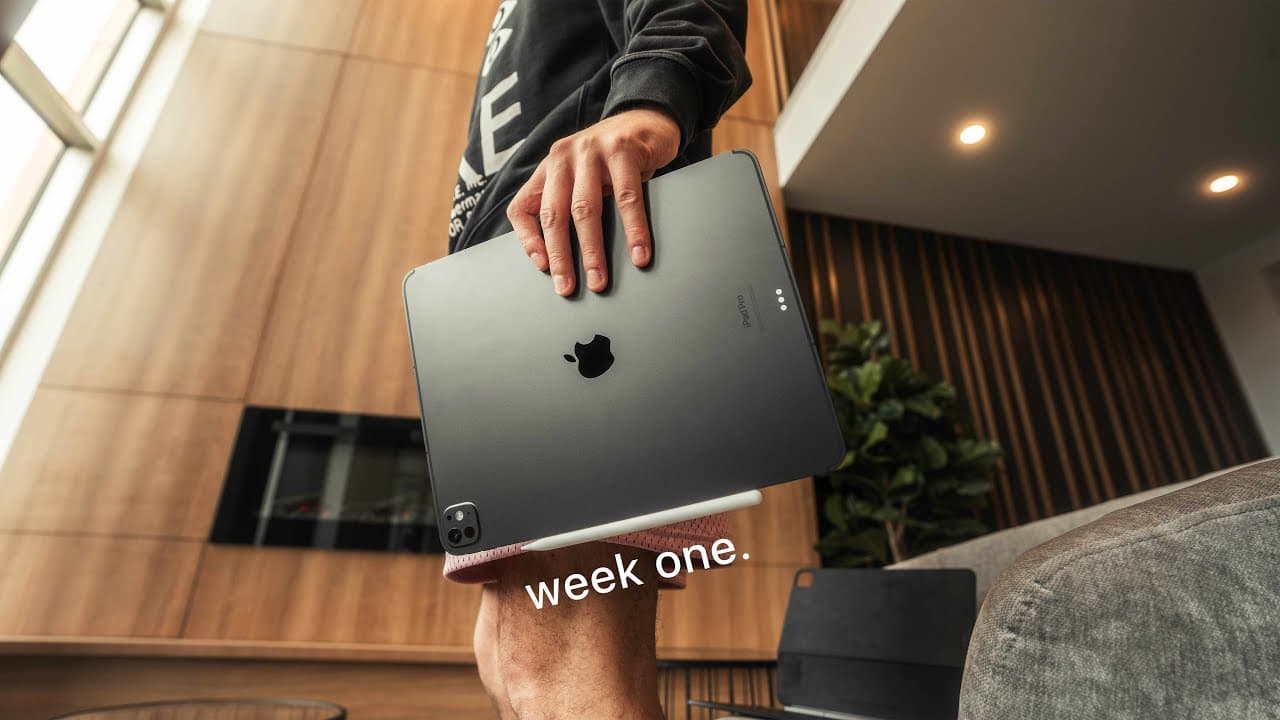
A Week In The Life with M4 iPad Pro - Replacing my MacBook Air
TL;DR
A week with the iPad Pro reveals its potential as a laptop alternative but not a full replacement.
Transcript
this video is sponsored by nobody nobody sponsored this video so please like subscribe and comment nobody n [Applause] [Applause] it's funny cuz I've been unboxing all this stuff and I've been concerned on whether or not there was something in there and now I'm concerned on whether or not there's something in here because it's just uh Crazy Light l... Read More
Key Insights
- 👶 The iPad Pro's design emphasizes a slim profile, improved performance with the new M4 chip, and an OLED display that enhances visual quality.
- 👶 Users can experience both lightweight portability and substantial productivity, especially with the integration of the new Magic Keyboard, which aims to replicate a laptop experience.
- 🧘 Concerns over the software limitations of the iPad highlight the ongoing challenge of positioning it as a complete laptop replacement for professional users.
- 🤨 The new Apple Pencil Pro introduces refinements that enhance user interaction but also raises concerns about usability and compatibility with older models.
- 👤 Users appreciated improvements in the iPad's connectivity options, such as Thunderbolt ports, enabling better integration with peripherals and external displays.
- ❣️ Despite its limitations in coding and heavy productivity tasks, the iPad Pro serves well as a versatile alternative for daily tasks and creative work.
- 🕳️ The potential for OLED burn-in and pixel aging remains a concern for long-term usage, despite advanced algorithms aimed at mitigating these issues.
Install to Summarize YouTube Videos and Get Transcripts
Explore YouTube Video Summarizer or Get YouTube Transcript Extractor
Questions & Answers
Q: How did the unboxing experience of the iPad Pro compare to previous iPads?
The unboxing of the iPad Pro was notable for its focus on design, highlighting its unprecedented thinness and aesthetic appeal. The absence of stickers this time was a slight change, but the braided USB-C cable with matching tips was appreciated. Overall, the experience felt streamlined and emphasized Apple’s attention to detail and product refinement.
Q: What features of the iPad Pro make it appealing as a laptop alternative?
The iPad Pro’s new Magic Keyboard adds a laptop-like experience with a larger trackpad and improved haptic feedback, making typing enjoyable. The M4 chip and enhanced OLED display provide powerful performance, while the device's lightweight design contributes to portability. This combination makes the iPad Pro a compelling option for everyday tasks.
Q: What limitations did the reviewer encounter while using the iPad Pro?
Despite its advantages, the reviewer encountered limitations, especially related to coding and programming tasks. Software restrictions on the iPad, such as the lack of versus code compatibility and difficulty managing files or SSH access, hindered productivity. These obstacles highlighted the iPad Pro's inability to fully replace a traditional laptop for developers.
Q: How effective was the new Apple Pencil Pro during the reviewer's usage?
The new Apple Pencil Pro proved useful, particularly its haptic feedback feature that simplifies app navigation. However, concerns over its magnet strength and the risk of it detaching from the iPad arose. The reviewer found that while it enhanced certain tasks, the utility seemed less essential compared to traditional laptop functions.
Q: How did the reviewer integrate the iPad Pro into their daily workflow?
The reviewer integrated the iPad Pro into various aspects of their daily workflow, utilizing it for voiceovers, automation controls, and managing collaborative projects. By leveraging apps like Notion and utilizing its connectivity with an OLED monitor, they accomplished regular tasks efficiently, reflecting the device's adaptability in a professional setting.
Q: What concerns did the reviewer express regarding the iPad Pro's thin design?
The reviewer's concerns about the iPad Pro's thin design largely revolved around its structural integrity and the potential for fragility. At only 5.1 mm thick, the fear was that it could lead to issues with durability and the design of accessories like the Apple Pencil having to adapt for size constraints further raised worries about compatibility and usability.
Summary & Key Takeaways
-
The unboxing reveals the iPad Pro's impressive thin design and upgraded features, including the new M4 chip and OLED display, which enhance performance and visual experience.
-
During a week of use, the iPad Pro demonstrated its capabilities as a work device, particularly with the new Magic Keyboard, but still fell short for intensive tasks like coding.
-
Concerns arose over the Apple Pencil's design changes and the device's overall software limitations, which hinder its performance as a complete laptop replacement.
Read in Other Languages (beta)
Share This Summary 📚
Summarize YouTube Videos and Get Video Transcripts with 1-Click
Try YouTube Summary with ChatGPT & Claude or YouTube Transcript Generator
Explore More Summaries from Andres Vidoza 📚

Summarize YouTube Videos and Get Video Transcripts with 1-Click
Try YouTube Summary with ChatGPT & Claude or YouTube Transcript Generator