What Are the Best Free File Managers for Windows?
TL;DR
Five free alternatives to Windows File Explorer can enhance your file management experience. These options vary in features and usability, with some supporting portability and customization, while others may struggle with intuitive design and functionality.
Transcript
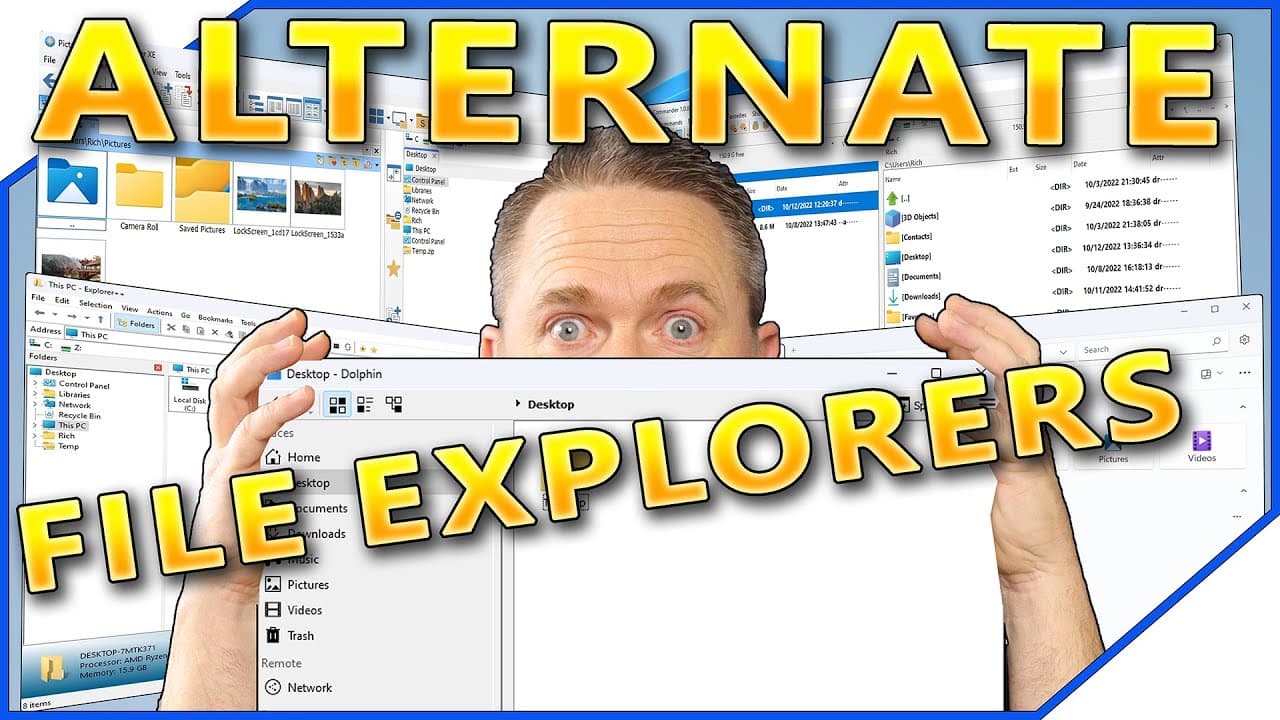
are you looking for a more full-featured File Explorer for Windows well today we're going to take a look at some third-party alternatives to the Windows File Explorer stay tuned the Windows File Explorer is an often overlooked component of Windows while a file manager is a necessary component of Windows we don't spend a lot of time thinking about i... Read More
Key Insights
- 🤪 The Windows File Explorer often goes unnoticed, despite being a crucial component of the Windows operating system.
- 🥳 Third-party file managers provide additional features and customization options, enhancing the user experience.
- 🌲 Free Commander XE offers portability and customization options but has limitations, such as the absence of a file tree by default.
- 📂 Double Commander has an outdated interface, lacks intuitive functionality, and opens certain files in Windows File Explorer.
- 😀 Dolphin, primarily used in Linux, is also available for Windows but lacks advanced features and faces compatibility issues.
- 📁 Explorer++ resembles the Windows 7 file manager, offers tab support, and allows for permanent file deletion.
- 🈸 Files, a Microsoft Windows app, provides a basic file management experience resembling Windows 7 but lacks dual pane view and comprehensive features.
Install to Summarize YouTube Videos and Get Transcripts
Explore YouTube Video Summarizer or Get YouTube Transcript Extractor
Questions & Answers
Q: What are some considerations for selecting a file manager for Windows?
When selecting a file manager for Windows, it is important to consider factors such as availability as a portable app, support for 64-bit versions, and ease of customization.
Q: How do alternative file managers compare to the default Windows File Explorer?
Alternative file managers offer additional features such as tab support, dual pane view, and enhanced search capabilities. However, some may have limitations or bugs, like broken thumbnail previews or difficulty in performing certain tasks.
Q: Which file manager allows for permanently deleting files?
Explorer++ allows for the permanent deletion of files, ensuring that they cannot be recovered. This feature is useful for those who want to eliminate files permanently.
Q: Are alternative file managers free to use?
All file managers discussed in the content are free to use, with some even being open-source. However, certain features or versions may require donations to access.
Key Insights:
- The Windows File Explorer often goes unnoticed, despite being a crucial component of the Windows operating system.
- Third-party file managers provide additional features and customization options, enhancing the user experience.
- Free Commander XE offers portability and customization options but has limitations, such as the absence of a file tree by default.
- Double Commander has an outdated interface, lacks intuitive functionality, and opens certain files in Windows File Explorer.
- Dolphin, primarily used in Linux, is also available for Windows but lacks advanced features and faces compatibility issues.
- Explorer++ resembles the Windows 7 file manager, offers tab support, and allows for permanent file deletion.
- Files, a Microsoft Windows app, provides a basic file management experience resembling Windows 7 but lacks dual pane view and comprehensive features.
- Users should explore these alternative file managers based on their specific needs and preferences to find the most suitable one for their Windows experience.
Summary & Key Takeaways
-
The Windows File Explorer is often overlooked, but it is a necessary component of Windows that we rarely pay attention to.
-
Third-party file managers offer additional features and customization options for Windows users.
-
Five free file managers for Windows are reviewed in terms of their usability, features, and drawbacks.
Read in Other Languages (beta)
Share This Summary 📚
Summarize YouTube Videos and Get Video Transcripts with 1-Click
Try YouTube Summary with ChatGPT & Claude or YouTube Transcript Generator
Explore More Summaries from CyberCPU Tech 📚


Summarize YouTube Videos and Get Video Transcripts with 1-Click
Try YouTube Summary with ChatGPT & Claude or YouTube Transcript Generator