Emby vs Jellyfin: Best NAS Media Server?
TL;DR
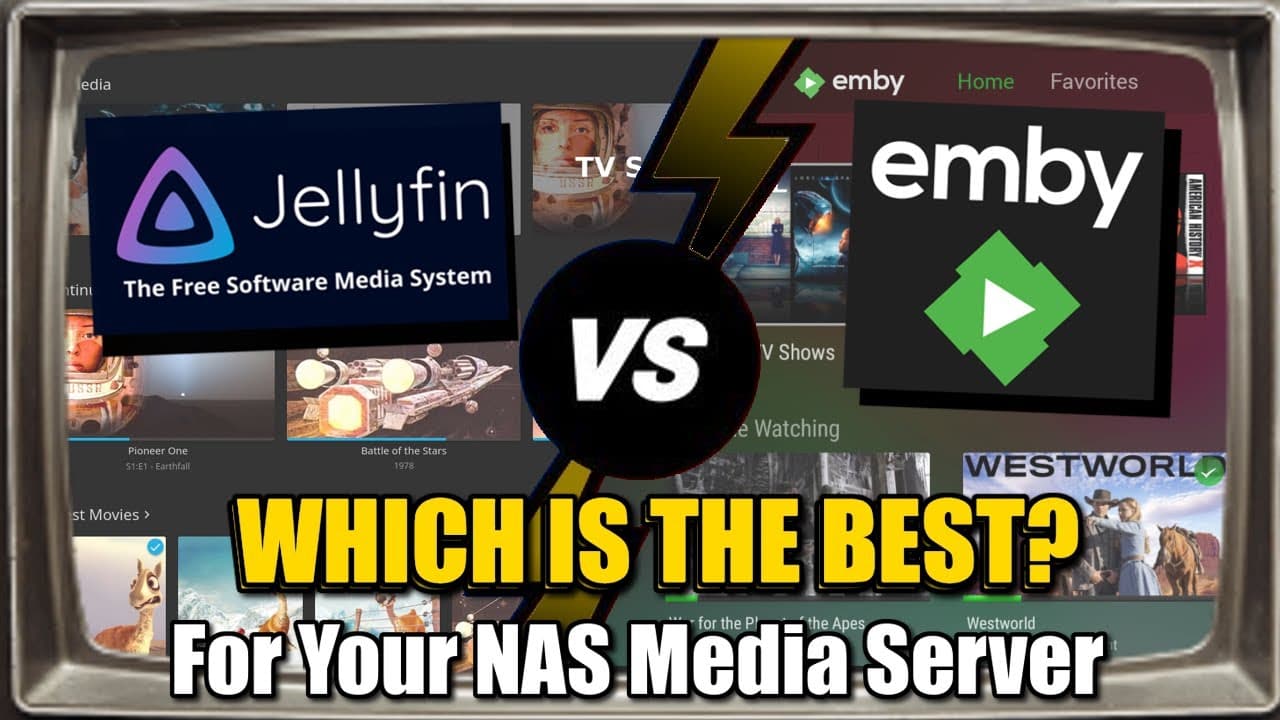
Jellyfin is a completely free, open-source media server that offers a wide range of features without any premium paywalls. Emby, while offering a more polished user experience and additional features, requires a subscription for its premium services like transcoding and app access. For users who prefer open-source and cost-free solutions, Jellyfin is ideal, while Emby suits those willing to pay for a more refined experience.
Transcript
foreign looking at popular multimedia streaming platforms that you can run from your very own Nas server now in part one I looked at comparing Plex Media Server with jellyfin it was kind of like a David and Goliath situation with Plex being largely the established go-to premium uh streaming platform for nara's service and jellyfin being the... Read More
Key Insights
- Jellyfin is a fork of Emby, created to be a completely free and open-source media server.
- Emby offers a more polished user interface and additional features but requires a subscription for premium services.
- Jellyfin provides all its features for free, including transcoding, which Emby charges for.
- Emby supports a wider range of server-side applications and plugins due to its longer presence in the market.
- Jellyfin requires more technical knowledge for setup and configuration compared to Emby.
- Emby Premiere subscription is necessary for features like offline downloading and live TV.
- Both platforms offer similar baseline features, but Emby has more premium options.
- Jellyfin is ideal for tech-savvy users who prefer open-source solutions, while Emby is better for those who value ease of use and are willing to pay.
Install to Summarize YouTube Videos and Get Transcripts
Explore YouTube Video Summarizer or Get YouTube Transcript Extractor
Questions & Answers
Q: How does Jellyfin compare to Emby in terms of cost?
Jellyfin is completely free and open-source, offering all its features without any cost. Emby, on the other hand, requires a subscription for its premium services, such as transcoding, offline downloading, and certain app accesses. This makes Jellyfin a cost-effective choice for users who are comfortable with open-source solutions.
Q: What are the main differences in user interface between Emby and Jellyfin?
Emby offers a more polished and user-friendly interface compared to Jellyfin. Emby's UI is smoother and has more customization options, which are part of its premium service. Jellyfin's interface, while similar due to its origins as a fork of Emby, may require more technical knowledge for customization and lacks some of the premium polish found in Emby.
Q: What are the benefits of using Jellyfin over Emby?
The main benefit of using Jellyfin over Emby is its completely free and open-source nature, which allows users to access all features without any paywalls. Jellyfin supports a wide range of media formats and provides features like transcoding without additional cost. This makes it an attractive option for users who prefer open-source solutions and are willing to handle more complex configurations.
Q: Why might someone choose Emby over Jellyfin?
Someone might choose Emby over Jellyfin for its more polished user experience and additional features that come with the Emby Premiere subscription. Emby offers better support for server-side applications and plugins, and its UI is more user-friendly, making it suitable for users who prioritize ease of use and are willing to pay for a more refined experience.
Q: What is transcoding, and how do Emby and Jellyfin handle it?
Transcoding is the process of converting media files into a different format or quality to better suit the playback device or network conditions. Emby requires a subscription for hardware transcoding, which uses integrated graphics or a GPU for efficiency. Jellyfin, however, offers transcoding for free, allowing users to configure it without additional costs, though it may require more technical setup.
Q: Are there any limitations to using Jellyfin?
Jellyfin's limitations include its less polished user interface and the need for more technical knowledge for setup and configuration. It may not have as wide a range of server-side applications and plugins as Emby, and users might need to rely on third-party applications for certain features. Despite these limitations, Jellyfin remains a strong choice for those who prioritize open-source solutions.
Q: What are the subscription costs for Emby Premiere, and what do they include?
Emby Premiere subscription costs $5 per month, $54 per year, or $119 for a lifetime license. This subscription includes features like hardware transcoding, offline downloading, live TV, DVR support, and access to premium apps and add-ons. These features enhance the overall user experience and provide more customization options compared to the free version of Emby.
Q: How does the app support differ between Emby and Jellyfin?
Emby has a broader range of supported apps across various devices, making it easier to set up on different platforms. However, some client apps require a subscription or a one-time fee. Jellyfin, while offering free apps, may require more technical knowledge to set up, especially for server-side applications. Jellyfin's app support is growing, but it may not be as extensive as Emby's.
Summary & Key Takeaways
-
Jellyfin, a fork of Emby, is a free and open-source media server that offers a wide range of features without any premium paywalls. It is ideal for tech-savvy users who prefer open-source solutions and are willing to handle more complex configurations.
-
Emby provides a more polished user experience with additional features, but many of these are locked behind a subscription. Emby is suitable for users who prioritize ease of use and are willing to pay for a more refined experience.
-
Both platforms offer similar baseline features, but Emby has more premium options due to its longer presence in the market. Users must weigh the cost of Emby's subscription against the free, but more technically demanding, Jellyfin.
Read in Other Languages (beta)
Share This Summary 📚
Summarize YouTube Videos and Get Video Transcripts with 1-Click
Try YouTube Summary with ChatGPT & Claude or YouTube Transcript Generator
Explore More Summaries from NASCompares 📚
Summarize YouTube Videos and Get Video Transcripts with 1-Click
Try YouTube Summary with ChatGPT & Claude or YouTube Transcript Generator