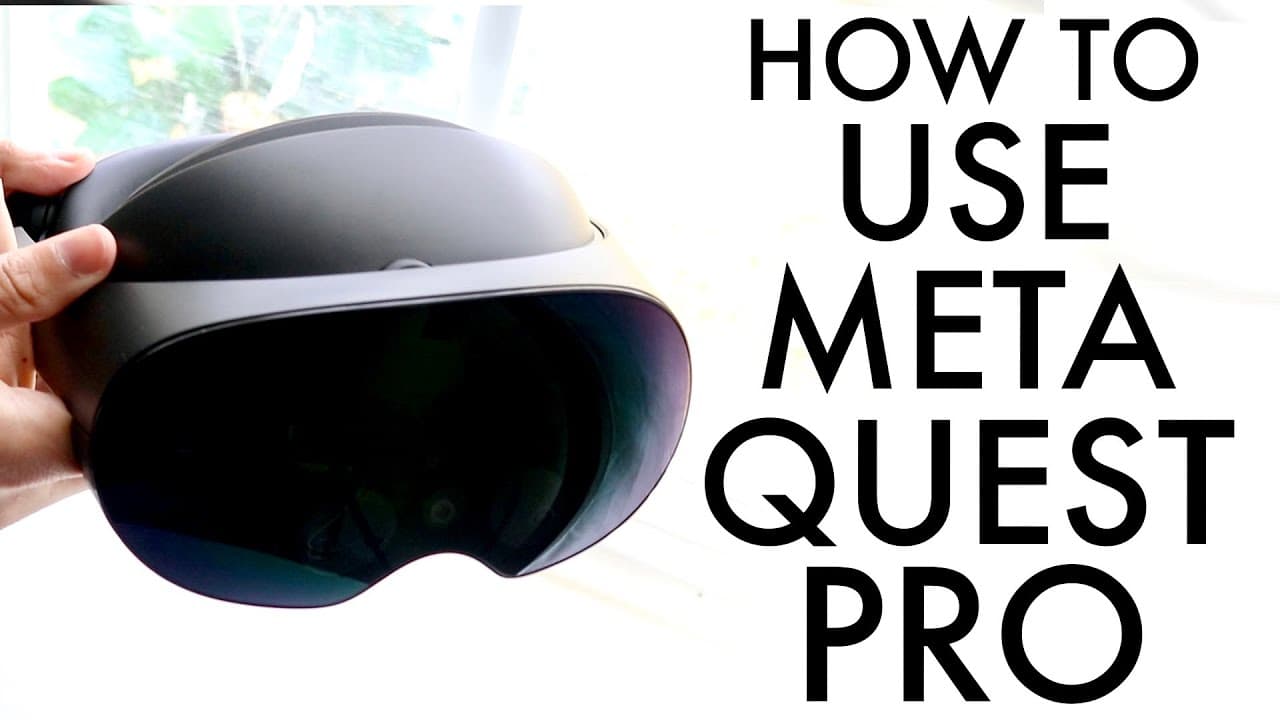
How To Use Meta Quest Pro! (Complete Beginners Guide)
TL;DR
The Meta Quest Pro is a powerful VR headset with advanced features and longevity.
Transcript
so congratulations if you just ended up picking up your metaquest pro this is a very very useful VR headset it's powerful it has pretty much everything you'd ever want and it's very expensive too so if you're new to VR if you're new to The Meta Quest you know experience hopefully this little breakdown will show you exactly what you're working with ... Read More
Key Insights
- 👤 The Meta Quest Pro features cutting-edge technology aimed at providing an immersive virtual reality experience, making it suitable for both casual users and enthusiasts.
- 🈂️ The charging dock included with the Meta Quest Pro allows for efficient simultaneous charging of both the headset and controllers, mitigating the hassle of separate charging setups.
- 👤 Users can experience significant comfort due to adjustable head straps and customizable fit for prolonged use without discomfort.
- 😋 The redesigned controllers enhance user experience by eliminating the ring structure that was characteristic of previous models, promoting a sleeker and more modern feel.
- 👤 The interface and user experience remain familiar to those who have used prior Meta Quest models, making it easier for new users to become accustomed to the device quickly.
- 👤 The inclusion of a robust web browser adds value, enabling users to engage with a variety of online content directly within the VR environment.
- 🏛️ As a premium VR device, the Meta Quest Pro is built for longevity, supporting future developments and upgrades in virtual reality technology.
Install to Summarize YouTube Videos and Get Transcripts
Explore YouTube Video Summarizer or Get YouTube Transcript Extractor
Questions & Answers
Q: What are the main improvements in the Meta Quest Pro compared to previous Meta Quest models?
The Meta Quest Pro features significant improvements such as new controller designs that eliminate the circular ring, enhanced tracking capabilities, and a more immersive display. The charging setup has also been modernized with a docking station for convenience, which allows both the headset and the controllers to be charged simultaneously.
Q: How do you set up the charging dock for the Meta Quest Pro?
Setting up the charging dock involves plugging it into a power source, then placing the controllers into their designated spots on the dock based on specific indentations. The headset can also be charged in the dock or independently through its USB-C port. This streamlined setup ensures that users can keep their devices powered without hassle.
Q: What features does the Meta Quest Pro offer for adjusting the fit?
The Meta Quest Pro includes several adjustable components for a customized fit, specifically through two circular adjustment mechanisms. Users can modify the fit by loosening or tightening the straps at the top and front of the headset. This is crucial for comfort and ensures that the headset sits securely while in use.
Q: What software experience can new users expect when using the Meta Quest Pro?
Upon setup, users will recognize a familiar interface similar to the previous Meta Quest models. They’ll navigate through menus using controllers, which will allow access to various apps, settings adjustments, and the option to explore other functionalities. The experience is designed for ease of use, ensuring newcomers can quickly adapt to the virtual environment.
Q: How does the Meta Quest Pro handle internet browsing?
The Meta Quest Pro includes a full-featured internet browser, allowing users to navigate to any website they wish. This functionality offers much greater flexibility than previous models, enabling users to easily search for information, access social media platforms, or explore different content online without exiting the VR environment.
Q: Are there any precautions to take when handling the Meta Quest Pro?
Yes, users should be cautious of the headset's glass components, especially on the front wherein the cameras are located. Additionally, while adjusting the headset for fit, it's advisable to avoid pulling hair or applying undue pressure on the sensors, as this could damage the device or disrupt its performance.
Q: Can users replace the batteries in the Meta Quest Pro controllers?
No, the Meta Quest Pro controllers no longer have a user-replaceable battery option, meaning users will need to charge them via the provided dock once they are depleted. This design choice emphasizes convenience, though users should be mindful of keeping their controllers charged to avoid interruptions during use.
Summary & Key Takeaways
-
The Meta Quest Pro is a premium VR headset, offering a powerful and immersive experience with everything needed for an advanced virtual reality setup, including improved controllers and a convenient charging dock.
-
Unlike previous models, the Quest Pro's controllers have a new design without the circular rings, requiring a specific charging method through a dock, but maintaining familiarity in button layout.
-
The headset features a customizable fit with adjustable straps and easy-to-navigate menus and settings, providing an enhanced user experience and access to a wide variety of applications and functionalities.
Read in Other Languages (beta)
Share This Summary 📚
Summarize YouTube Videos and Get Video Transcripts with 1-Click
Try YouTube Summary with ChatGPT & Claude or YouTube Transcript Generator
Explore More Summaries from Simple Alpaca 📚






Summarize YouTube Videos and Get Video Transcripts with 1-Click
Try YouTube Summary with ChatGPT & Claude or YouTube Transcript Generator