How to Customize Jabra Elite 75T Sound Settings
TL;DR
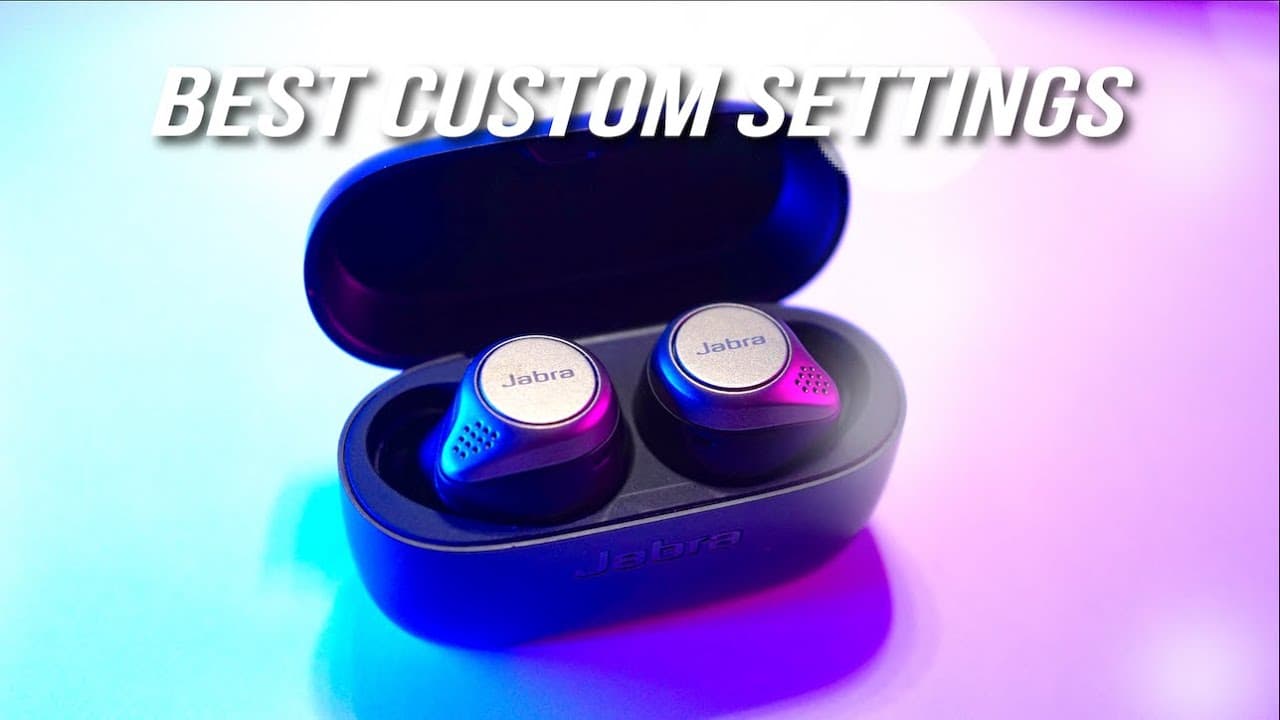
To customize the sound settings for Jabra Elite 75T earbuds, download the Jabra Sound app and adjust features like the HearThrough mode and the five-band equalizer. Users can create personalized audio profiles, optimize settings for different environments, and enhance call quality, while also maximizing battery life by enabling sleep mode.
Transcript
hey guys today I'm going to show you the custom settings that I use to make the Jabra elite 75 T's better now most of these settings that you see here well with the exception of the EQ settings can also be applied to other Jabra earbuds as well like the elite active 65 PS or the lead active 75 keys so if you've got friends and family who use these ... Read More
Key Insights
- 😃 The Jabra Elite 75T and other Jabra earbuds can be significantly enhanced by customizing settings through the Jabra Sound app.
- 👤 The HearThrough feature is crucial for users who want to maintain awareness of their surroundings while enjoying music.
- 🤕 The five-band equalizer allows for detailed sound adjustments, enabling users to create a truly personalized audio experience.
- 🔋 Auto-resuming audio saves battery power by preventing unnecessary playback on one side when the earbuds are removed.
- 💾 Custom audio profiles can be saved and easily switched between for different environments or preferences.
- 🥰 Users can adjust call settings to filter how the other person's voice is heard, enhancing overall call quality.
- 🔋 Setting sleep mode can help prolong battery life by ensuring earbuds enter a low power state when not in use.
Install to Summarize YouTube Videos and Get Transcripts
Explore YouTube Video Summarizer or Get YouTube Transcript Extractor
Questions & Answers
Q: What is the Jabra Sound app and what is its purpose for Jabra earbuds?
The Jabra Sound app is a companion application designed to enhance the user experience for Jabra earbuds, like the Elite 75T. It allows users to customize various sound settings, manage audio profiles, control features like HearThrough and auto-resume audio when removing the earbuds. By utilizing the app, users can tailor the audio experience to meet their personal preferences or adapt settings based on the environment.
Q: How can users adjust the ambient sound pass-through feature on their Jabra earbuds?
The HearThrough feature on Jabra earbuds allows users to control the amount of ambient sound they want to let in through the microphone. This can be adjusted using a simple slider in the Jabra Sound app, with five preset levels ranging from completely muted (level 0) to maximum ambient sound (level 5). Users can choose any level based on their preference for transparency and environmental awareness.
Q: What steps should users follow to create a personalized EQ setting?
To create a personalized EQ setting, users should play a familiar song and access the five-band equalizer in the Jabra Sound app. They can adjust the treble, upper mid, mid, lower mid, and bass dials, listening for the sound changes. Once they find the settings that sound best to them for each frequency, they can save this audio profile for future use, ensuring a tailored listening experience.
Q: What differences exist between using the main preset and the other presets available in the app?
The main preset, My Moment, is designed for general use and personal preferences, while other presets such as Commute and Focus cater to specific environments or activities. Each preset allows users to adjust settings like the graphic equalizer and HearThrough levels based on situational needs. Users can choose to stick with one main preset or customize multiple presets for varying experiences throughout their day.
Summary & Key Takeaways
-
The tutorial covers various customizable settings in the Jabra Sound app to improve the audio experience of the Jabra Elite 75T and other Jabra earbuds.
-
Users can adjust the HearThrough feature for ambient sound control, choose from different EQ presets, or create personalized music profiles for optimal sound.
-
The video addresses settings for call experience, auto-resume features, and provides insights on maximizing battery life through sleep mode options.
Read in Other Languages (beta)
Share This Summary 📚
Summarize YouTube Videos and Get Video Transcripts with 1-Click
Try YouTube Summary with ChatGPT & Claude or YouTube Transcript Generator
Explore More Summaries from Aaron X Loud and Wireless 📚




Summarize YouTube Videos and Get Video Transcripts with 1-Click
Try YouTube Summary with ChatGPT & Claude or YouTube Transcript Generator