Clon de Google Translate | React, TypeScript, ChatGPT + ViteTest 🌐
TL;DR
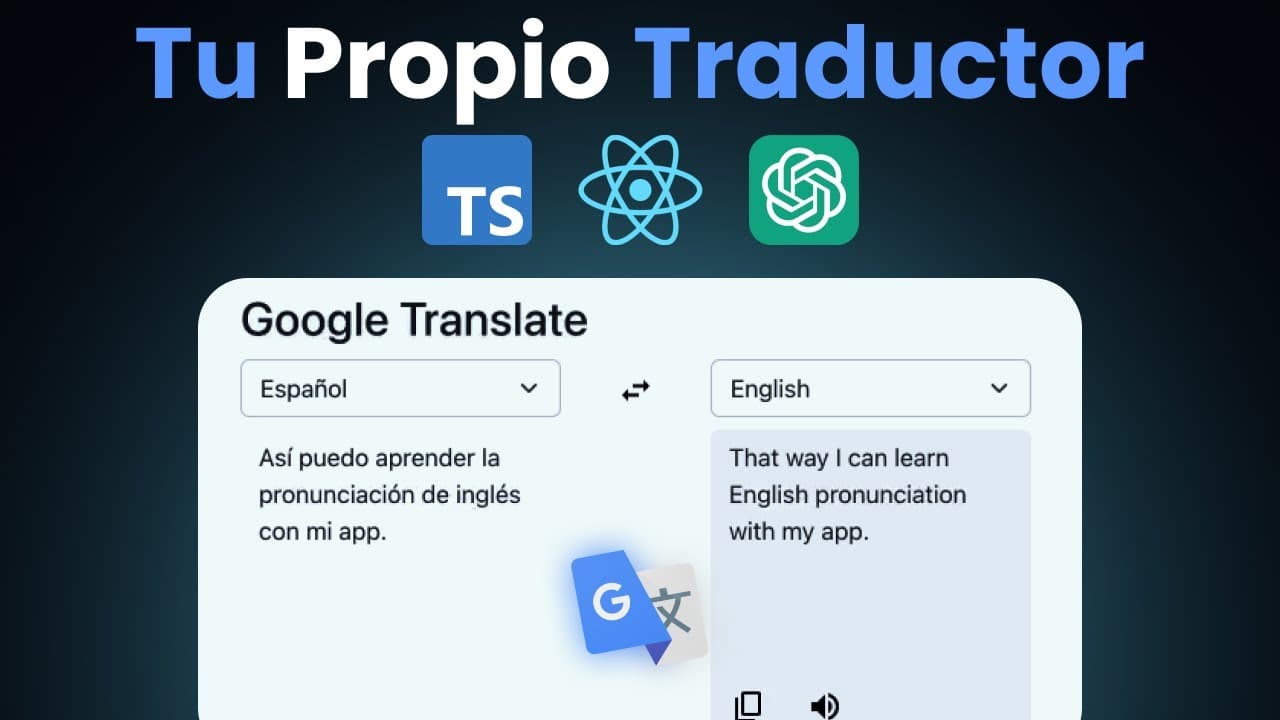
Learn to build a Google Translate clone using React and TypeScript.
Transcript
Good afternoon, how are you? I hope you are super well, that you are ready, because today we have a riac course. Well, today we are going to be developing an app from scratch, a Clone of Google Translate with the chatti riak API and taekip 3, we are going to put it up open code in this our beloved repository we have this repository that we call it ... Read More
Key Insights
- The tutorial provides a step-by-step guide to creating a Google Translate clone using React and TypeScript, showcasing modern UI design and intelligent translation functionality.
- Integrating ChatGPT into the application enhances translation capabilities, allowing for intelligent text processing and language detection.
- The course emphasizes the importance of using a Reducer for state management, highlighting its role in handling complex state transformations efficiently.
- TypeScript is used extensively to ensure type safety, demonstrating the use of generics, keyof, and enums for robust type definitions.
- Custom hooks are created to manage specific functionalities like debouncing user input, showcasing advanced React patterns.
- The tutorial includes setting up ESLint for code quality and consistency, ensuring best practices in coding standards.
- React Bootstrap is utilized for building responsive and visually appealing UI components, demonstrating practical UI design techniques.
- The project is hosted on GitHub, providing access to the complete codebase for further exploration and learning.
Install to Summarize YouTube Videos and Get Transcripts
Explore YouTube Video Summarizer or Get YouTube Transcript Extractor
Questions & Answers
Q: What technologies are used in this project?
The project utilizes React for building the user interface, TypeScript for type safety and enhanced development experience, and ChatGPT for intelligent translation functionality. Additionally, React Bootstrap is used for styling and creating responsive UI components.
Q: How is state management handled in the application?
State management is primarily handled using a Reducer, which allows for efficient handling of complex state transformations. The Reducer pattern is explained in detail, demonstrating how it can be used to manage different states of the application effectively.
Q: What role does TypeScript play in this project?
TypeScript is used extensively to ensure type safety and improve the development process. The tutorial covers various TypeScript features, including generics, keyof, and enums, to demonstrate how they can be used to define robust types and prevent runtime errors.
Q: How is the ChatGPT integration implemented?
ChatGPT is integrated into the application to provide intelligent translation capabilities. The tutorial explains how to configure and use the OpenAI API to process user input and return translated text, enhancing the application's functionality.
Q: What is the purpose of the custom debounce hook?
The custom debounce hook is created to manage user input efficiently, preventing unnecessary API calls while typing. It ensures that the translation request is only sent after the user has stopped typing for a specified duration, optimizing performance and reducing API usage.
Q: Why is React Bootstrap used in the project?
React Bootstrap is utilized for building responsive and visually appealing UI components. It provides a set of pre-styled components that can be easily customized, allowing for a consistent and modern design throughout the application.
Q: What are the benefits of using ESLint in this project?
ESLint is set up to maintain code quality and consistency across the project. It enforces coding standards and best practices, helping developers avoid common pitfalls and ensuring that the codebase remains clean and maintainable.
Q: Where can the complete project code be accessed?
The complete project code is available on GitHub, providing access to the full implementation of the Google Translate clone. Learners can explore the codebase to gain a deeper understanding of the concepts covered in the tutorial and experiment with further customizations.
Summary & Key Takeaways
-
This tutorial guides you through building a Google Translate clone using React and TypeScript, focusing on creating a modern UI and integrating ChatGPT for intelligent translation functionality. Key concepts include state management with Reducers, type safety with TypeScript, and UI design with React Bootstrap.
-
The course covers essential React patterns such as creating custom hooks, implementing debouncing, and managing complex state transformations. It also highlights the importance of setting up ESLint for maintaining code quality and consistency across the project.
-
By the end of the tutorial, learners will have a comprehensive understanding of building a translation app, leveraging TypeScript for type safety, and utilizing ChatGPT for enhanced translation capabilities. The complete project is available on GitHub for further exploration.
Read in Other Languages (beta)
Share This Summary 📚
Summarize YouTube Videos and Get Video Transcripts with 1-Click
Try YouTube Summary with ChatGPT & Claude or YouTube Transcript Generator
Explore More Summaries from midulive 📚
Summarize YouTube Videos and Get Video Transcripts with 1-Click
Try YouTube Summary with ChatGPT & Claude or YouTube Transcript Generator