Fashion Faces Tutorial 3: Illustrating Using Multiple Media: Male and Female
TL;DR
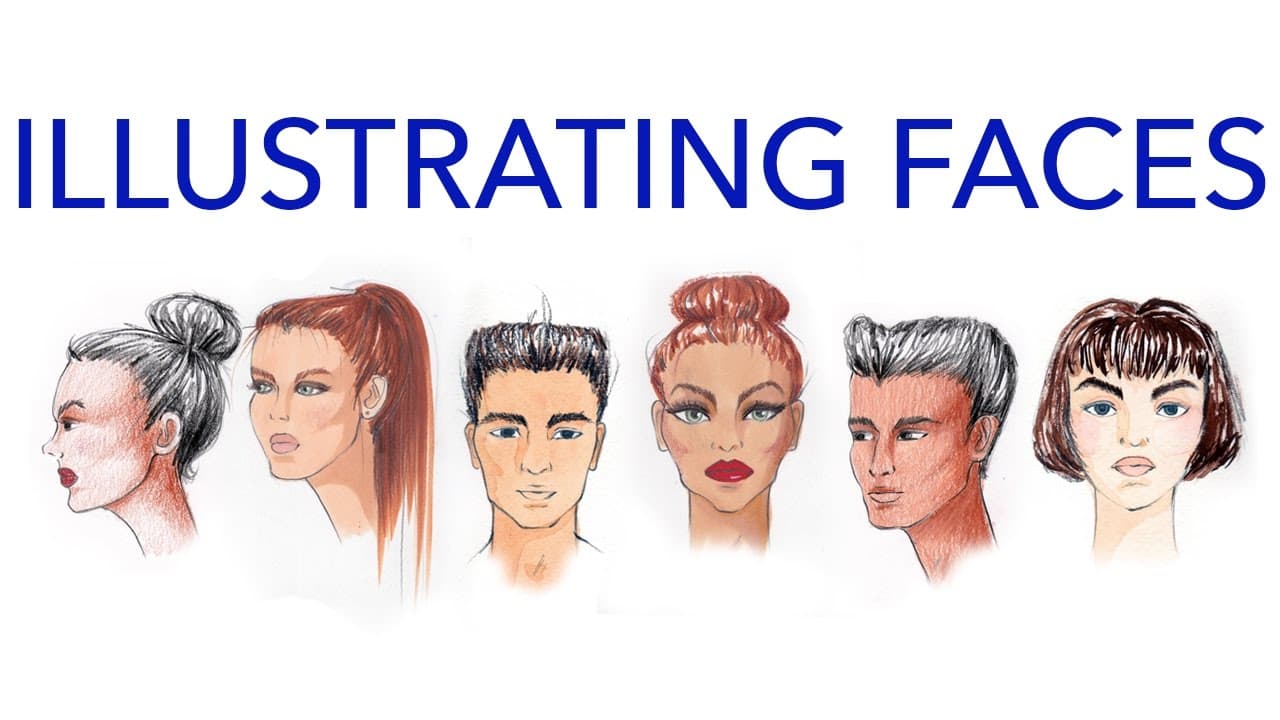
Learn how to create 3D faces with shading and various media like paint, marker, and color pencil.
Transcript
hey guys so this is my third installment of the face series the first video was all about proportions for male and female front view faces the second video was translating those proportions to 3/4 profile and 1/4 heads and then this one is all going to be about how to illustrate them using various media and I'm going to demo marker color pencil and... Read More
Key Insights
- 🙂 Understanding and applying three kinds of shadows for realistic face rendering based on the light source.
- 🥌 Mixing skin tones using gouache with additional colors for varying shades and undertones.
- 😀 Using color pencil for detailed features, textures, and blending in face illustrations.
- 😊 Tips on applying makeup, including blush and eye makeup, using suitable media for the desired effect.
- 🐲 Techniques for creating drag queen transformations with exaggerated features and dramatic makeup.
- 😃 Importance of leaving whites of the eyes and practicing rendering on smaller faces for design illustrations.
- 🥌 Recommendations for creating a flesh tones color chart and utilizing various techniques for rendering faces with different skin tones.
Install to Summarize YouTube Videos and Get Transcripts
Explore YouTube Video Summarizer or Get YouTube Transcript Extractor
Questions & Answers
Q: What are the three kinds of shadows mentioned in the video?
The three kinds of shadows are shadows above the face, shadows away from the light source, and cast shadows from objects blocking the light.
Q: How should skin tones be created using gouache for face rendering?
Skin tones can be created by mixing burnt sienna with additional colors like Naples yellow or yellow ochre for a golden hue or warm red for a rosy tone, mainly using gouache for opacity and smoothness.
Q: What is the significance of leaving the whites of the eyes when painting faces?
Leaving the whites of the eyes is crucial to avoid the jaundiced look and to provide a natural overlap in the hairline when adding color to prevent a white halo effect.
Q: How can color pencil be used to add texture and details to faces?
Color pencil can be used to create gradients, ombres, and softer shadows, allowing for detailed features like eyebrows, eye makeup, and hair textures with slow and controlled application.
Summary & Key Takeaways
-
The video demonstrates how to render faces in 3D using shading techniques with different media such as paint, marker, and color pencil.
-
It emphasizes three kinds of shadows based on the light source: shadows above, away, and cast shadows on the face and neck.
-
The tutorial covers creating skin tones, applying makeup, and adding details for different face types, including drag queen transformations.
Read in Other Languages (beta)
Share This Summary 📚
Summarize YouTube Videos and Get Video Transcripts with 1-Click
Try YouTube Summary with ChatGPT & Claude or YouTube Transcript Generator
Explore More Summaries from Zoe Hong 📚



Summarize YouTube Videos and Get Video Transcripts with 1-Click
Try YouTube Summary with ChatGPT & Claude or YouTube Transcript Generator