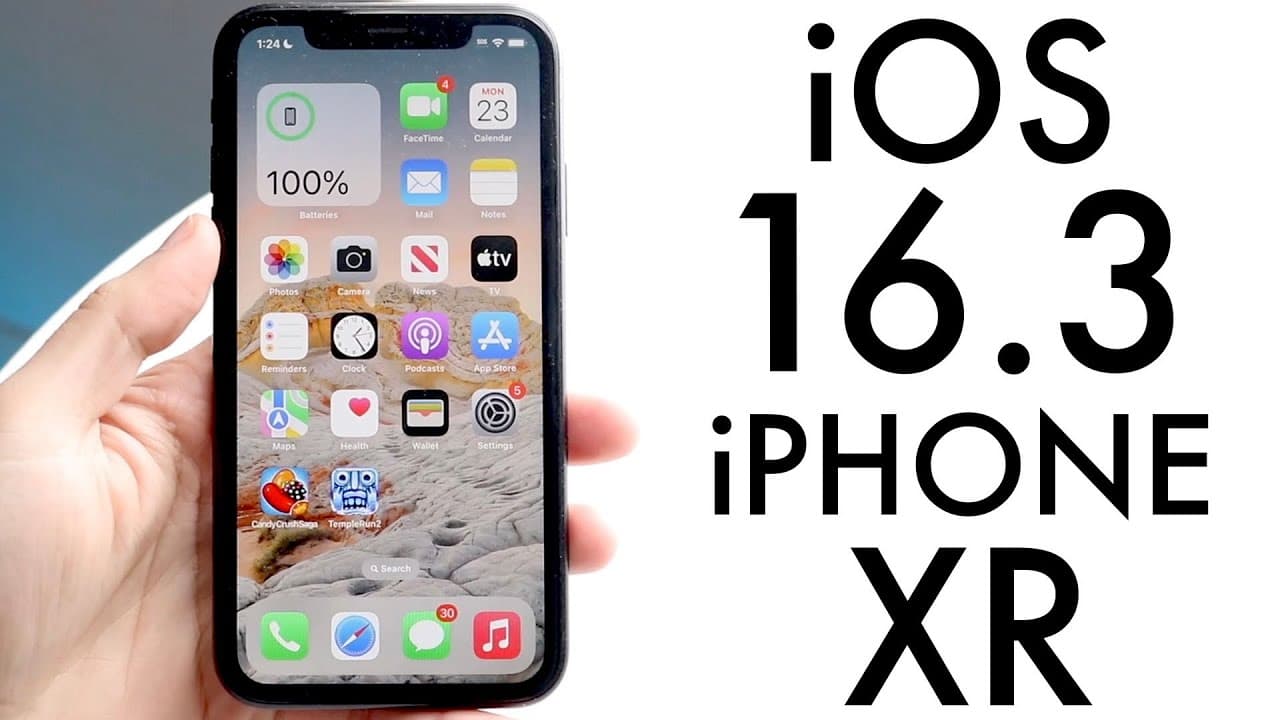
iOS 16.3 On iPhone XR! (Review)
TL;DR
The iOS 16.3 update introduces new features and security improvements for users.
Transcript
well everyone iOS 16.3 has officially came out so let's go and take a look at it on the iPhone 10r and see if it's worth installing now this specific update actually does bring a couple of cool things to the table but it was in a beta for a very long period of time so if you weren't too familiar I mean for like several different weeks this thing wa... Read More
Key Insights
- 👤 iOS 16.3 adds unique Unity wallpapers, making personalization easier for iPhone users.
- 🔐 Physical security keys are now an option, emphasizing a trend toward hardware-based security measures.
- 👶 The update aligns better with new accessories like the second-generation HomePods, ensuring compatibility.
- 🤙 Enhancements to the Emergency SOS feature aim to improve user safety by reducing accidental calls.
- 😀 The Freeform app now runs more smoothly, addressing prior issues and improving functionality.
- 👤 The update is highly recommended for users currently on iOS 16.0 or 16.2 for better overall performance.
- 👶 Users on iOS 15 can choose to stay, but transitioning to iOS 16 will grant them access to new features.
Install to Summarize YouTube Videos and Get Transcripts
Explore YouTube Video Summarizer or Get YouTube Transcript Extractor
Questions & Answers
Q: What are the notable new features in iOS 16.3?
The iOS 16.3 update introduces new Unity wallpapers specifically designed for devices like the iPhone 10r. Additionally, it enhances security with the option for physical authentication keys, making logging in and unlocking the iPhone more secure. Improvements to the Emergency SOS feature and the Freeform app's functionality have also been noteworthy.
Q: How does the new physical security key feature work?
The physical security key feature allows users to require a hardware key to log in or unlock their iPhone, adding an extra level of security. Users who prefer traditional two-factor authentication methods like texting can still opt for those but have a choice to use physical keys for additional protection.
Q: Can users find the new Unity wallpapers online without updating?
Yes, even though the Unity wallpapers are part of the iOS 16.3 update, users have the option to search for and download them from the internet without necessarily updating their device. This flexibility allows users to customize their phone's appearance at their convenience.
Q: What improvements were made to the Emergency SOS feature?
The Emergency SOS feature in iOS 16.3 now requires users to hold the side button along with either the volume up or down button to prevent accidental emergency calls. This updated process enhances usability by minimizing instances where emergency calls could accidentally be triggered.
Summary & Key Takeaways
-
iOS 16.3 introduces new Unity wallpapers and enhances user experience by offering a fresh aesthetic for iPhone 10r owners. Users can opt to find these wallpapers online if they prefer not to update immediately.
-
The update includes the option for physical security keys, providing an extra layer of security for users who prefer hardware-based authentication methods over traditional two-factor authentication (2FA).
-
Significant updates were made to the Emergency SOS feature and the Freeform app, addressing previous issues and enhancing user interface interactions, encouraging users to upgrade for improved functionality.
Read in Other Languages (beta)
Share This Summary 📚
Summarize YouTube Videos and Get Video Transcripts with 1-Click
Try YouTube Summary with ChatGPT & Claude or YouTube Transcript Generator
Explore More Summaries from Simple Alpaca 📚
Summarize YouTube Videos and Get Video Transcripts with 1-Click
Try YouTube Summary with ChatGPT & Claude or YouTube Transcript Generator