How to 3D Photoscan Easy and Free!
TL;DR
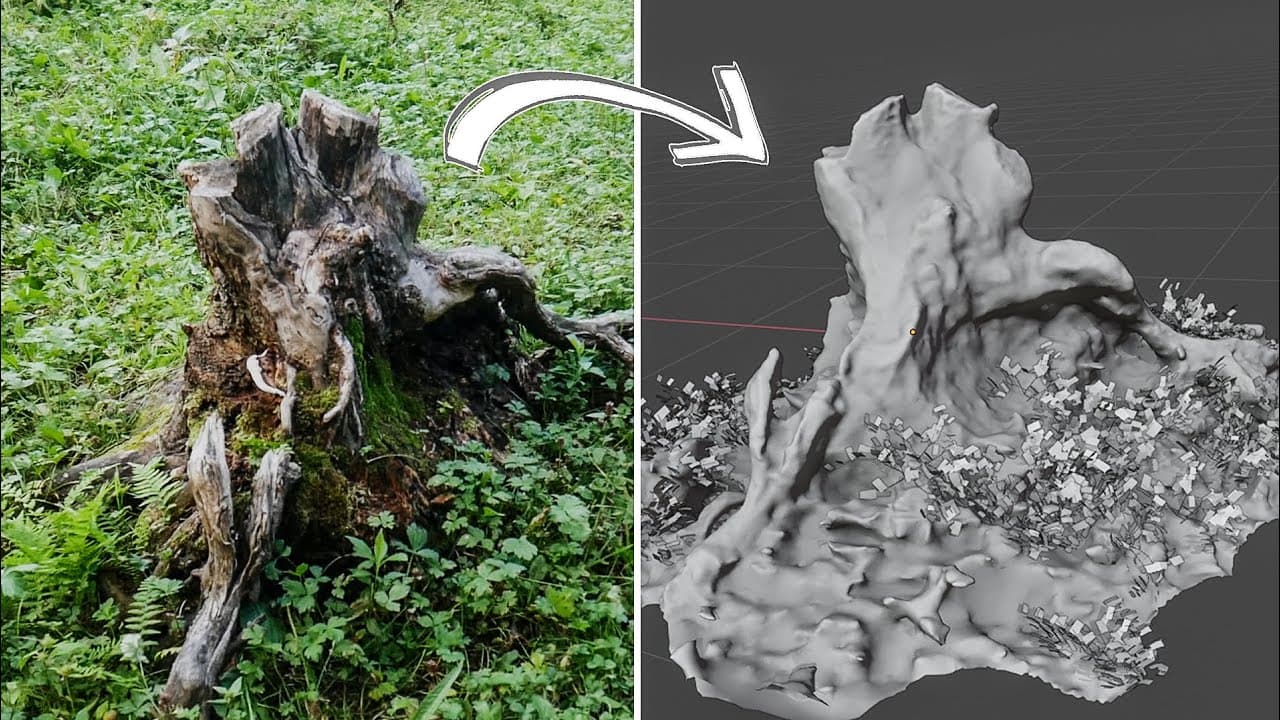
Learn how to use open source software to create high-quality 3D scans using just a camera and a computer.
Transcript
all right so I have a fun video for you guys today and it's about how to get started photo scanning for free using open source software all you need is a camera your phone will work great and a computer even a laptop will work for that so if you have those two things around you'll be able to get started bullets yeah let's do it special thanks to sk... Read More
Key Insights
- 🤗 Meshroom is an open source software that allows for free and easy 3D reconstructions.
- 🔆 Choosing the right objects to scan in nature is key for realistic and high-quality results.
- 🥳 Shooting on a cloudy day helps avoid lighting and shadow issues in your 3D scans.
- 🥡 Taking multiple photos from every angle ensures a thorough and detailed 3D scan.
- 🗯️ Using the right settings in the software and adding post-processing effects can enhance the final result.
- 👻 Uploading your 3D scans to platforms like Sketchfab allows for easy sharing and viewing in real time.
- 😒 The use of additional assets, like realistic nature packs, can further enhance the realism of your 3D scans.
Install to Summarize YouTube Videos and Get Transcripts
Explore YouTube Video Summarizer or Get YouTube Transcript Extractor
Questions & Answers
Q: What software is recommended for free photo scanning?
Meshroom is an open source software that allows you to create 3D reconstructions for free.
Q: What objects in nature are suitable for photo scanning?
Rocks, logs, and stumps are recommended as they have solid shapes that can be easily scanned.
Q: Why should you shoot on a cloudy day for photo scanning?
Shooting on a cloudy day helps avoid overly bright spots and long shadows in your 3D scans.
Q: How many photos should you take for a photo scan?
It is recommended to take at least 50 photos from every angle surrounding the object for the best results.
Key Insights:
- Meshroom is an open source software that allows for free and easy 3D reconstructions.
- Choosing the right objects to scan in nature is key for realistic and high-quality results.
- Shooting on a cloudy day helps avoid lighting and shadow issues in your 3D scans.
- Taking multiple photos from every angle ensures a thorough and detailed 3D scan.
- Using the right settings in the software and adding post-processing effects can enhance the final result.
- Uploading your 3D scans to platforms like Sketchfab allows for easy sharing and viewing in real time.
- The use of additional assets, like realistic nature packs, can further enhance the realism of your 3D scans.
- Adjusting lighting, textures, and effects in online platforms like Sketchfab gives you control over the final look of your 3D models.
Summary & Key Takeaways
-
Use open source photogrammetry software, Meshroom, to create 3D reconstructions for free.
-
Choose the right objects to scan in nature, such as rocks, logs, and stumps, for realistic results.
-
Shoot on a cloudy day to avoid overly bright spots and long shadows in your 3D scans.
Read in Other Languages (beta)
Share This Summary 📚
Summarize YouTube Videos and Get Video Transcripts with 1-Click
Try YouTube Summary with ChatGPT & Claude or YouTube Transcript Generator
Explore More Summaries from CG Geek 📚
Summarize YouTube Videos and Get Video Transcripts with 1-Click
Try YouTube Summary with ChatGPT & Claude or YouTube Transcript Generator