1.4.4 R1. Understanding Food - Video 3: Data Analysis
TL;DR
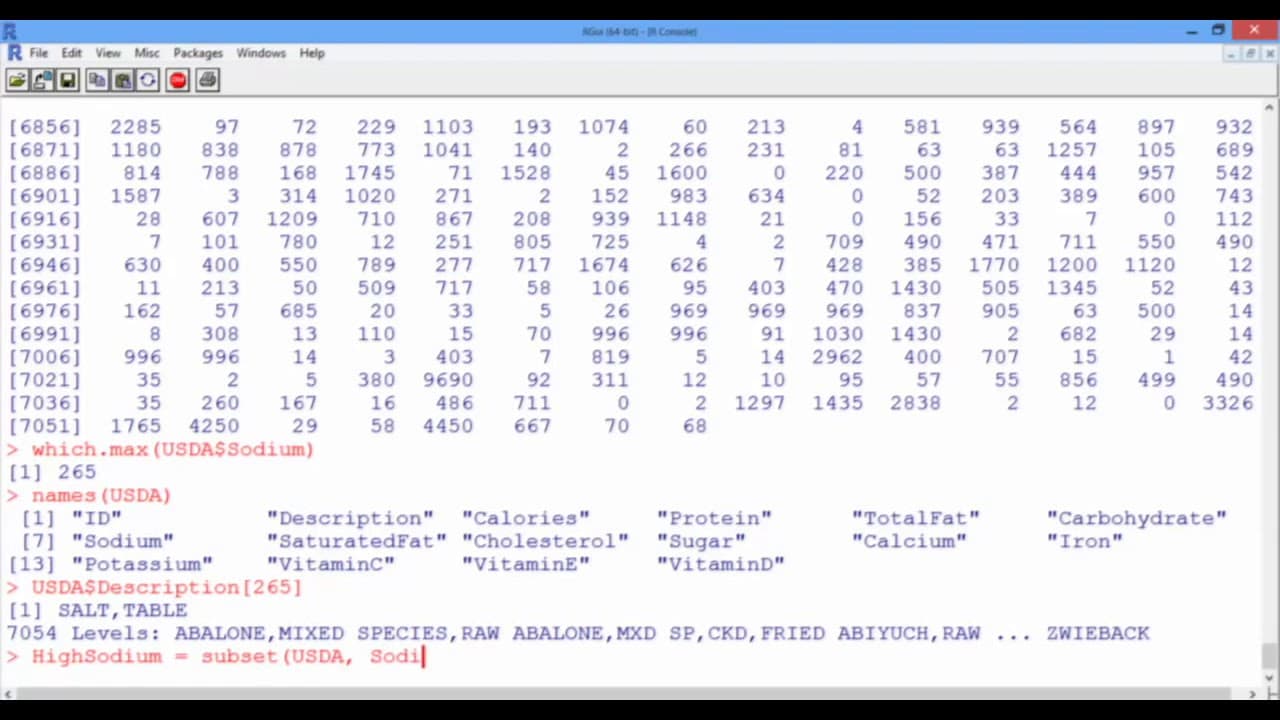
This video demonstrates how to analyze data in R, including finding the maximum value, creating subsets, and computing statistics.
Transcript
In this video, we will do some basic data analysis. All that I've done since our previous video is clear the console, but R still has all the information stored. In fact, if we use the Up Arrow on our keyboard, we retrieve the last command we typed, which was the summary of the USDA data frame. And as a quick reminder, at the end of our last video,... Read More
Key Insights
- 🤩 R stores all previously entered commands, allowing easy retrieval using the Up Arrow key.
- ✋ The which.max function can be used to find the index of the maximum value in a vector, such as the highest sodium level in a data frame.
- 😋 Subsets can be created in R based on specific conditions, such as selecting foods with sodium levels above a certain threshold.
- ☠️ The summary function provides summary statistics for a vector, such as the mean, while the sd function can be used to compute the standard deviation.
Install to Summarize YouTube Videos and Get Transcripts
Explore YouTube Video Summarizer or Get YouTube Transcript Extractor
Questions & Answers
Q: How can I retrieve the last command I typed in R?
To retrieve the last command, you can use the Up Arrow key on your keyboard, which will display the previous command in the console.
Q: How can I find the food with the highest sodium level in the data set?
You can use the which.max function with the Sodium vector to find the index of the food with the highest sodium level.
Q: How can I create a subset of the data frame based on a specific condition?
You can create a subset by using the subset function or by directly subsetting the data frame using logical conditions, such as selecting foods with sodium levels above a certain threshold.
Q: How can I compute the mean and standard deviation of the sodium levels in the data set?
You can use the summary function to compute the mean and the sd function with na.rm=TRUE to compute the standard deviation of the Sodium vector.
Summary & Key Takeaways
-
The video explains how to retrieve and work with data stored in R, including using the Up Arrow to access previous commands and using the dollar notation to call specific variables.
-
It demonstrates finding the food with the maximum level of sodium by using the which.max function with the Sodium vector.
-
It shows how to create a subset of the original data frame based on a specific condition, such as selecting foods with sodium levels above 10,000 milligrams.
Read in Other Languages (beta)
Share This Summary 📚
Summarize YouTube Videos and Get Video Transcripts with 1-Click
Try YouTube Summary with ChatGPT & Claude or YouTube Transcript Generator
Explore More Summaries from MIT OpenCourseWare 📚

Summarize YouTube Videos and Get Video Transcripts with 1-Click
Try YouTube Summary with ChatGPT & Claude or YouTube Transcript Generator