How to Create a Cube Constructor Game with Kinect
TL;DR
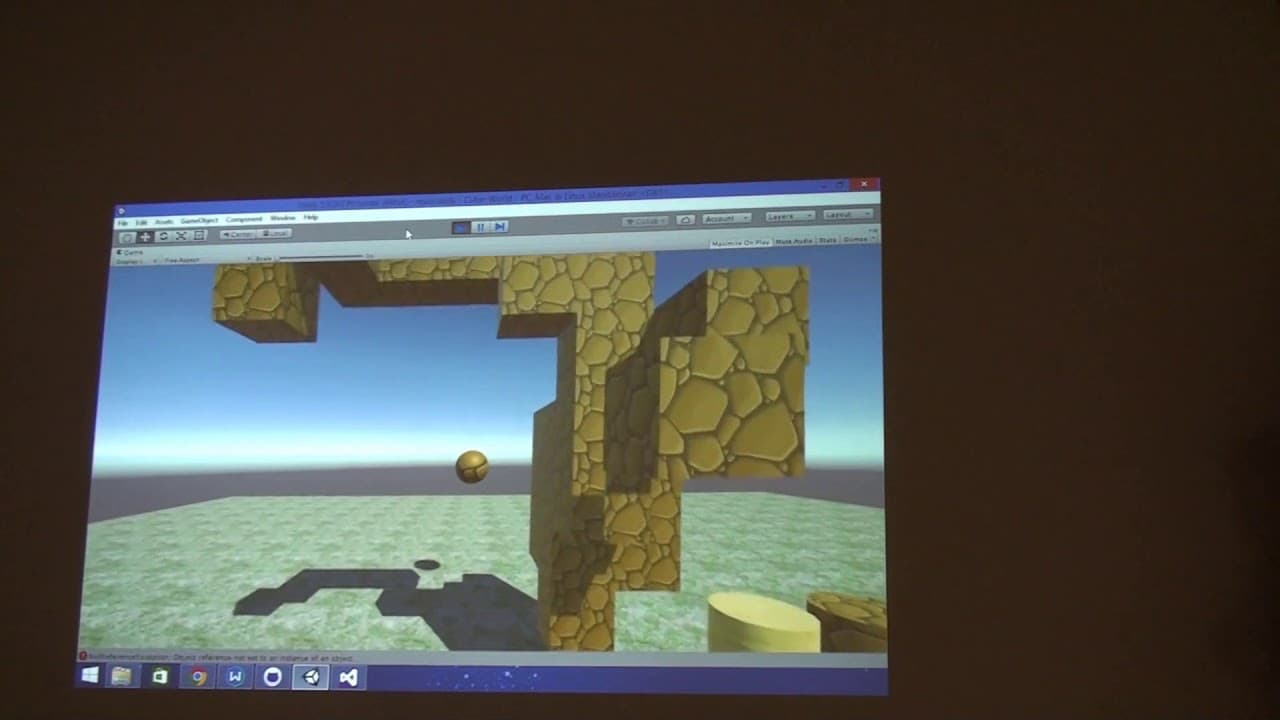
To create a Cube Constructor game using Kinect, players control a character and build or destroy cubes with hand gestures. The game features a grid layout to prevent overlapping cubes and includes a color palette for customization. Future updates may allow for easier object grouping and movement.
Transcript
[INTERPOSING VOICES] KYLE KEANE: All right. So this movement happening above the screen. [INTERPOSING VOICES] STUDENT: So the original inspiration was from Minecraft. And we were kind of constructing this cubes freely with different textures. And we made this with Kinect. So basically with one hand you can control the position of your character, wh... Read More
Key Insights
- 👾 The game was inspired by Minecraft and aims to provide a similar building and destruction experience.
- 🎮 Kinect technology is utilized to enable players to control the game using hand gestures.
- 👾 The cubes in the game are placed on a grid to avoid overlapping.
- 👥 There are plans to introduce object grouping for easier movement.
- 👾 The game features a palette for players to recolor the cubes.
- 🥺 The students find it challenging to draw using Kinect, leading to some humorous moments during the presentation.
- 👾 The game currently offers five colors for customization but may expand in the future.
Install to Summarize YouTube Videos and Get Transcripts
Explore YouTube Video Summarizer or Get YouTube Transcript Extractor
Questions & Answers
Q: How did the students come up with the idea for the game?
The students were inspired by Minecraft and wanted to create a similar building and destruction experience using Kinect technology.
Q: How does the game work?
Players control a ball-like character with one hand and use the other hand to create or destroy cubes. The cubes are placed on a grid to prevent overlapping.
Q: Can players customize the colors of the cubes?
Yes, there is a palette available that allows players to recolor the objects. However, in the demo, only five colors were available.
Q: Are there plans to improve the controls?
The students mentioned that it might be more intuitive to use two hands for creating and manipulating objects instead of just one hand.
Summary & Key Takeaways
-
Students draw inspiration from Minecraft to create a game where players can freely construct cubes with different textures using hand gestures.
-
The game utilizes Kinect technology, allowing players to control the position of their character with one hand and decide whether to create or destroy cubes with the other hand.
-
The cubes are placed on a grid to avoid overlapping, and future plans involve grouping objects for easier movement.
Read in Other Languages (beta)
Share This Summary 📚
Summarize YouTube Videos and Get Video Transcripts with 1-Click
Try YouTube Summary with ChatGPT & Claude or YouTube Transcript Generator
Explore More Summaries from MIT OpenCourseWare 📚
Summarize YouTube Videos and Get Video Transcripts with 1-Click
Try YouTube Summary with ChatGPT & Claude or YouTube Transcript Generator