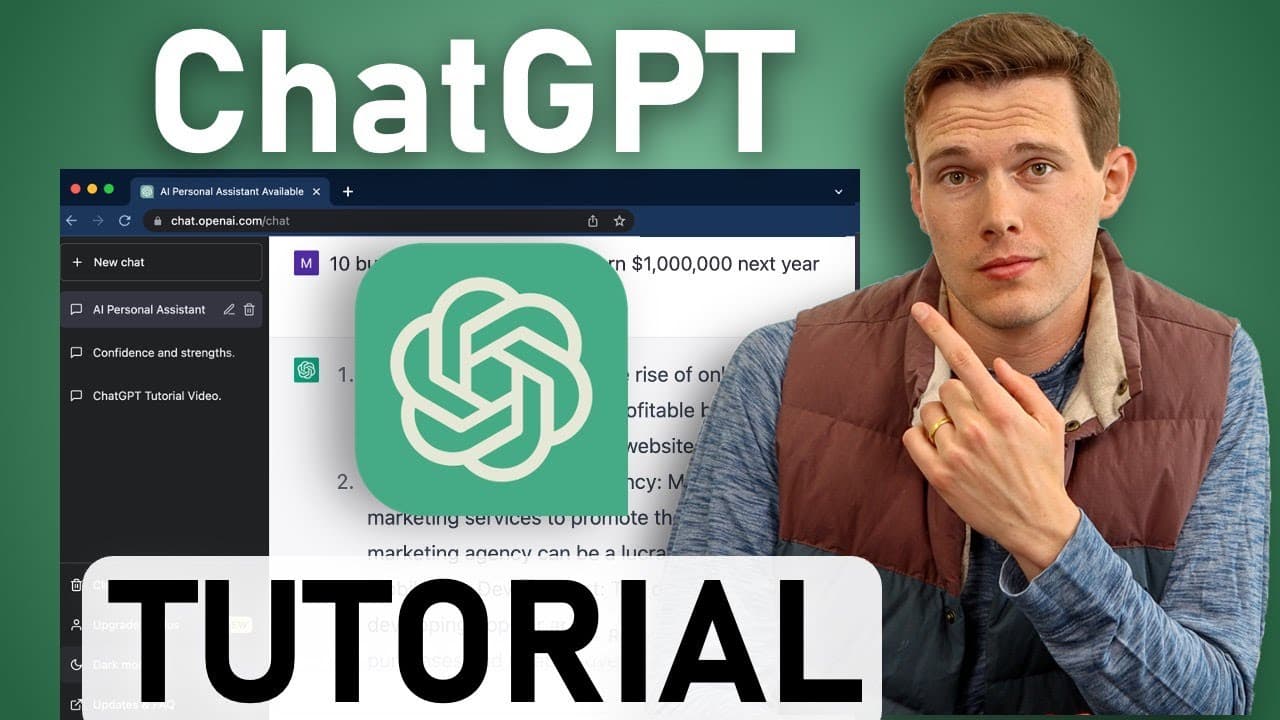
Complete ChatGPT Tutorial - [Become A Power User in 30 Minutes]
TL;DR
Learn how to use Chat GPT to its full potential, from setting up an account to advanced commands, and discover its wide range of applications.
Transcript
hey everyone welcome to the channel my name is Mike in this tutorial I'm going to show you how to go from beginner to expert with the most powerful tool on the internet right now let's chat GPT you may have seen headlines about this disruptive Artificial Intelligence being able to replace jobs and write documents and emails and answer questions and... Read More
Key Insights
- ✊ Chat GPT is a free-to-use AI-powered tool that has the potential to significantly impact various aspects of life, from business to personal development.
- 😫 The tutorial provides a step-by-step guide to set up a Chat GPT account and navigate its interface.
- 💁 Using specific commands and providing detailed information enables users to receive customized and accurate responses.
- 👊 Chat GPT can generate lists of ideas, write complex documents, answer questions, and even assist with coding tasks.
- 💁 While Chat GPT has limitations and may occasionally provide incorrect information, it is a valuable tool that can save time and improve productivity.
- ✍️ Utilizing modifiers like "explain like I'm five" or requesting a specific writing style adds a creative and personalized touch to the generated content.
- 🤖 Chat GPT can be used for mental health support, providing a conversational bot that offers guidance and advice.
- 👨💻 Extracting data from text, debugging code, and running Python scripts are among the advanced features of Chat GPT.
- 👤 Users are encouraged to consult with professionals and verify the outputs for accuracy and legality.
Install to Summarize YouTube Videos and Get Transcripts
Explore YouTube Video Summarizer or Get YouTube Transcript Extractor
Questions & Answers
Q: How can I create an account with Chat GPT?
To create an account, open a preferred browser and go to chat.openai.com. Sign up using your email address or Google/Microsoft account. Verify your email, and then provide basic information.
Q: What are the limitations of Chat GPT?
While Chat GPT is a powerful tool, it may occasionally provide incorrect or outdated information. It cannot connect to the internet and has certain safeguards in place to prevent offensive or biased responses.
Q: Can Chat GPT generate lists of ideas?
Yes, Chat GPT can generate lists of ideas, such as hobbies, party themes, or business concepts. By providing specific details, you can receive tailored responses for your needs.
Q: How can I use Chat GPT to write emails or other documents?
Chat GPT can help you write various documents, including emails, essays, music, poetry, and even legal documents. You can ask it to write a template, modify existing text, or paraphrase content.
Key Insights:
- Chat GPT is a free-to-use AI-powered tool that has the potential to significantly impact various aspects of life, from business to personal development.
- The tutorial provides a step-by-step guide to set up a Chat GPT account and navigate its interface.
- Using specific commands and providing detailed information enables users to receive customized and accurate responses.
- Chat GPT can generate lists of ideas, write complex documents, answer questions, and even assist with coding tasks.
- While Chat GPT has limitations and may occasionally provide incorrect information, it is a valuable tool that can save time and improve productivity.
- Utilizing modifiers like "explain like I'm five" or requesting a specific writing style adds a creative and personalized touch to the generated content.
- Chat GPT can be used for mental health support, providing a conversational bot that offers guidance and advice.
- Extracting data from text, debugging code, and running Python scripts are among the advanced features of Chat GPT.
- Users are encouraged to consult with professionals and verify the outputs for accuracy and legality.
- Constant feedback and improvement are essential for the ongoing development and refinement of Chat GPT.
Summary & Key Takeaways
-
The tutorial covers the basics of setting up an account and navigating the Chat GPT interface.
-
It explains ten major types of commands that users can use to maximize the potential of Chat GPT.
-
The video demonstrates how to modify and optimize commands, providing examples in web development, food and cooking, business, education, health, and more.
Read in Other Languages (beta)
Share This Summary 📚
Summarize YouTube Videos and Get Video Transcripts with 1-Click
Try YouTube Summary with ChatGPT & Claude or YouTube Transcript Generator
Explore More Summaries from Santrel Media 📚



Summarize YouTube Videos and Get Video Transcripts with 1-Click
Try YouTube Summary with ChatGPT & Claude or YouTube Transcript Generator