Bob Walmsley @ IBC 2019 | Maxon Cinema 4D
TL;DR
Learn how to integrate X Particles and Cycles 4D plugins to create stunning visual effects for motion graphics projects.
Transcript
hi everyone so I'm from in city 'm and we make X particles and cycles for D which are plugins that help you make and render amazing stuff inside max on cinema 4d so I'm going to do I'm going to start with our visual effects show real now this isn't actually what we're going to concentrate on today but this just gives you a flavor of what can be cre... Read More
Key Insights
- 📽️ X Particles and Cycles 4D plugins offer powerful tools for creating impressive visual effects in motion graphics projects.
- 🎁 Techniques such as shrink wrap, splash effects, and particle simulations can be easily achieved with these plugins.
- ❓ The presenter emphasizes the simplicity of the setups, showcasing how complex effects can be achieved with just a few steps.
Install to Summarize YouTube Videos and Get Transcripts
Explore YouTube Video Summarizer or Get YouTube Transcript Extractor
Questions & Answers
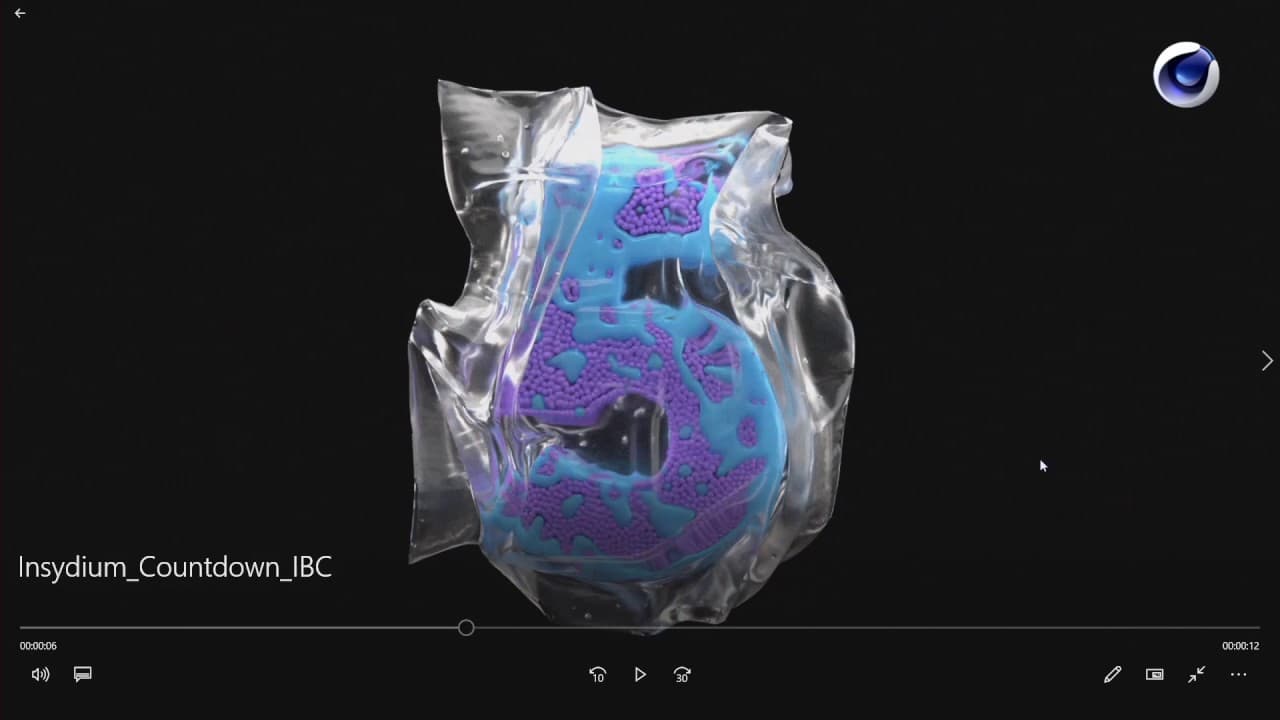
Q: How does the presenter create the shrink wrap effect around the number 5?
The presenter starts by deforming a cube into a bag shape, then uses X Particles cloth and a custom force field to shrink wrap the bag around the number. They also demonstrate how to add additional details and create a higher resolution render.
Q: How does the presenter animate the splash effect around the number 6?
The presenter uses X Particles to emit particles from the number 6 and collide them with a cube object. They then use a sheeter and a meshing tool to create a fluid-like simulation for the splash. The result is a realistic splash effect.
Q: How does the presenter achieve the swirling effect around the number 3?
The presenter uses X Particles hexagonal emission mode to spawn particles in a grid-like pattern. They then apply a fluid effects solver with animated gravity to simulate the movement of sand particles. The particles are attracted to the number 2 object, creating the swirling effect.
Q: How can I access tutorials and training resources for X Particles and Cycles 4D?
If you have a maintenance agreement, you can access a library of maintenance tutorials on the company's website. Additionally, there are free training resources available on YouTube. The presenter also mentions that they plan to release a full project breakdown tutorial series in the future.
Key Insights:
- X Particles and Cycles 4D plugins offer powerful tools for creating impressive visual effects in motion graphics projects.
- Techniques such as shrink wrap, splash effects, and particle simulations can be easily achieved with these plugins.
- The presenter emphasizes the simplicity of the setups, showcasing how complex effects can be achieved with just a few steps.
- Access to training resources and tutorials is available for users with maintenance agreements, allowing for continuous learning and skill development.
Summary & Key Takeaways
-
The presenter showcases the visual effects tools available in X Particles and Cycles 4D.
-
They demonstrate how to apply these tools to motion graphics projects, using everyday production examples.
-
The techniques shown include creating a shrink wrap effect, animating a splash, and manipulating particles in a sand-like simulation.
Read in Other Languages (beta)
Share This Summary 📚
Summarize YouTube Videos and Get Video Transcripts with 1-Click
Try YouTube Summary with ChatGPT & Claude or YouTube Transcript Generator
Explore More Summaries from Maxon 📚
Summarize YouTube Videos and Get Video Transcripts with 1-Click
Try YouTube Summary with ChatGPT & Claude or YouTube Transcript Generator