Clubs Walkthrough
TL;DR
Xbox Clubs are user-managed spaces where gamers can play and share; they can be public, private, or hidden.
Transcript
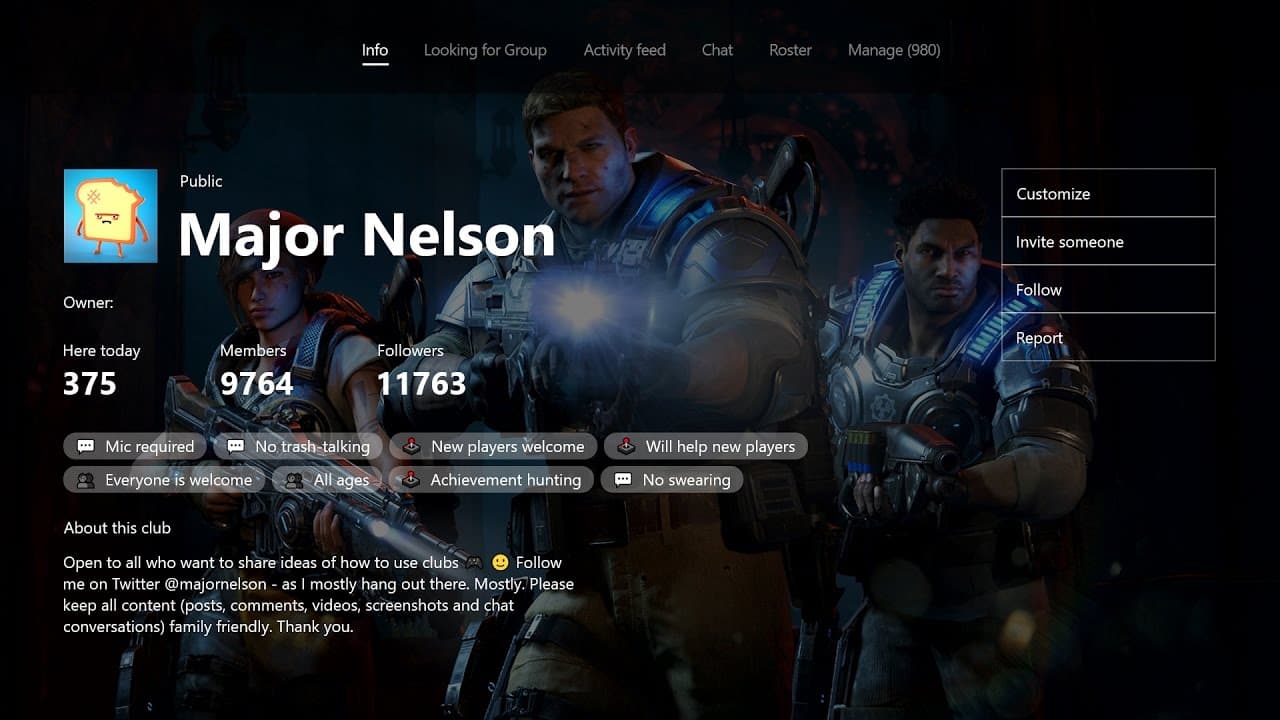
hi I'm Jasmine Lawrence I'm a program manager on the Xbox experiences team I'm here to share with you a little bit about clubs so just to give you a brief overview of clubs clubs are user managed and user created spaces where gamers can come together to play and share there are three different types of clubs public private and hidden public clubs a... Read More
Key Insights
- 🖐️ Clubs on Xbox provide a platform for gamers to connect, play, and share experiences.
- 🎚️ The three types of Clubs offer varying levels of privacy and visibility.
- ⚡ Creating a Club involves customization options such as choosing backgrounds, profile pictures, colors, and tags.
- 🎮 Associating games with your Club helps it show up on game hubs, making it easier for friends playing different games to find and join.
- 👊 Club members can share their greatest moments and chat with other members using the Club's activity feed and chat functions.
- 🤯 Admins have additional responsibilities, including managing content reports and members.
- 👾 Finding clubs is made easier by checking friends' profiles and game hubs.
Install to Summarize YouTube Videos and Get Transcripts
Explore YouTube Video Summarizer or Get YouTube Transcript Extractor
Questions & Answers
Q: What are Xbox Clubs?
Xbox Clubs are spaces where gamers can come together to play and share experiences, managed and created by users. They can be public, private, or hidden.
Q: How can I create a Club on Xbox?
To create a Club, you can go to the community area on your console or the clubs area on your mobile device or PC. Choose the type, name, customize appearance, and associate games.
Q: Can I join a Club on Xbox?
Yes, you can join a Club on Xbox by going to the discover clubs area and finding clubs using tags, games, descriptions, or specific names. You can see all your invitations waiting for you in the same area.
Q: What can I do as an admin of a Club on Xbox?
As an admin, you can manage content reports and members of your Club. This ensures everyone has a great time playing on Xbox Live.
Summary & Key Takeaways
-
Clubs on Xbox are user-created spaces where gamers can join together to play and share experiences.
-
There are three types of Clubs: public (visible to all), private (visible but not the content), and hidden (invitation-only).
-
Creating a Club involves choosing a type, name, customizing the appearance, associating games, and adding a description.
Read in Other Languages (beta)
Share This Summary 📚
Summarize YouTube Videos and Get Video Transcripts with 1-Click
Try YouTube Summary with ChatGPT & Claude or YouTube Transcript Generator