MASTER ANY SONG With ONE Plugin!
TL;DR
Master Plan plugin offers effective music mastering techniques, endorsed by award-winning producers.
Transcript
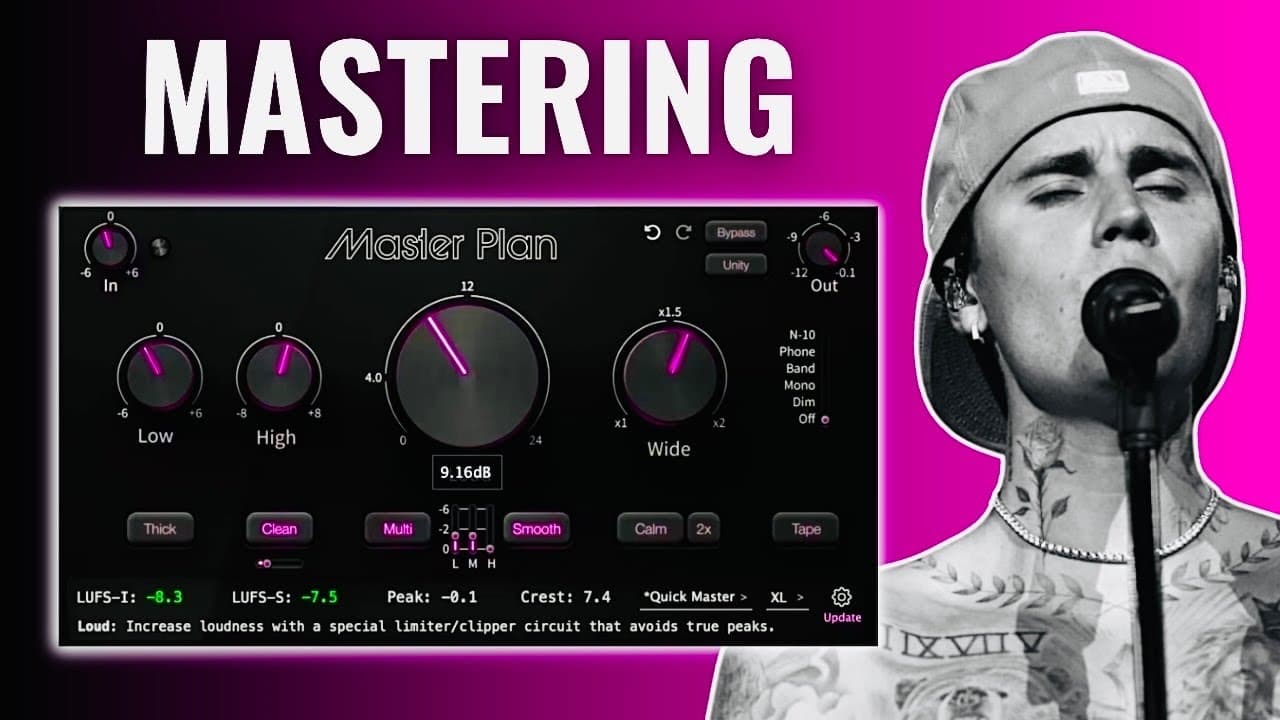
master plan is a brand new plugin by the company music hack and it's getting a lot of positive feedback from many award-winning producers such as Mark parfit who has worked with Grammy award-winning artists such as Justin Bieber so today I want to showcase all of the features of this plug-in and show you how to master your own music but quick discl... Read More
Key Insights
- 👤 The Master Plan plugin is well-received by reputable producers and enhances the music mastering process through user-friendly features.
- 👂 Mastering serves as a vital step in music production, ensuring that tracks achieve competitive sound levels and quality.
- 👤 Users should focus on making subtle adjustments during mastering to retain the integrity of their original mix.
- 🤩 The functionality of the EQ, compression, and stereo width adjustments play a key role in achieving a polished sound.
- 🎚️ Careful management of output levels helps prevent clipping and maintains overall audio fidelity.
- 👣 Mastering techniques can make a significant difference in how music tracks perform across various listening platforms.
- 👶 The giveaway presents an opportunity for new users to engage with the plugin at no cost, enhancing accessibility to mastering tools.
Install to Summarize YouTube Videos and Get Transcripts
Explore YouTube Video Summarizer or Get YouTube Transcript Extractor
Questions & Answers
Q: What does the Master Plan plugin do?
The Master Plan plugin is designed for music mastering, providing tools such as EQ, compression, and a loudness knob to enhance the final mix of a song. This plugin helps users apply the necessary polish to their music, making it sound fuller and louder, thus ensuring it meets the competitive sound standards of commercially released tracks.
Q: How can mastering improve my music?
Mastering enhances the overall sound quality of a track by making it louder, more polished, and balanced. By adjusting elements like frequency ranges and dynamic levels, mastering ensures that the song can compete with mainstream music across various platforms, helping it to stand out in various listening environments like cars or headphones.
Q: What should I consider when using the Master Plan plugin?
When using the Master Plan plugin, you should avoid making drastic boosts in frequencies or over-compressing your track. The aim of mastering is to polish the existing mix, so focus on subtle adjustments—keeping levels around 1 to 2 dB—to achieve the best results without altering the essence of the song too much.
Q: What are the key features of the Master Plan plugin?
The Master Plan plugin features several important tools including an input gain knob, EQ section, compression settings, a loudness knob, a stereo width knob, and options for saving presets. These controls allow users to manipulate the audio effectively and save their settings for future use.
Q: Why is it important to set the output level knob to .1 dB?
Setting the output level knob to .1 dB is crucial because it prevents your track from clipping during the mastering process. This precaution ensures that no matter what changes you make to the track, it will remain below the 0 dB threshold, preserving audio quality and preventing distortion.
Q: What tips were offered for using the EQ effectively in mastering?
When using EQ for mastering, it’s recommended to apply only minor boosts or cuts, ideally keeping adjustments to around 1 to 2 dB. Mastering should enhance the overall sound without drastically altering the mix. It’s essential to listen critically and adjust based on the specific needs of your track.
Q: How can I win a free license for the Master Plan plugin?
To enter the giveaway for a free license of the Master Plan plugin, subscribe to the channel, like the video, and leave a comment expressing your thoughts on the plugin. The winners will be announced once the channel reaches 7,000 subscribers, in the pinned comment and on the Community tab.
Summary & Key Takeaways
-
The Master Plan is a new plugin by Music Hack, praised by industry professionals, designed to help music creators enhance their tracks through effective mastering techniques.
-
Mastering is the final step in music production, crucial for ensuring tracks sound competitive compared to commercial music on streaming platforms and radio.
-
The video explains the features of the plugin, how to use it, and provides a demonstration of its effects on a music track.
Read in Other Languages (beta)
Share This Summary 📚
Summarize YouTube Videos and Get Video Transcripts with 1-Click
Try YouTube Summary with ChatGPT & Claude or YouTube Transcript Generator
Explore More Summaries from Home Studio Academy 📚

Summarize YouTube Videos and Get Video Transcripts with 1-Click
Try YouTube Summary with ChatGPT & Claude or YouTube Transcript Generator