Mastering Swipe Views On Android: A Must-watch Tutorial!
TL;DR
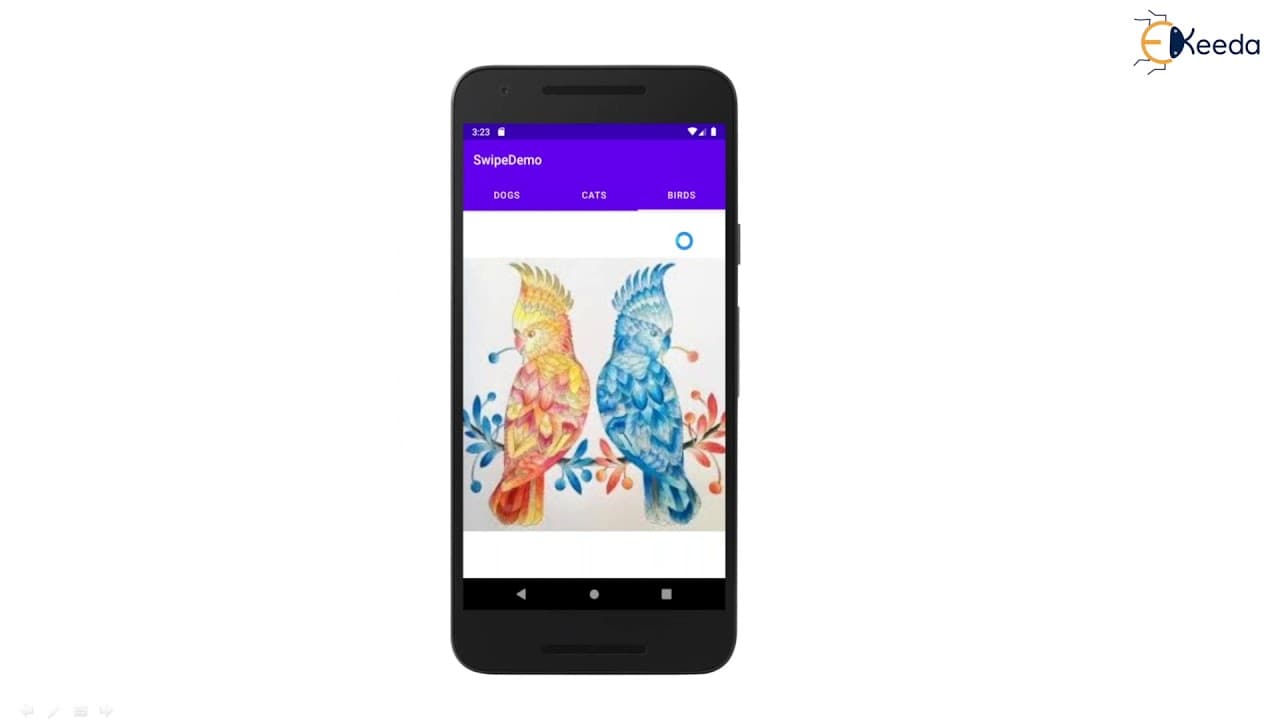
Learn how to construct swipe views in Android using tab layout and view pager, allowing easy navigation between sibling screens.
Transcript
hello viewers welcome back in this session we are going to discuss about swipe views in android we'll see what is a swipe view and how to construct it with the help of tab layout and view pager what is view pager and how to implement it this type view is allow us to navigate between the sibling screens such as like tabs with horizontal gesture or s... Read More
Key Insights
- 💨 Swipe views in Android provide a convenient way for users to navigate between various screens or tabs using simple gestures.
- 🫵 The view pager widget, along with the tab layout, is essential for implementing swipe views in Android.
- 📟 The choice between fragment page adapter and fragment state page adapter depends on the specific requirements of the project.
- 🫵 Retrofitting a project with swipe views can be laborious, but Android Studio provides a tabbed activity template that simplifies the process.
- 🫵 The appearance and behavior of swipe views can be customized according to the project's design requirements.
- 💦 Swiping functionality may not work as expected in the Android emulator and is best tested on a physical device.
- 🫵 Memory optimization is crucial when implementing swipe views, especially when dealing with a large number of fragments.
Install to Summarize YouTube Videos and Get Transcripts
Explore YouTube Video Summarizer or Get YouTube Transcript Extractor
Questions & Answers
Q: What is a swipe view in Android?
A swipe view in Android allows users to navigate between sibling screens using horizontal gestures, similar to tabs.
Q: How do you construct swipe views in Android?
To construct swipe views in Android, you can use the view pager widget along with tab layout. The view pager allows for dynamic addition and removal of tabs, while the tab layout provides the visual representation of the tabs.
Q: What are the advantages of using a fragment state pager adapter?
The fragment state pager adapter optimizes memory usage by destroying fragments as the user navigates away from them. It is useful when the number of tabs is not fixed or when scrollable tabs are required.
Q: How can you implement swipe views in an Android project?
In Android Studio, you can create a new project and choose the tabbed activity template, which automatically sets up the necessary components for swipe views. You can then customize the tabs and their content according to your requirements.
Summary & Key Takeaways
-
Swipe views in Android allow users to navigate between sibling screens, similar to tabs, using horizontal gestures.
-
The view pager widget in Android allows for dynamic addition and removal of tabs.
-
There are two types of pager adapters available in Android - fragment page adapter and fragment state page adapter.
Read in Other Languages (beta)
Share This Summary 📚
Summarize YouTube Videos and Get Video Transcripts with 1-Click
Try YouTube Summary with ChatGPT & Claude or YouTube Transcript Generator
Explore More Summaries from Ekeeda 📚






Summarize YouTube Videos and Get Video Transcripts with 1-Click
Try YouTube Summary with ChatGPT & Claude or YouTube Transcript Generator