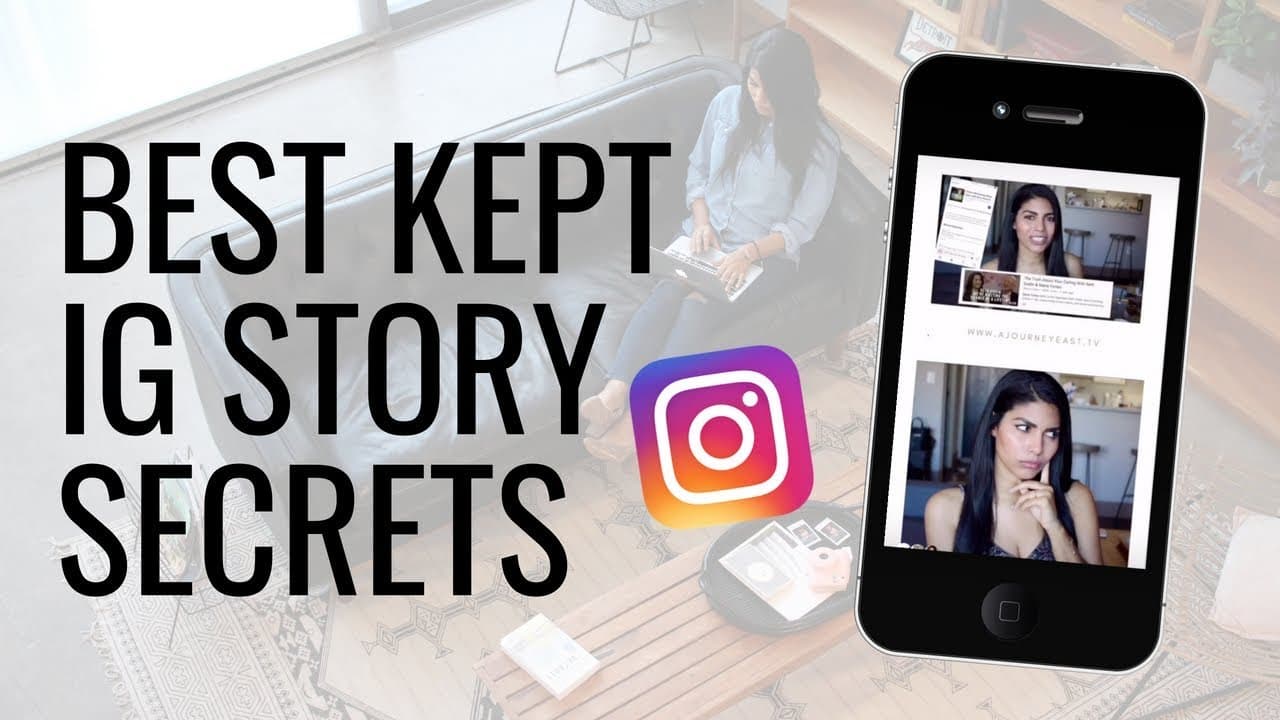
INSTAGRAM STORIES HACKS 📱 Best Kept Secrets REVEALED
TL;DR
Learn to create polished Instagram Stories using Quik and Unfold apps.
Transcript
hi guys what's up welcome back to my channel I posted an interim story it's actually been quite a while now but IG TV happened and I just had to cover that stuff so this video has been pushed back a little bit but anyway I uploaded this story a few weeks ago and like I have never gotten that many diems asking me how I uploaded something or how I cr... Read More
Key Insights
- The video demonstrates how to create Instagram Stories by combining videos and images using the Quik and Unfold apps.
- Quik is a free app by GoPro that allows users to edit videos with preset styles and music, ideal for videos without audio.
- Unfold is a story layout app that offers free and paid templates, allowing users to create polished Instagram Stories.
- Users can import videos and photos into Unfold, add text, and choose from various templates to enhance their stories.
- The process involves editing a short video clip, exporting it, and then using Unfold to combine it with images for a finished story.
- The creator emphasizes the simplicity of the process, making it accessible for users with basic editing skills.
- The video serves as a resource for those looking to enhance their Instagram presence with professional-looking stories.
- Additional resources and links are provided for viewers interested in further Instagram hacks and social media management tips.
Install to Summarize YouTube Videos and Get Transcripts
Explore YouTube Video Summarizer or Get YouTube Transcript Extractor
Questions & Answers
Q: How can I create a polished Instagram Story?
To create a polished Instagram Story, use the Quik app to edit a short video clip with presets and music. Then, import the edited video into the Unfold app, which offers various templates to combine it with images. This process allows for the creation of professional-looking stories.
Q: What is the Quik app and how is it used?
Quik is a free app by GoPro designed for video editing. It offers various presets and music options, making it ideal for creating short video clips without audio. Users can edit the duration, style, and music of their videos, making it a versatile tool for enhancing Instagram content.
Q: What features does the Unfold app offer?
Unfold is a story layout app that provides users with free and paid templates for creating Instagram Stories. It allows the import of videos and photos, adding text, and choosing from various templates to create polished and professional stories, all from a mobile device.
Q: Can Quik be used for videos with audio?
Quik is best suited for videos without audio, as it automatically applies presets and music that may not align with existing audio tracks. However, users can adjust the video length and music settings, making it somewhat adaptable for different types of video content.
Q: Is Unfold better than Canva for Instagram Stories?
Unfold is specifically designed for Instagram Stories, offering templates and features tailored for this format. While Canva is versatile for various design needs, Unfold provides a more streamlined experience for creating Instagram Stories directly on a mobile device, making it more convenient for some users.
Q: What are some tips for using Unfold effectively?
To use Unfold effectively, explore both free and paid templates to find the best fit for your story. Experiment with text placement and template options to enhance your content. Consider purchasing affordable template packs for more variety and to elevate the visual appeal of your stories.
Q: How does the creator recommend using these apps together?
The creator recommends first using Quik to edit a short video clip, then exporting it for use in Unfold. In Unfold, combine the video with images using templates, add text, and adjust the layout for a polished and cohesive Instagram Story. This workflow maximizes the strengths of both apps.
Q: What additional resources are provided in the video description?
The video description offers links to more Instagram Story hack videos, social media management tips, and resources for entrepreneurship. It also includes links for coaching, training packages, and social media marketing services, providing viewers with comprehensive support for enhancing their online presence.
Summary & Key Takeaways
-
The video tutorial explains how to create polished Instagram Stories using Quik and Unfold apps. It guides viewers through editing a video clip, using Quik for presets, and combining it with images in Unfold, highlighting the simplicity and effectiveness of these tools for enhancing Instagram content.
-
Quik, a free app by GoPro, allows users to edit videos with various presets and music, making it suitable for clips without audio. Unfold offers template options for combining videos and images, enabling users to create professional-looking Instagram Stories effortlessly.
-
The creator shares personal insights and demonstrations on using these apps, emphasizing their user-friendly nature. The video is a valuable resource for those looking to improve their Instagram storytelling skills, with additional links provided for further learning and social media management tips.
Read in Other Languages (beta)
Share This Summary 📚
Summarize YouTube Videos and Get Video Transcripts with 1-Click
Try YouTube Summary with ChatGPT & Claude or YouTube Transcript Generator
Explore More Summaries from Latasha James 📚
Summarize YouTube Videos and Get Video Transcripts with 1-Click
Try YouTube Summary with ChatGPT & Claude or YouTube Transcript Generator