Creating Environments that Slap in Unreal Engine
TL;DR
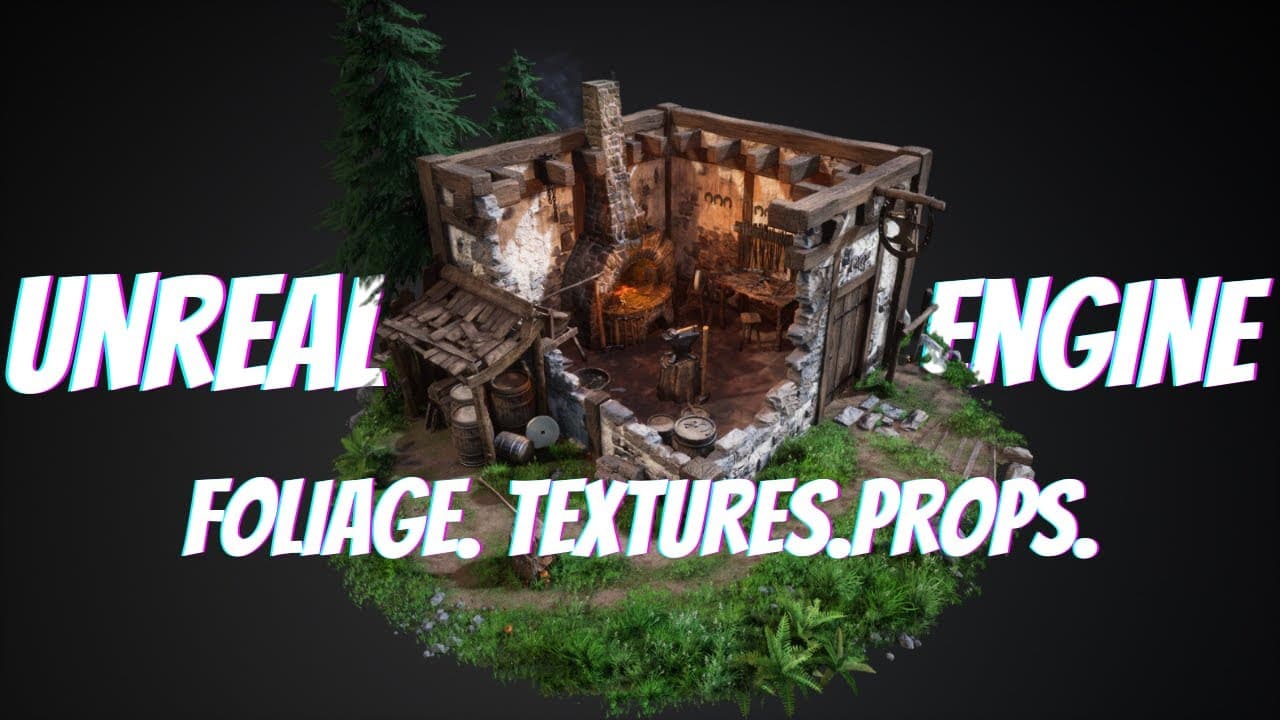
Learn the process of creating 3D environments, from modeling to texturing and lighting, using examples from a smithing diorama.
Transcript
learning how to make 3d environments is hard very hard so today we're going to learn exactly how it's done our good friend stefan is going to show us how he makes beautiful environments from simple modeling to sculpting in zbrush and a unique way and fun way to create vegetation and then how to throw it all together in the powerful unreal engine no... Read More
Key Insights
- ♻️ Starting with a basic blockout and gathering references is essential for creating a cohesive 3D environment.
- 🎑 Iteration and feedback are crucial in the development process to improve the quality of the scene.
- 👻 Sculpting assets in ZBrush allows for detailed and realistic texturing by using high-poly models as a reference.
- ❓ Tiling textures can be created using a combination of 3D modeling software and Substance Designer.
Install to Summarize YouTube Videos and Get Transcripts
Explore YouTube Video Summarizer or Get YouTube Transcript Extractor
Questions & Answers
Q: What was the inspiration for the smithing diorama?
The artist found inspiration in a pixel art smithy and decided to use it as a reference for the diorama, browsing for real-life smithy references to add authenticity.
Q: How did the artist approach the texturing of the brick wall?
The artist sculpted basic brick shapes in 3ds Max, imported them into ZBrush for high-poly modeling, and then created a tiling texture using Substance Designer.
Q: How were the foliage assets created for the environment?
The artist used ZBrush to sculpt high-poly foliage shapes, painted them with colors and details, and then exported them to be placed on cards in a modeling program.
Q: What tips does the artist have for creating 3D environments?
The artist suggests joining art communities for feedback, considering the player's perspective when placing assets, and using a variety of shapes and sizes to create visual interest.
Key Insights:
- Starting with a basic blockout and gathering references is essential for creating a cohesive 3D environment.
- Iteration and feedback are crucial in the development process to improve the quality of the scene.
- Sculpting assets in ZBrush allows for detailed and realistic texturing by using high-poly models as a reference.
- Tiling textures can be created using a combination of 3D modeling software and Substance Designer.
- Consideration of the player's perspective and the use of different shapes and sizes enhance the visual appeal of the environment.
Summary & Key Takeaways
-
The content is a tutorial on creating 3D environments, focusing on the process of building a smithing diorama.
-
The artist started with a basic blockout and gathered references before adding more details based on feedback.
-
The creation process involved modeling assets in 3ds Max, importing them into ZBrush for sculpting, and then assembling the scene in Unreal Engine.
Read in Other Languages (beta)
Share This Summary 📚
Summarize YouTube Videos and Get Video Transcripts with 1-Click
Try YouTube Summary with ChatGPT & Claude or YouTube Transcript Generator
Explore More Summaries from Stylized Station 📚



Summarize YouTube Videos and Get Video Transcripts with 1-Click
Try YouTube Summary with ChatGPT & Claude or YouTube Transcript Generator