Awesome Character UI Animation Tutorial
TL;DR
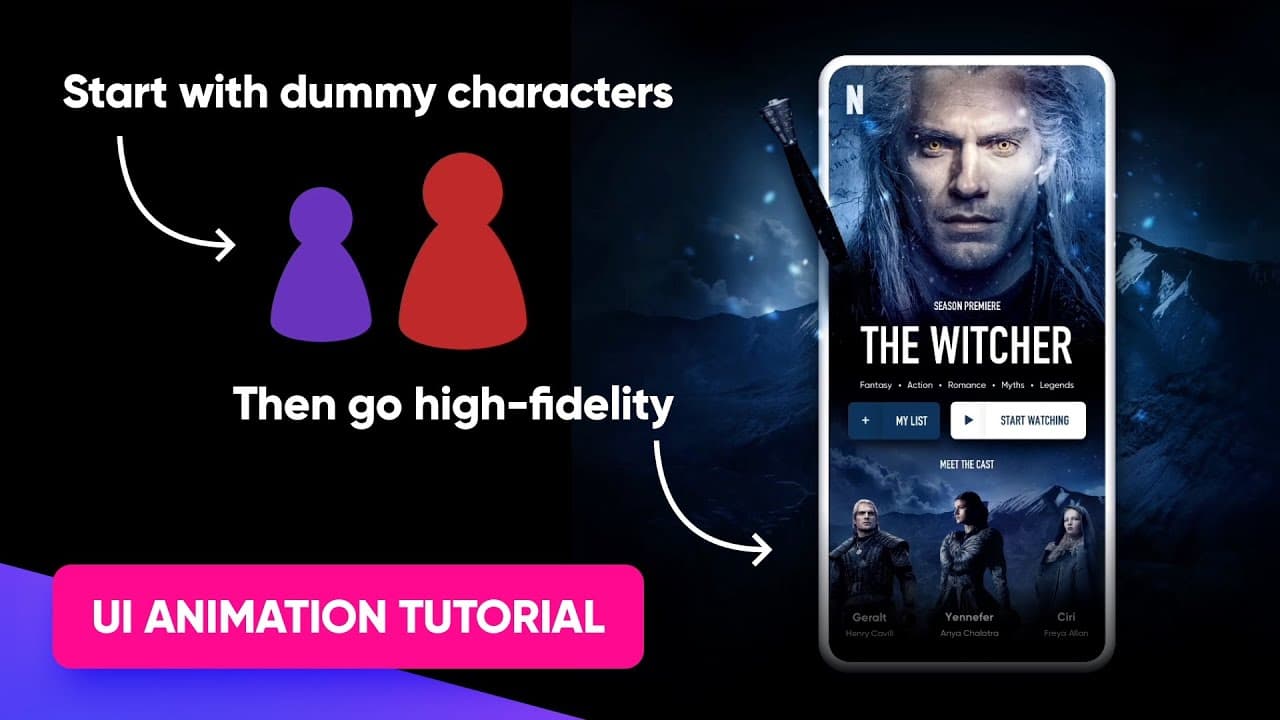
Learn how to create a character carousel animation using Envision Studio with dummy characters for portfolio enhancement.
Transcript
hey guys so in this very short envision studio animation tutorial i'm gonna show you how to make a very cool character carousel using parallax scrolling this is gonna look super cool in your portfolio and it's gonna amaze everybody who's gonna be watching it because i've noticed that when it comes to portfolios all the people seeing them and especi... Read More
Key Insights
- ✋ Envision Studio offers a beginner-friendly platform for creating high-quality animations.
- 💝 Utilizing dummy characters initially helps streamline the animation process for later customization.
- ❓ Proper grouping and organization of characters are essential for efficient animation workflow.
- ❓ Understanding perspective and parallax effects enhances the visual impact of the animation.
- ✋ Incorporating high-fidelity elements can transform the animation from basic to professional.
- 🪜 Automatic interactions add dynamic movement to portfolio-style animations.
- 👻 Experimenting with different backgrounds and character designs allows for creativity and customization.
Install to Summarize YouTube Videos and Get Transcripts
Explore YouTube Video Summarizer or Get YouTube Transcript Extractor
Questions & Answers
Q: What software is used to create the character carousel animation?
The tutorial utilizes Envision Studio, a free and user-friendly tool for creating animations with timeline-based or state-based features.
Q: How can dummy characters be replaced in the animation with high-fidelity ones?
By creating placeholder dummy characters initially, users can later replace them with high-fidelity character images, ensuring a polished and customized animation.
Q: What is the importance of grouping characters in the animation?
Grouping characters helps in organizing the animation process, especially when working with multiple characters and artboards, making it easier to identify and manipulate each character.
Q: How can the parallax effect be achieved in the character carousel animation?
By adjusting the speed and direction of movement for background layers and characters, users can create a realistic parallax effect, enhancing the visual dynamics of the animation.
Summary & Key Takeaways
-
Create dummy characters for a character carousel animation using Envision Studio.
-
Arrange characters in a carousel layout, adjusting sizes and positions for perspective.
-
Add background layers, parallax effects, interactions, and high-fidelity elements to enhance the animation.
Read in Other Languages (beta)
Share This Summary 📚
Summarize YouTube Videos and Get Video Transcripts with 1-Click
Try YouTube Summary with ChatGPT & Claude or YouTube Transcript Generator
Explore More Summaries from Malewicz 📚



Summarize YouTube Videos and Get Video Transcripts with 1-Click
Try YouTube Summary with ChatGPT & Claude or YouTube Transcript Generator