How to Render Fashion Illustrations in Adobe Photoshop
TL;DR
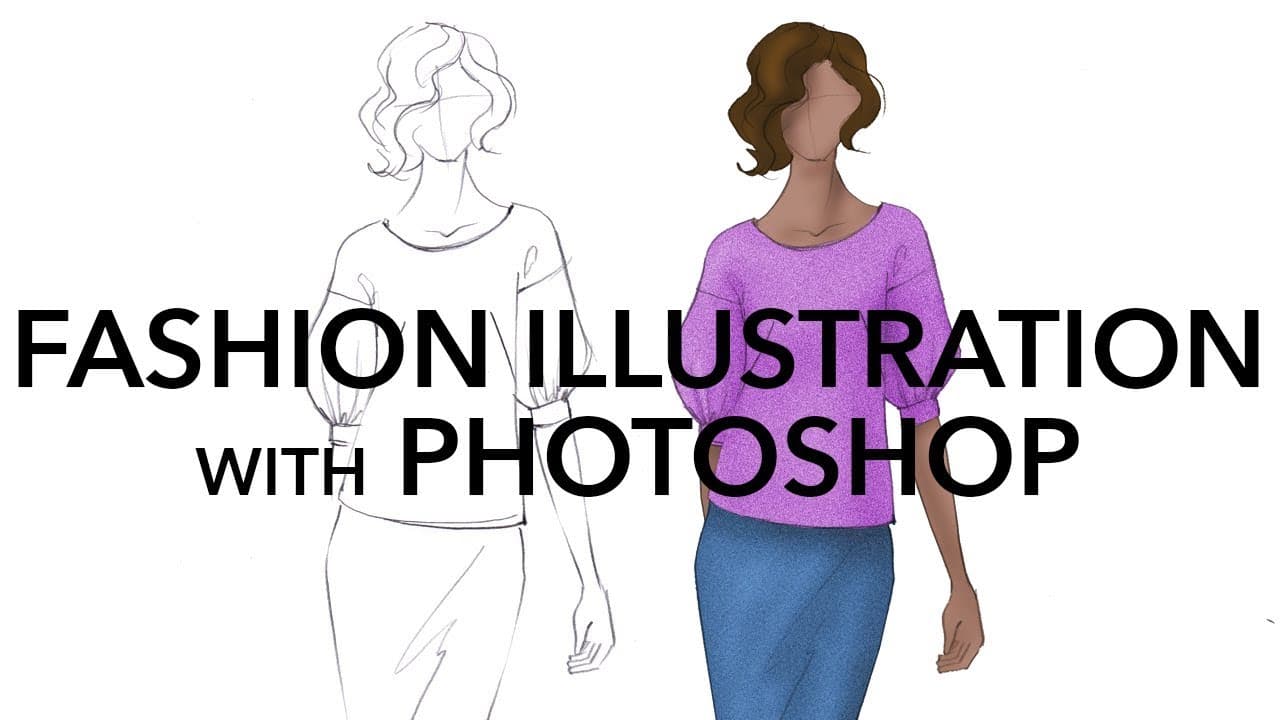
Learn how to clean up and color pencil sketches in Photoshop with this tutorial.
Transcript
hey hey party people today I have another excellent tutorial from Robyn Schneider she is a brilliant Adobe Photoshop and illustrator teacher focusing on the needs of fashion designers and illustrators she teaches at my alma mater Otis College of Art and Design as well as other schools and has her own Lynda courses she's in high demand because she's... Read More
Key Insights
- 🖤 Desaturating a pencil sketch in Photoshop makes it easier to work with and ensures that it appears black and white.
- 👀 Cleaning up the background of the sketch creates a cleaner and more professional look.
- 📣 Filling in gaps in the sketch and removing unwanted elements can be done by using the brush tool and selecting appropriate colors.
- 🥳 Coloring different parts of the design on separate layers allows for easier editing and adjustment.
- 🪜 Adding shading and texture can bring depth and dimension to the colored sketch.
- 🛝 The tutorial emphasizes the importance of practicing and combining traditional and digital techniques for a well-rounded illustration.
- ❓ Additional resources, such as online courses and tutorials, are provided for further learning and improvement.
Install to Summarize YouTube Videos and Get Transcripts
Explore YouTube Video Summarizer or Get YouTube Transcript Extractor
Questions & Answers
Q: What is the first step in cleaning up a pencil sketch in Photoshop?
The first step is to desaturate the sketch by going to image adjustments and selecting desaturate. This ensures that the sketch becomes black and white.
Q: How do you clean up the background of the sketch?
To clean up the background, you can use the levels adjustment tool to make the white background appear pure white. By sliding the white slider to the left in the histogram, the background can be cleaned up.
Q: How do you fill in gaps in the sketch?
You can fill in gaps by selecting the brush tool, choosing a brush size that matches the pencil strokes, and selecting a color that matches the existing sketch. Then, you can paint over the gaps to fill them in.
Q: How can you add shading and highlights to the colored sketch?
The Dodge and Burn tools can be used to add shading and highlights. The Dodge tool adds highlights, while the Burn tool adds shadows. By adjusting the brush size and exposure, you can build up shading and highlights on different elements of the design.
Summary & Key Takeaways
-
Fashion illustrator Robyn Schneider demonstrates how to clean up a pencil sketch and turn it into a digital rendering using Photoshop.
-
The tutorial covers desaturating the sketch, cleaning up the background, filling in gaps, and selecting and coloring different elements of the design on separate layers.
-
Techniques such as using different brushes, adjusting settings, and adding shading and texture are taught.
Read in Other Languages (beta)
Share This Summary 📚
Summarize YouTube Videos and Get Video Transcripts with 1-Click
Try YouTube Summary with ChatGPT & Claude or YouTube Transcript Generator
Explore More Summaries from Zoe Hong 📚


Summarize YouTube Videos and Get Video Transcripts with 1-Click
Try YouTube Summary with ChatGPT & Claude or YouTube Transcript Generator