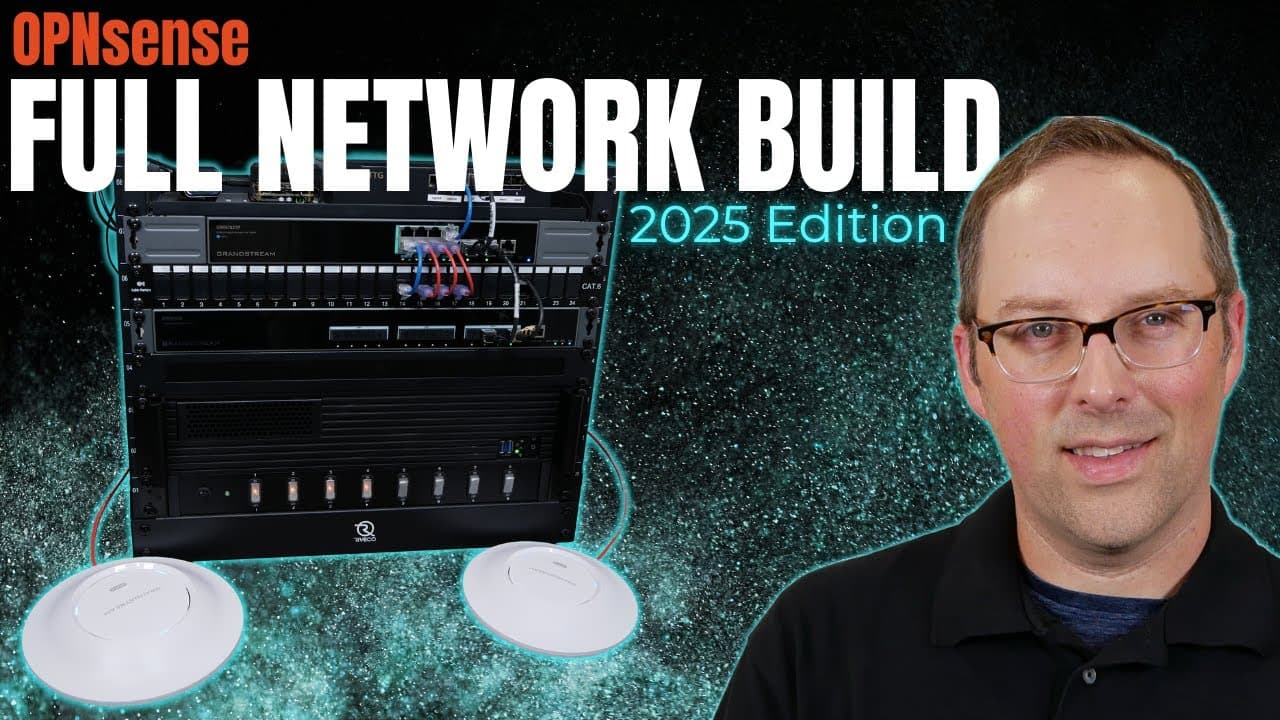
OPNsense Full Network Build (2025 Edition)
TL;DR
Updated OPNsense guide using new hardware for home networks.
Transcript
in this guide I plan to refresh my open sense full Network build guide it's been about 2 years since I created the original guide and I thought it'd be a good time to update that guide so I can show off the latest version of open sense as well as some little things I've learned along the way in the last two years and I plan to use some newer differ... Read More
Key Insights
- The guide updates a previous OPNsense network build, incorporating new hardware and configurations learned over two years.
- Grandstream sponsored network switches and wireless access points are used for this build, showcasing their capabilities in a home network setting.
- The guide emphasizes balancing security and usability in home networks to avoid frustrating family members with overly restrictive settings.
- A disclaimer highlights that the security measures discussed are suitable for home networks but may not suffice for enterprise environments.
- The build avoids using link aggregation (LAGs) to simplify the setup for new users, leveraging faster network switches to prevent bottlenecks.
- The video includes a walkthrough of installing OPNsense, updating it, and configuring various network settings like DHCP, DNS, and firewall rules.
- Proxmox is used to host the GWN Manager for managing Grandstream hardware, illustrating the integration of virtualized environments in network management.
- The guide covers the configuration of VLANs and SSIDs, demonstrating how to separate network traffic and enhance security in a home setup.
Install to Summarize YouTube Videos and Get Transcripts
Explore YouTube Video Summarizer or Get YouTube Transcript Extractor
Questions & Answers
Q: What is the main purpose of updating the OPNsense guide?
The main purpose of updating the OPNsense guide is to showcase the latest version of OPNsense and incorporate new hardware and configurations learned over the past two years. This update aims to provide additional examples of building home networks, demonstrating different ways to construct a network using various hardware components.
Q: How does the guide address security in home networks?
The guide emphasizes balancing security and usability in home networks to avoid frustrating family members with overly restrictive settings. It suggests locking down networks while allowing necessary access without hassle. A disclaimer notes that the security measures discussed are suitable for home networks but may not suffice for enterprise environments, where greater security and compliance are required.
Q: What role does Grandstream hardware play in the network build?
Grandstream hardware, including network switches and wireless access points, plays a significant role in the network build. Sponsored by Grandstream, these components are used to demonstrate their capabilities in a home network setting. The guide showcases how to configure these devices, manage them using the GWN Manager, and integrate them into the overall network architecture.
Q: Why does the guide avoid using link aggregation (LAGs)?
The guide avoids using link aggregation (LAGs) to simplify the setup for new users, particularly those who may not need them. By leveraging faster network switches, the build aims to prevent bottlenecks without the added complexity of configuring LAGs. This approach makes the guide more accessible to users with varying levels of networking experience.
Q: What is the significance of using Proxmox in the network build?
Proxmox is used to host the GWN Manager for managing Grandstream hardware, illustrating the integration of virtualized environments in network management. By using Proxmox, the guide demonstrates how to run network management software in a virtualized setting, showcasing the flexibility and scalability of modern network architectures.
Q: How does the guide handle VLAN and SSID configuration?
The guide covers the configuration of VLANs and SSIDs, demonstrating how to separate network traffic and enhance security in a home setup. It provides detailed instructions on setting up VLANs on network switches and associating SSIDs with specific VLANs on wireless access points. This configuration helps isolate network traffic, improving security and performance.
Q: What are some optional configurations discussed in the guide?
The guide discusses optional configurations such as enabling specific network drivers, adjusting system settings for optimal performance, and configuring advanced firewall rules. These optional settings allow users to tailor the network to their specific needs and preferences, providing flexibility in how the network is managed and secured.
Q: What disclaimer is provided regarding the guide's content?
A disclaimer is provided to highlight that the security measures and configurations discussed in the guide are intended for home networks and may not be adequate for enterprise environments. The guide advises viewers that enterprise networks have greater security and compliance concerns, and the home network strategies presented may not translate directly to those settings.
Summary & Key Takeaways
-
This updated guide demonstrates building a home network using the latest OPNsense version and new hardware, focusing on ease of use and security. It includes step-by-step instructions for setting up and configuring network components, such as switches and access points, provided by Grandstream.
-
The guide emphasizes the importance of balancing security and usability in home networks, advising against overly restrictive settings that may inconvenience users. It also notes that while the guide is comprehensive, it is meant as a foundation for further exploration of specific topics.
-
Using Proxmox to host the GWN Manager, the guide illustrates the integration of virtual environments in managing network hardware. It also covers the configuration of VLANs and SSIDs, demonstrating how to effectively separate network traffic and enhance security in a home setup.
Read in Other Languages (beta)
Share This Summary 📚
Summarize YouTube Videos and Get Video Transcripts with 1-Click
Try YouTube Summary with ChatGPT & Claude or YouTube Transcript Generator
Explore More Summaries from Home Network Guy 📚
Summarize YouTube Videos and Get Video Transcripts with 1-Click
Try YouTube Summary with ChatGPT & Claude or YouTube Transcript Generator