How to Get the Most Out of Your DJI Osmo Mobile 2
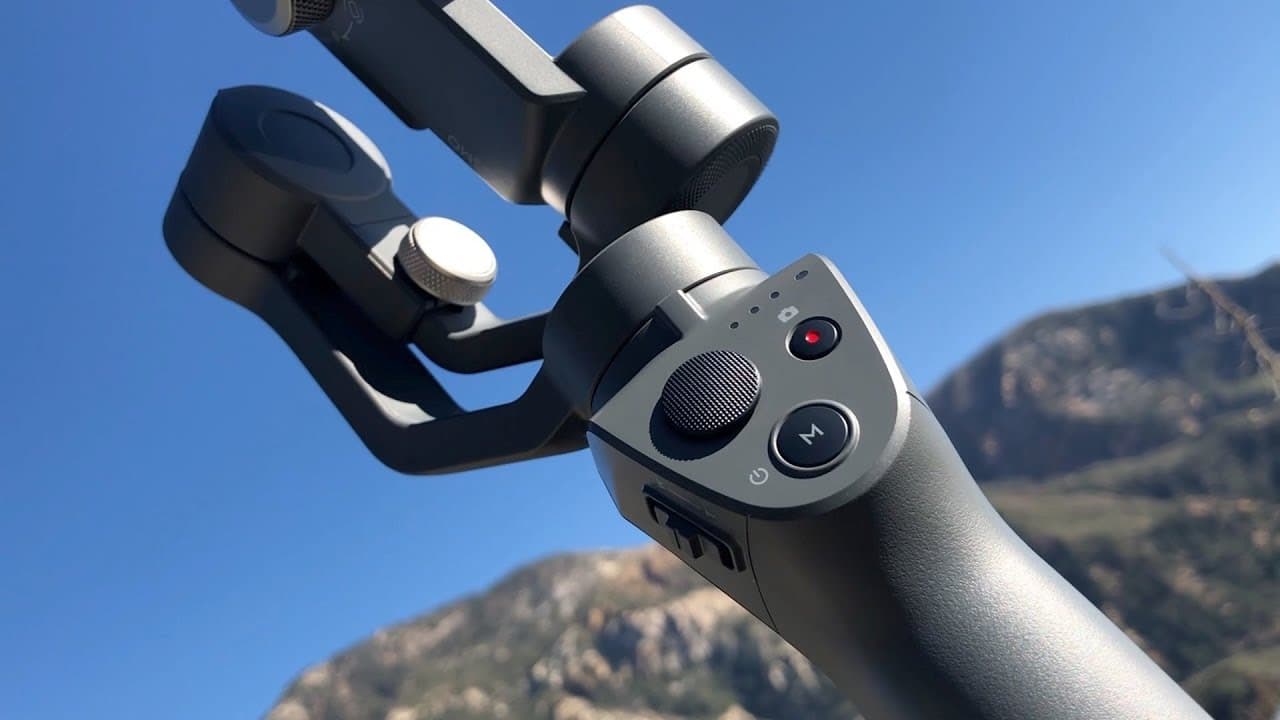
TL;DR
To maximize your DJI Osmo Mobile 2 experience, start by balancing your phone properly on the stabilizer. Familiarize yourself with its various modes, such as follow mode and time lapse, to capture better shots. Additionally, maintain good posture while filming and experiment with creative angles for more dynamic footage.
Transcript
what's up everybody welcome back thank you so much particular time and clicking on this video today we're gonna learn five tips on how to maneuver that sweet spanking new DJI Osmo mobile - all right so let's go up to the mountain good twenty-nine states the news everything's free who Arrieta Peter it's gonna start see you later Bobby alright guys t... Read More
Key Insights
- 🚗 Balancing the mobile device on the DJI Osmo Mobile 2 is crucial for stable footage.
- 👻 Familiarizing oneself with the modes of the Osmo Mobile 2 allows for efficient and quick capturing of shots.
- 👣 Exploring and using all the available modes, such as time lapse and active track, enhances the quality of shots.
- 🆘 Maintaining proper footing helps in minimizing shaky footage.
- 🔺 Creativity with angles, lighting, and different techniques can elevate the overall quality of your shots.
- 🇩🇯 The Osmo Mobile 2 offers features like jib shots, panning, and zooming, which can be further enhanced during editing.
- 🤗 The stabilizer allows for hands-free movement through active track mode.
Install to Summarize YouTube Videos and Get Transcripts
Explore YouTube Video Summarizer or Get YouTube Transcript Extractor
Questions & Answers
Q: How do I balance my mobile device on the DJI Osmo Mobile 2?
To balance your device, make sure it is securely attached and leveled on the stabilizer. Check for any tilt or roll, ensuring that the phone is not going backward or sideways.
Q: How do I get acclimated with the modes on the Osmo Mobile 2?
The Osmo Mobile 2 does not have a trigger anymore. One click activates follow mode, two clicks recenter the device, and additional clicks switch between different modes such as time lapse and panoramas.
Q: What are the advantages of using the different modes on the Osmo Mobile 2?
The various modes offer convenient tools for capturing different types of shots. Time lapse and panoramas can create impressive visuals, and active track allows for hands-free movement while the camera follows you.
Q: How can I improve my footage by watching my footing?
Pay attention to your posture and take steady steps while filming. By tightening your shoulders, elbows, and bending your knees, you can minimize shakiness and improve the stability of your footage.
Key Insights:
- Balancing the mobile device on the DJI Osmo Mobile 2 is crucial for stable footage.
- Familiarizing oneself with the modes of the Osmo Mobile 2 allows for efficient and quick capturing of shots.
- Exploring and using all the available modes, such as time lapse and active track, enhances the quality of shots.
- Maintaining proper footing helps in minimizing shaky footage.
- Creativity with angles, lighting, and different techniques can elevate the overall quality of your shots.
- The Osmo Mobile 2 offers features like jib shots, panning, and zooming, which can be further enhanced during editing.
- The stabilizer allows for hands-free movement through active track mode.
- Taking the time to experiment with and understand the Osmo Mobile 2's features can greatly improve the results of your footage.
Summary & Key Takeaways
-
Tip #1: Ensure your mobile device is balanced on the stabilizer for stability during filming.
-
Tip #2: Familiarize yourself with the modes of the DJI Osmo Mobile 2, such as follow mode and recenter mode, to capture shots efficiently.
-
Tip #3: Explore and practice using the various modes offered by the Osmo Mobile 2, such as time lapse, panoramas, and active track, to enhance your shots.
-
Tip #4: Pay attention to your posture and walking actions to minimize shaky footage.
-
Tip #5: Get creative with your shots by considering angles, lighting, and using the stabilizer for techniques like jib shots and zooming.
Read in Other Languages (beta)
Share This Summary 📚
Summarize YouTube Videos and Get Video Transcripts with 1-Click
Try YouTube Summary with ChatGPT & Claude or YouTube Transcript Generator