How to tell if your PC is Hacked? Process Forensics
TL;DR
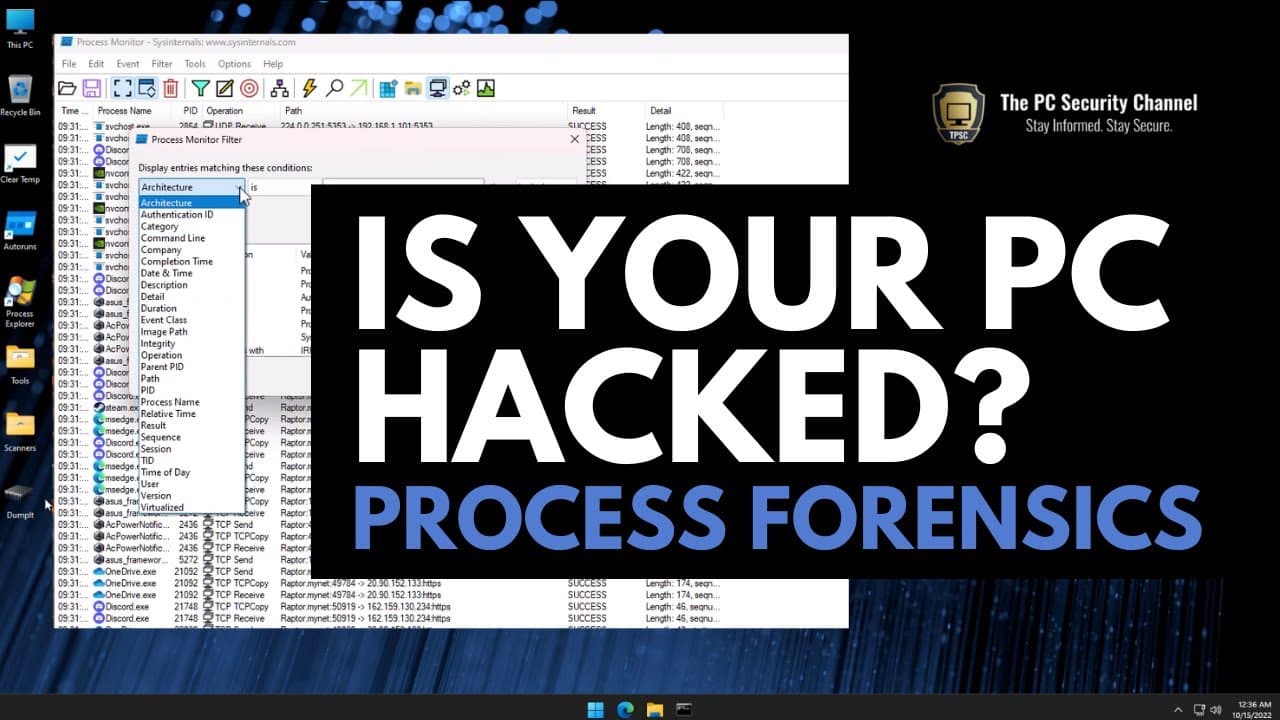
Learn how to use Process Monitor, a powerful forensic tool, to monitor and analyze system activity on your PC.
Transcript
in this episode of how to tell if your PC is hacked we're going to look at one of the most advanced forensic tools just like process Explorer and auto runs this is also part of the Microsoft sys internal Suite which you can download from learn.icrosoft.com it's a completely portable tool so you don't have to install anything and once you open it yo... Read More
Key Insights
- 💁 Process Monitor is a powerful forensic tool that shows real-time information about system activity on a PC.
- 🤨 It can help identify malware infections by analyzing suspicious behavior, such as excessive queries for antivirus providers or unusual network connections.
- 😫 The tool allows users to set filters to focus on specific types of activity, enabling detailed analysis and troubleshooting.
- 🍿 Process Monitor can be used to monitor and analyze system processes, troubleshoot issues, and gain insight into the behavior of applications and programs on a PC.
- 🕵️ It is important to regularly monitor and analyze system activity to detect any potential security threats or abnormal behavior.
- 👤 Process Monitor is a valuable tool for both advanced users and IT professionals who need to investigate and analyze system activity.
Install to Summarize YouTube Videos and Get Transcripts
Explore YouTube Video Summarizer or Get YouTube Transcript Extractor
Questions & Answers
Q: What is Process Monitor and how does it work?
Process Monitor is a forensic tool that shows real-time information about system activity on your PC. It monitors and logs activities such as registry queries, file changes, and network connections.
Q: How can Process Monitor help identify malware infections?
Process Monitor can help identify malware by analyzing suspicious behavior such as excessive queries for antivirus providers, unusual network connections, and unknown DLLs loaded by system processes.
Q: Can Process Monitor be used to monitor specific types of activity?
Yes, Process Monitor allows you to set filters to focus on specific types of activity, such as file system changes, network connections, or registry queries. This helps you narrow down and analyze the relevant information.
Q: What are the benefits of using Process Monitor for system analysis?
Process Monitor provides detailed logs and real-time information about system activity, helping users analyze and troubleshoot various issues, including malware infections, suspicious behavior, and monitoring specific processes or activities.
Key Insights:
- Process Monitor is a powerful forensic tool that shows real-time information about system activity on a PC.
- It can help identify malware infections by analyzing suspicious behavior, such as excessive queries for antivirus providers or unusual network connections.
- The tool allows users to set filters to focus on specific types of activity, enabling detailed analysis and troubleshooting.
- Process Monitor can be used to monitor and analyze system processes, troubleshoot issues, and gain insight into the behavior of applications and programs on a PC.
- It is important to regularly monitor and analyze system activity to detect any potential security threats or abnormal behavior.
- Process Monitor is a valuable tool for both advanced users and IT professionals who need to investigate and analyze system activity.
- By understanding how Process Monitor works and using its filtering capabilities effectively, users can gain valuable insights into their PC's activity and ensure a secure computing environment.
Summary & Key Takeaways
-
Process Monitor is part of the Microsoft Sysinternals Suite and is a portable tool that shows real-time information about system activity on your PC.
-
It provides detailed logs of every activity, including registry queries, file changes, and network connections, giving you insight into what is happening on your system.
-
Process Monitor can help identify suspicious behavior, such as malware infections or hijacked systems, by analyzing queries, operations, and network activity.
Read in Other Languages (beta)
Share This Summary 📚
Summarize YouTube Videos and Get Video Transcripts with 1-Click
Try YouTube Summary with ChatGPT & Claude or YouTube Transcript Generator
Explore More Summaries from The PC Security Channel 📚






Summarize YouTube Videos and Get Video Transcripts with 1-Click
Try YouTube Summary with ChatGPT & Claude or YouTube Transcript Generator