laptop or desktop computer stuck on logo screen
TL;DR
Step-by-step guide for troubleshooting computer boot problems.
Transcript
hello today i will show you how to fix the computer or laptop when you boot up the laptop or computer it is stuck at the local picture and won't go through the windows login page so first of all you need to try to remove everything include the hdmi cable the second monitor and my your handset your usb mouse and they also unplug the power the power ... Read More
Key Insights
- 🤩 Unplugging all peripherals is a key first step in diagnosing boot issues.
- 🎭 A hard reset might resolve many boot problems and is relatively easy to perform.
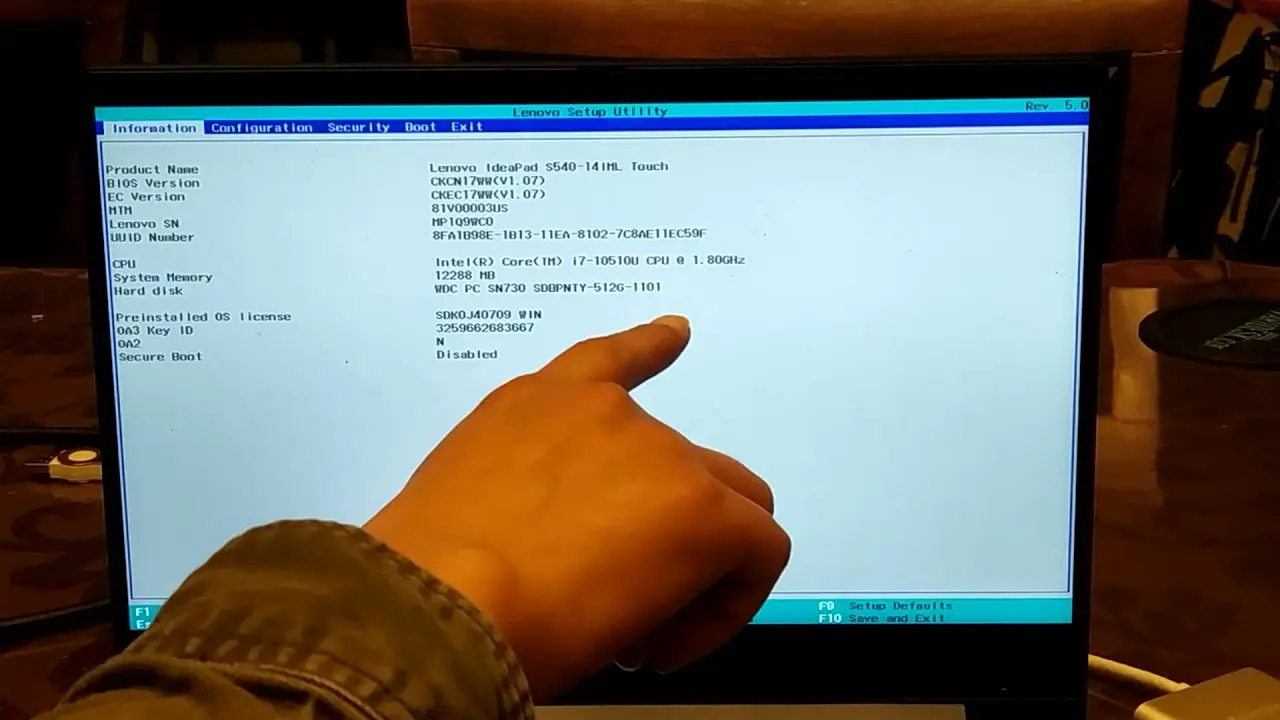
- 🖐️ BIOS settings play a crucial role in booting; ensuring the hard drive is detected is fundamental.
- ❓ Overheating can be a critical issue and requires immediate attention to prevent hardware damage.
- 🪡 Memory checks can identify problems that commonly cause boot failures, highlighting the need for adequate diagnostic tools.
- 💄 Backup solutions are vital before making changes to hard drive configurations in the BIOS.
- 🌸 Changing boot modes from UEFI to legacy can be necessary for certain systems, but caution is required to prevent data loss.
Install to Summarize YouTube Videos and Get Transcripts
Explore YouTube Video Summarizer or Get YouTube Transcript Extractor
Questions & Answers
Q: What should I do if my laptop gets stuck on the logo screen?
First, unplug all external devices, including HDMI cables and USB peripherals. Then, perform a hard reset by removing the power supply and battery, holding down the power key for 30 seconds, and restarting the laptop to see if it resolves the issue.
Q: How can I check if my hard drive is detected in BIOS?
When you access the BIOS by pressing the appropriate key at startup (often F2), navigate to the hard disk information section. If you see an error stating "cannot detect your hard disk," it indicates a problem that may require replacing the hard drive or troubleshooting its connection.
Q: What is the importance of setting the correct date and time in BIOS?
The BIOS uses the system time and date for various settings and functions. If the date and time are incorrect, it can lead to startup problems. In some cases, it may indicate that the CMOS battery needs replacement, preventing the BIOS from retaining settings.
Q: How can overheating affect my laptop during boot-up?
Overheating can prevent a laptop from booting properly, causing it to freeze on the logo screen. If your laptop feels warm, turn it off and allow it to cool for about 30 minutes. After cooling, try restarting to see if the issue persists.
Q: What steps should I take before changing BIOS settings?
Before making any changes to BIOS settings, especially regarding boot mode, ensure to back up your data. Changing settings can lead to data loss if not properly handled, so it's essential to clone your hard drive to save personal information.
Q: How do I run a memory test on my laptop?
You can download memory test software like MemTest86 and create a bootable USB drive. Then, boot from the USB to check for any issues with your RAM. If the test indicates problems, replacing the faulty memory may be necessary.
Summary & Key Takeaways
-
The content provides a detailed procedure for troubleshooting when a computer or laptop is stuck on the initial logo screen during boot-up, beginning with unplugging all external devices.
-
Steps include performing a hard reset by removing the power and battery, checking BIOS settings, and ensuring the hard drive is detected properly in order to proceed with booting.
-
Additional solutions involve checking RAM, confirming proper boot modes, and potentially replacing components or backing up data if necessary.
Read in Other Languages (beta)
Share This Summary 📚
Summarize YouTube Videos and Get Video Transcripts with 1-Click
Try YouTube Summary with ChatGPT & Claude or YouTube Transcript Generator
Explore More Summaries from E Micro Tech 📚

Summarize YouTube Videos and Get Video Transcripts with 1-Click
Try YouTube Summary with ChatGPT & Claude or YouTube Transcript Generator