Make Sony WH-1000XM4 Sound BETTER! Best Custom EQ Settings
TL;DR
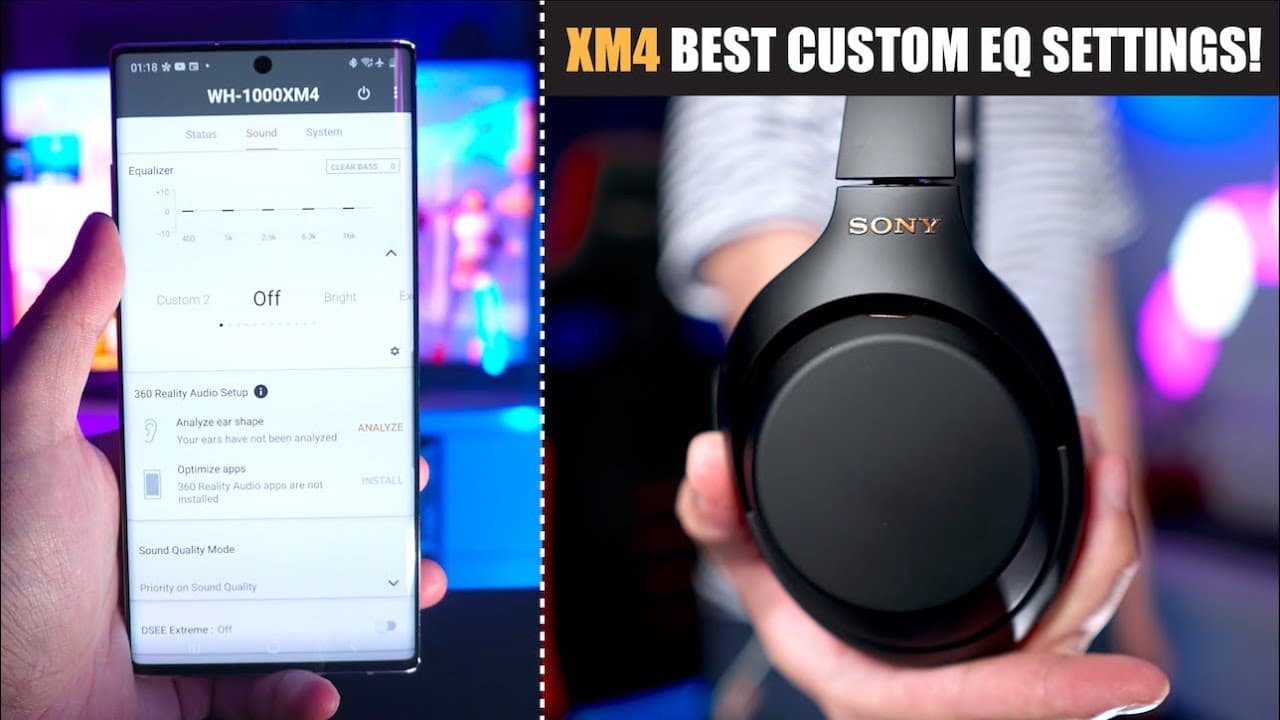
Learn to use the Sony Headphones Connect app to customize sound settings for optimal audio experience.
Transcript
hey guys what's up this is aaron and today i'm going to show you how to get the best possible sound quality for your sony wh xm4 by using the graphic equalizer within the sony headphones connect app now this is actually a very simple process but i thought maybe i should guide you guys through this process so that if you want to make these headphone... Read More
Key Insights
- 😀 Utilizing the Sony Headphones Connect app enables users to personalize audio settings, enhancing the overall listening experience.
- 🤕 The graphic equalizer features five adjustable frequency bands, allowing for detailed customization of sound characteristics.
- 😐 Users are advised to start with neutral settings and then adjust each frequency band according to their listening preferences and music familiarity.
- 🗯️ Experimenting with the clear bass dial helps users find the right balance between bass presence and overall sound clarity.
- 🤕 The video showcases recommended adjustments for the frequency bands to achieve a mellow yet vibrant sound profile.
- 👂 It’s essential to treat initial settings as drafts, encouraging further adjustments based on extensive listening to different music.
- 👂 The personalization process involves finding a balance based on factors such as vocal clarity, bass depth, and overall sound aggression.
Install to Summarize YouTube Videos and Get Transcripts
Explore YouTube Video Summarizer or Get YouTube Transcript Extractor
Questions & Answers
Q: What is the primary purpose of the Sony Headphones Connect app?
The primary purpose of the Sony Headphones Connect app is to allow users to customize the audio experience of their Sony headphones, specifically adjusting the sound quality through a graphic equalizer feature. By accessing this app, users can tweak various frequency bands to match their personal audio preferences, leading to a tailored listening experience. This personalization helps in enhancing audio quality, making music more enjoyable based on individual tastes.
Q: Why is it important to use familiar songs during the equalization process?
Using familiar songs during the equalization process is crucial because it provides a reliable benchmark for listeners. When adjusting settings, knowing how the music usually sounds helps users detect subtle changes in sound quality. Familiar tracks allow users to compare how adjustments affect vocals, bass, and different instruments, ensuring they achieve the desired sound profile tailored to their preferences. This practice increases the effectiveness of the equalization adjustments made in the app.
Q: What should users do if they find one frequency band too aggressive?
If users find a frequency band, like the 6.3 kilohertz band, too aggressive, they can simply decrease its level to reduce the prominence of that frequency in their audio output. The video suggests experimenting with the settings by adjusting the band up and down to gauge preferences. A lower setting can create a more mellow listening experience, while a higher setting can make music sound sharper and more immediate. It's essential to find a balance that allows for longer, more enjoyable listening sessions without fatigue.
Q: Can the suggested equalizer settings be applied universally across all music genres?
The suggested equalizer settings may not be universally applicable to all music genres, as different genres can require different sound profiles for optimal listening experiences. While the provided settings work well for the creator's preferences, users are encouraged to further tweak these settings after listening to various music styles. This approach allows individuals to adjust frequencies to better suit specific genres, ensuring that their headphones deliver the best sound quality across diverse musical tastes.
Summary & Key Takeaways
-
The video guides users on enhancing sound quality for Sony WH-XM4 headphones using the graphic equalizer in the Sony Headphones Connect app, with an emphasis on personalizing settings based on individual preferences.
-
Users should select familiar songs from various genres to benchmark and adjust audio settings effectively, enabling a custom listening experience aligned with their unique taste in music.
-
The creator shares their preferred equalizer settings and encourages viewers to experiment for themselves, ensuring the headphones sound great across different music types by refining their settings based on further listening.
Read in Other Languages (beta)
Share This Summary 📚
Summarize YouTube Videos and Get Video Transcripts with 1-Click
Try YouTube Summary with ChatGPT & Claude or YouTube Transcript Generator
Explore More Summaries from Aaron X Loud and Wireless 📚





Summarize YouTube Videos and Get Video Transcripts with 1-Click
Try YouTube Summary with ChatGPT & Claude or YouTube Transcript Generator