Cat themed graphs in R with the ggcats package
TL;DR
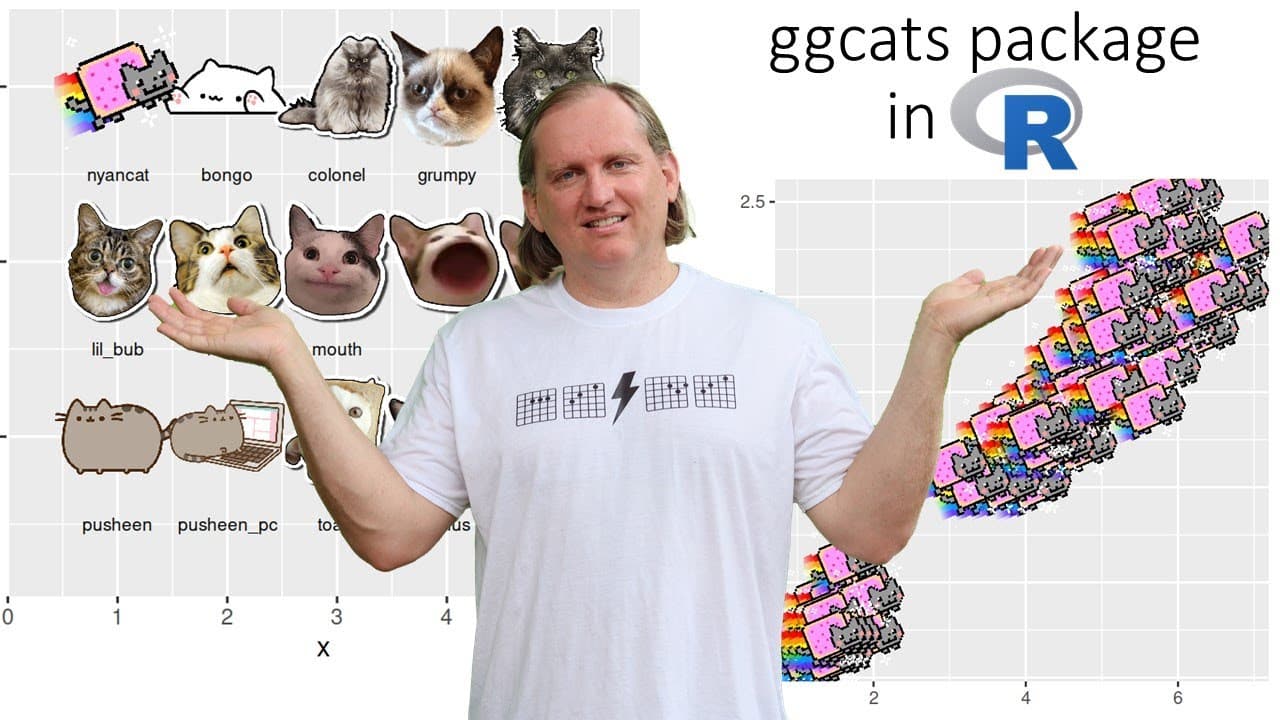
ggcats package allows users to add cats to R graphs for entertainment.
Transcript
hi everyone welcome back to the channel today we are going to be looking at one of the more entertaining albeit uh maybe not the most commercially useful package in r and that's gigi cats so gg cats is a package that is going to let us add cats to our graphs and so we're gonna have some fun with this one and mess around with a few examples as alway... Read More
Key Insights
- 😺 The ggcats package is a unique tool in R for adding humor to graphs by featuring cat images, thereby enhancing user experience.
- 📦 Installing packages from GitHub reflects the need for flexibility in R, especially for niche packages that aren’t part of the main repositories.
- 🈸 Utilizing ggcats with the iris dataset showcases its practical application for playful data representation in educational settings.
- 📈 Animated graphs using ggcats spur creativity and can make educational presentations more dynamic and memorable.
- 💍 While entertaining, ggcats reinforces the idea that data visualization can also be engaging and visually appealing.
- 📦 This package resonates particularly well with audiences interested in humor and lightheartedness in analytics.
- 😘 The barrier to starting with ggcats is low, requiring only simple installations and basic R coding knowledge.
Install to Summarize YouTube Videos and Get Transcripts
Explore YouTube Video Summarizer or Get YouTube Transcript Extractor
Questions & Answers
Q: What is the primary purpose of the ggcats package in R?
The ggcats package is designed for entertainment, allowing users to add images of cats to their graphs in R. This package is not aimed at serious data analysis but rather makes visualizations more engaging and enjoyable, particularly for educational contexts or casual presentations.
Q: How can one install the ggcats package in R?
To install the ggcats package, you first need to have the remotes package installed. This is because ggcats is not available on the CRAN repository. Users can install remotes either via the command line or through the RStudio interface. Once remotes is set up, ggcats can be installed directly from its GitHub source.
Q: Can ggcats be used for professional projects in workplaces?
While ggcats adds a fun element to data visualization, it’s generally not recommended for professional or workplace projects due to its humorous and lighthearted nature. Instead, it is better suited for educational purposes, workshops, or creative demonstrations, where a playful approach can enhance engagement.
Q: What types of plots can be created using ggcats?
ggcats allows users to create various types of plots, including scatter plots and animated graphs. The tutorial demonstrates using the classic iris dataset to create a scatter plot with different cat images representing different categories of the data and also showcases an animated graph with jumping cats.
Q: How do you go about customizing the cats in your graphs?
Customizing the appearance of cats in ggcats plots typically involves selecting different types of cat images for various categories in your dataset. Users can manipulate the code to assign specific cats according to data points, enhancing the visual appeal and adding uniqueness to each graph based on user preferences.
Q: What additional libraries are needed for creating animated graphs with ggcats?
To create animated graphs using the ggcats package, additional libraries such as gganimate may be required. These libraries facilitate the rendering of animated elements in plots. As with ggcats, users must ensure that any required libraries are installed and loaded into their R environment before creating animated visualizations.
Summary & Key Takeaways
-
The ggcats package provides a playful way to enhance R graphs by incorporating cat images, making data visualization more entertaining.
-
Users must install the remotes package and retrieve ggcats from GitHub as it’s not available on CRAN, emphasizing its informal nature.
-
The tutorial showcases creating a scatter plot and an animated graph using the classic iris dataset, illustrating different cat images based on data categories.
Read in Other Languages (beta)
Share This Summary 📚
Summarize YouTube Videos and Get Video Transcripts with 1-Click
Try YouTube Summary with ChatGPT & Claude or YouTube Transcript Generator
Explore More Summaries from Dr Lyndon Walker 📚






Summarize YouTube Videos and Get Video Transcripts with 1-Click
Try YouTube Summary with ChatGPT & Claude or YouTube Transcript Generator