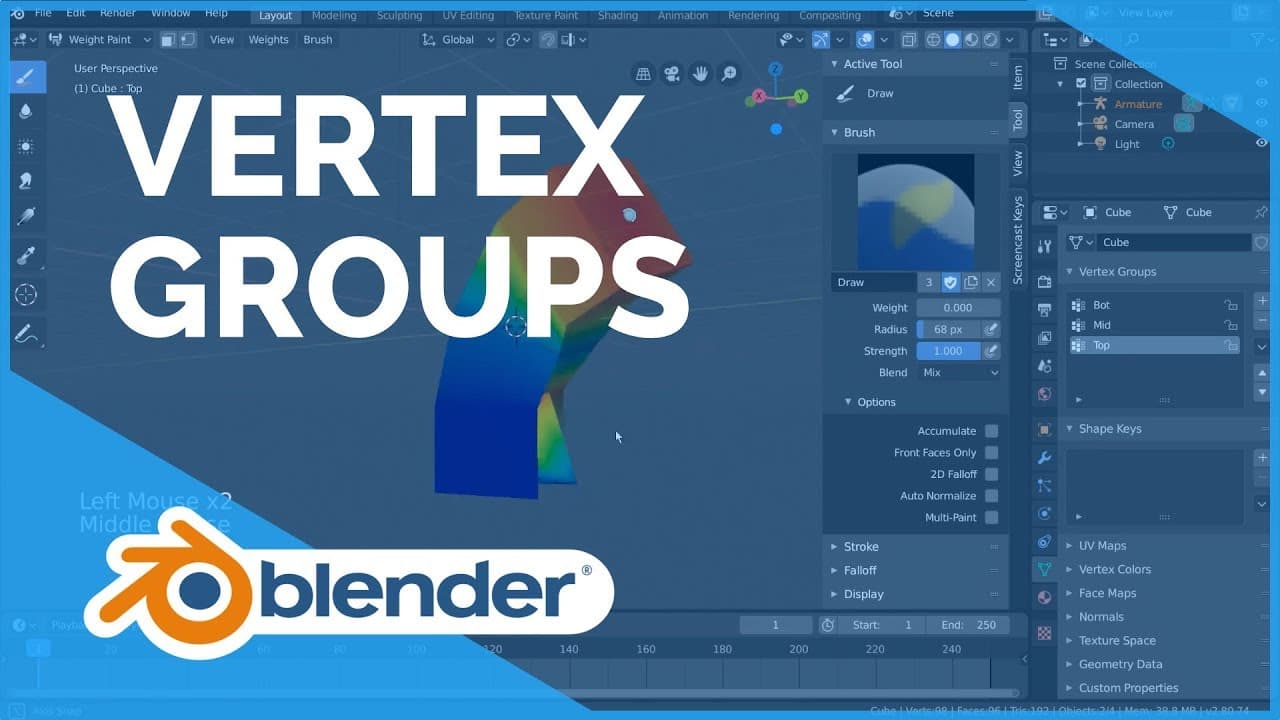
How to Use Vertex Groups in Blender 2.80
TL;DR
Vertex groups in Blender allow specific control over mesh deformation by assigning vertices to bones in an armature. You can create, edit, and manipulate these groups to influence how a mesh responds to armature movements, enabling organic and natural deformations. Vertex groups can also be used with modifiers, particles, and physics for added customization.
Transcript
vertex groups are groups of vertices within a mesh object that can be referenced for various purposes in blender it is also the foundation of how a mesh and an armature will interact with each other put simply when done properly each important bone in an armature object will have a group of vertices assigned to it I'm going to demonstrate w... Read More
Key Insights
- Vertex groups are essential for controlling mesh deformation in Blender.
- Each bone in an armature can be assigned a group of vertices for influence.
- Weights determine the influence level a bone has over vertices, ranging from 0% to 100%.
- Weight Paint mode allows for direct painting of weights onto vertices.
- Vertex groups can be used to control modifiers, particles, and physics beyond rigging.
- In Edit mode, vertices can be assigned or removed from vertex groups manually.
- Weight painting tools include blur, average, smear, gradient, and eyedropper.
- 2D fall-off and front faces only settings affect how weights are painted on complex geometries.
Install to Summarize YouTube Videos and Get Transcripts
Explore YouTube Video Summarizer or Get YouTube Transcript Extractor
Questions & Answers
Q: How to create and assign vertex groups in Blender?
To create and assign vertex groups in Blender, select your mesh object and navigate to the mesh data tab in the properties editor. Click the plus icon under vertex groups to create a new group. In Edit mode, select the vertices you wish to include, set the desired weight, and click 'Assign' to add them to the vertex group.
Q: What is the purpose of weight painting in Blender?
Weight painting in Blender is used to visually assign and edit the influence (weight) that bones in an armature have over specific vertices in a mesh. This allows for smooth transitions and blending between different vertex groups, enabling more natural deformations during animations. Different colors represent different levels of influence, from blue (0%) to red (100%).
Q: How do vertex groups affect modifiers in Blender?
Vertex groups can be used to control the influence of modifiers in Blender by specifying which parts of a mesh the modifier affects. For example, when using a wireframe modifier, assigning a vertex group can limit the wireframe effect to specific areas of the mesh, providing greater customization and control over the final appearance.
Q: What are the main tools available in Weight Paint mode?
In Weight Paint mode, Blender offers several tools for editing weights: the Paint tool for applying weights, Blur for smoothing transitions, Average for leveling weights, Smear for dragging weights across surfaces, and Gradient for creating smooth weight transitions. The Eyedropper tool allows for sampling existing weights on the mesh.
Q: How can you paint weights behind geometry in Blender?
To paint weights behind geometry in Blender, you can adjust the brush settings by turning off 'Front Faces Only' and enabling '2D Fall Off'. This allows the brush to penetrate through the mesh and apply weights to vertices that are not directly visible, ensuring comprehensive weight application even in complex geometries.
Q: What is the difference between 3D fall-off and 2D fall-off in weight painting?
3D fall-off in weight painting uses a spherical influence, affecting only vertices near the brush's contact point on the mesh surface. In contrast, 2D fall-off acts like a cylindrical influence, affecting all vertices the cursor touches, regardless of depth. This is useful for painting weights through the mesh and onto hidden vertices.
Q: Can vertex groups be used outside of rigging in Blender?
Yes, vertex groups in Blender are versatile and can be used beyond rigging. They can influence modifiers, control particle systems, and affect physics simulations. This allows for targeted customization and control over various effects applied to meshes, enhancing both animation and modeling workflows.
Q: How are vertex groups visualized in Blender?
Vertex groups in Blender are visualized using colors in Weight Paint mode. Each color represents a different weight, with blue indicating no influence (0%) and red indicating full influence (100%). Intermediate colors like green represent partial influence, allowing users to see and edit the distribution of weights across a mesh.
Summary & Key Takeaways
-
Vertex groups in Blender are used to control how a mesh deforms by assigning vertices to bones in an armature. This allows for precise control over which parts of the mesh are influenced by which bones, enabling more natural and organic animations.
-
Weights within vertex groups determine the level of influence a bone has over specific vertices, with options to assign 0% to 100% influence. Weight Paint mode provides tools to edit these weights, allowing for smooth transitions and blending between different vertex groups.
-
Beyond rigging, vertex groups can be used with modifiers, particles, and physics to customize effects on specific parts of a mesh. This versatility makes vertex groups a powerful tool in Blender for both animation and modeling tasks.
Read in Other Languages (beta)
Share This Summary 📚
Summarize YouTube Videos and Get Video Transcripts with 1-Click
Try YouTube Summary with ChatGPT & Claude or YouTube Transcript Generator
Explore More Summaries from Blender 📚

Summarize YouTube Videos and Get Video Transcripts with 1-Click
Try YouTube Summary with ChatGPT & Claude or YouTube Transcript Generator