Create Consistent Character Videos using NEW AI Video Generator
TL;DR
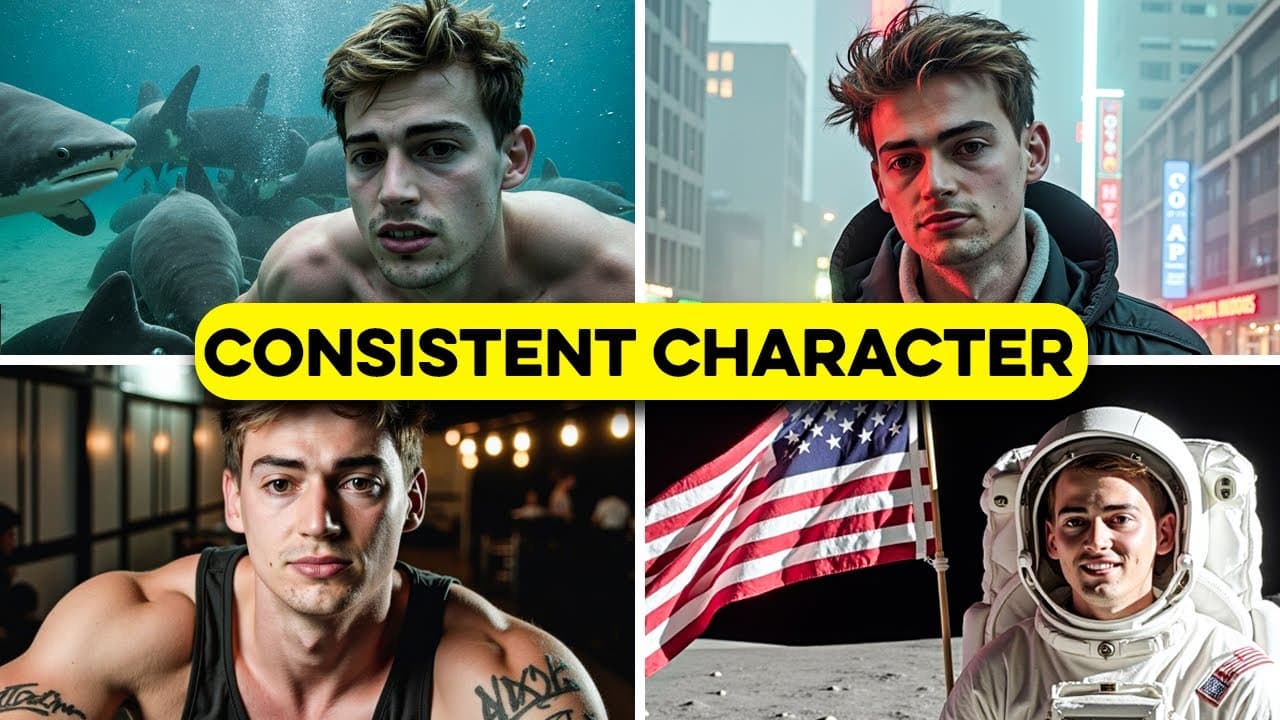
Create consistent character videos with AI using Aivideo.com.
Transcript
there is a new method to create consistent character videos with AI and it's easier than ever I simply enter my prompt upload my images and it generates a consistent character video for me it does everything all in one place now this is pretty big and we're only at the beginning of this development now if you normally create consist... Read More
Key Insights
- Aivideo.com simplifies the process of creating consistent character videos by integrating all necessary steps into one platform, including image upload, video generation, and editing.
- The tool allows users to generate videos from both text and images, leveraging advanced AI technologies like Luma and Kling for seamless video production.
- Users can customize their videos with specific templates, art styles, and detailed editor's notes to achieve desired visual outcomes.
- Aivideo.com offers a built-in video editor where users can manage their timelines, add soundtracks, voiceovers, and apply various effects to enhance their videos.
- The platform provides a range of templates and allows users to upload their own images for consistent character representation across different scenes.
- Although not free, Aivideo.com offers a 20% discount for new users, making it accessible for those interested in exploring AI video creation.
- The editor's note feature is crucial for providing detailed instructions to the AI, ensuring that the final video matches the user's vision.
- Users are encouraged to use high-quality images for better AI character generation, and the platform is expected to improve with more image slots in the future.
Install to Summarize YouTube Videos and Get Transcripts
Explore YouTube Video Summarizer or Get YouTube Transcript Extractor
Questions & Answers
Q: How does Aivideo.com simplify the video creation process?
Aivideo.com simplifies the video creation process by integrating all necessary steps into one platform. Users can upload images, generate videos, and edit them without needing multiple tools. The platform handles script writing, voiceovers, and video editing, making it a one-stop solution for consistent character video production.
Q: What customization options does Aivideo.com offer?
Aivideo.com offers a range of customization options including selecting templates, art styles, and video duration. Users can also provide detailed editor's notes to guide the AI in creating specific scenes, and choose from various voiceovers and music tracks to enhance their videos.
Q: What are the key features of the built-in video editor on Aivideo.com?
The built-in video editor on Aivideo.com allows users to manage their video timelines, add soundtracks, voiceovers, and sound effects. It provides tools for generating additional images or videos, and users can adjust scenes and apply effects to achieve the desired video outcome.
Q: How does the editor's note feature enhance video creation?
The editor's note feature allows users to provide detailed instructions to the AI, ensuring that the final video aligns with their vision. By specifying camera angles, scene transitions, and visual effects, users can guide the AI in creating a video that matches their expectations and storytelling style.
Q: What is the importance of using high-quality images in Aivideo.com?
Using high-quality images is crucial for achieving accurate AI character generation. High-quality images provide better reference points for the AI, resulting in more realistic and consistent character representation across different scenes. The platform is expected to improve with more image slots in the future.
Q: What advanced AI technologies does Aivideo.com utilize?
Aivideo.com utilizes advanced AI technologies like Luma and Kling to generate both text-to-video and image-to-video content. These technologies enable seamless video production, allowing users to create high-quality videos with consistent character representation and detailed customization options.
Q: Is Aivideo.com a free tool?
Aivideo.com is not a free tool, but it offers a 20% discount for new users. This discount makes the platform more accessible for those interested in exploring AI video creation and experiencing its comprehensive features for generating consistent character videos.
Q: How can users maximize the potential of Aivideo.com?
Users can maximize the potential of Aivideo.com by utilizing its customization options, providing detailed editor's notes, and using high-quality images for character generation. Experimenting with different templates, art styles, and AI technologies like Luma and Kling can also enhance the video creation process and outcome.
Summary & Key Takeaways
-
Aivideo.com is a comprehensive AI video generator and editor that streamlines the creation of consistent character videos by integrating image upload, script writing, and video editing into one platform.
-
The platform offers a variety of templates and customization options, allowing users to create videos with specific art styles, voiceovers, and music tracks, all while maintaining character consistency.
-
By utilizing advanced AI technologies like Luma and Kling, Aivideo.com provides users with the tools to generate both text-to-video and image-to-video content efficiently, with a discount available for new users.
Read in Other Languages (beta)
Share This Summary 📚
Summarize YouTube Videos and Get Video Transcripts with 1-Click
Try YouTube Summary with ChatGPT & Claude or YouTube Transcript Generator
Explore More Summaries from Dan Kieft 📚

Summarize YouTube Videos and Get Video Transcripts with 1-Click
Try YouTube Summary with ChatGPT & Claude or YouTube Transcript Generator