Styling in OmniOutliner 5 Pro for Mac
TL;DR
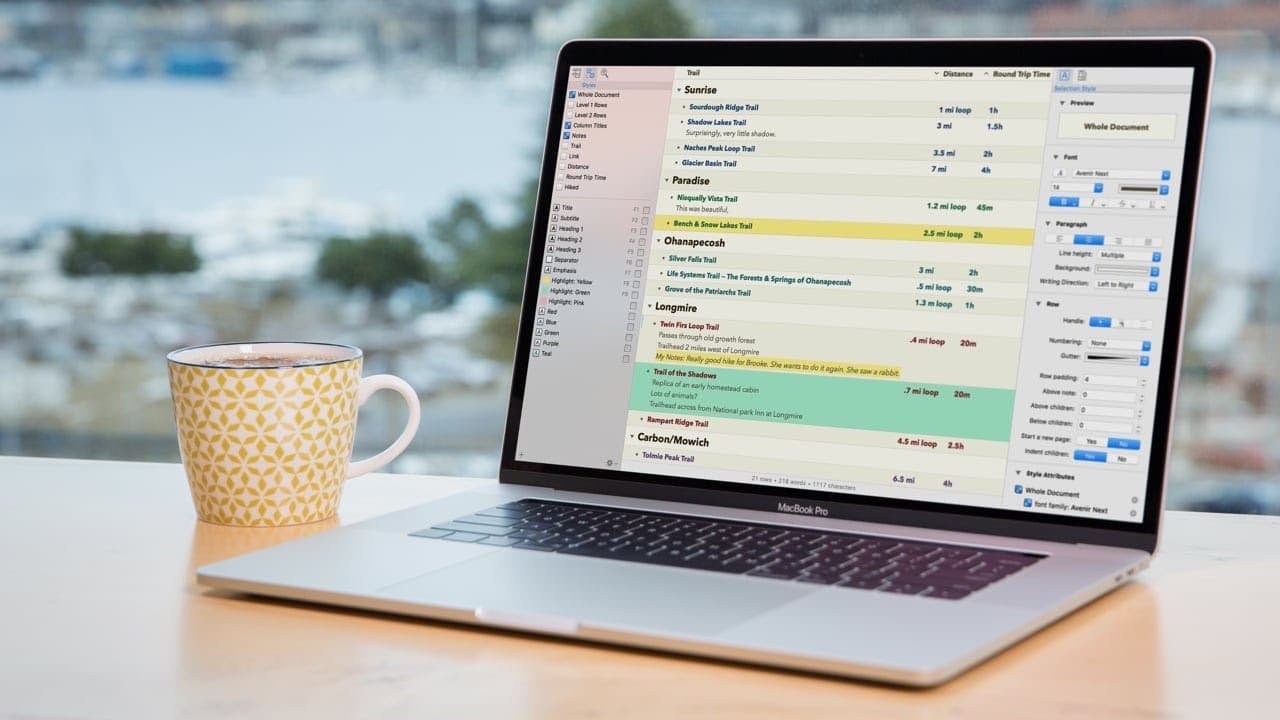
OmniOutliner 5 Pro Edition makes it easy to change and enhance styles, formatting, and metadata in your documents.
Transcript
with omni outliner 5 Pro Edition changing and enhancing styles has never been easier level styles and name Styles now have their own tab in the sidebar and selecting a style here conveniently highlights all the rows to which that style is applied now that I have all of the level 2 rows selected I'll go over to the inspector and make some changes I'... Read More
Key Insights
- 👤 OmniOutliner 5 Pro Edition provides a user-friendly interface for changing and enhancing styles in your outlines.
- 🫥 Custom styles can be created and easily applied to selected lines or sections, saving time and effort for consistent formatting.
- 🫥 Prioritizing specific line formatting over universal changes allows for fine-tuning and customization.
- 🤨 The document inspector enables customization of metadata, margins, grid lines, and alternate row colors.
Install to Summarize YouTube Videos and Get Transcripts
Explore YouTube Video Summarizer or Get YouTube Transcript Extractor
Questions & Answers
Q: What are the benefits of using Styles in OmniOutliner 5 Pro Edition?
Styles in OmniOutliner 5 Pro Edition provide a convenient way to apply, manage, and modify formatting across your document. You can easily make changes to the entire document or specific sections, ensuring consistency and efficiency in your writing.
Q: How can you create custom styles in OmniOutliner 5 Pro Edition?
To create a custom style, select a line or section within your document, modify its formatting using the inspector, and then save the style with a name. This allows you to easily apply the custom style to any selected line or section in your outline.
Q: Can you prioritize specific line formatting over universal changes in OmniOutliner 5 Pro Edition?
Yes, if you make specific formatting changes to a line, such as changing the font, OmniOutliner gives that line priority over universal changes. This ensures that specific formatting choices are preserved even when applying changes to the entire outline.
Q: How can OmniOutliner 5 Pro Edition help with distraction-free writing?
OmniOutliner 5 Pro Edition allows you to customize your document's appearance by adjusting margins, setting alternate row colors, and hiding grid lines. These features, along with the ability to resize columns and set metadata, create a distraction-free writing environment.
Key Insights:
- OmniOutliner 5 Pro Edition provides a user-friendly interface for changing and enhancing styles in your outlines.
- Custom styles can be created and easily applied to selected lines or sections, saving time and effort for consistent formatting.
- Prioritizing specific line formatting over universal changes allows for fine-tuning and customization.
- The document inspector enables customization of metadata, margins, grid lines, and alternate row colors.
- OmniOutliner 5 Pro Edition offers a range of features to achieve a distraction-free writing experience, including resizable columns and adjustable indentations.
Summary & Key Takeaways
-
With OmniOutliner 5 Pro Edition, changing and enhancing styles is simplified, with Styles having their own tab in the sidebar.
-
You can apply style changes universally or to specific sections of your document, making formatting consistent and efficient.
-
The document inspector allows you to set alternate row colors, grid lines, margins, and metadata, providing customization options for distraction-free writing.
Read in Other Languages (beta)
Share This Summary 📚
Summarize YouTube Videos and Get Video Transcripts with 1-Click
Try YouTube Summary with ChatGPT & Claude or YouTube Transcript Generator
Explore More Summaries from omnigrouptv 📚
Summarize YouTube Videos and Get Video Transcripts with 1-Click
Try YouTube Summary with ChatGPT & Claude or YouTube Transcript Generator