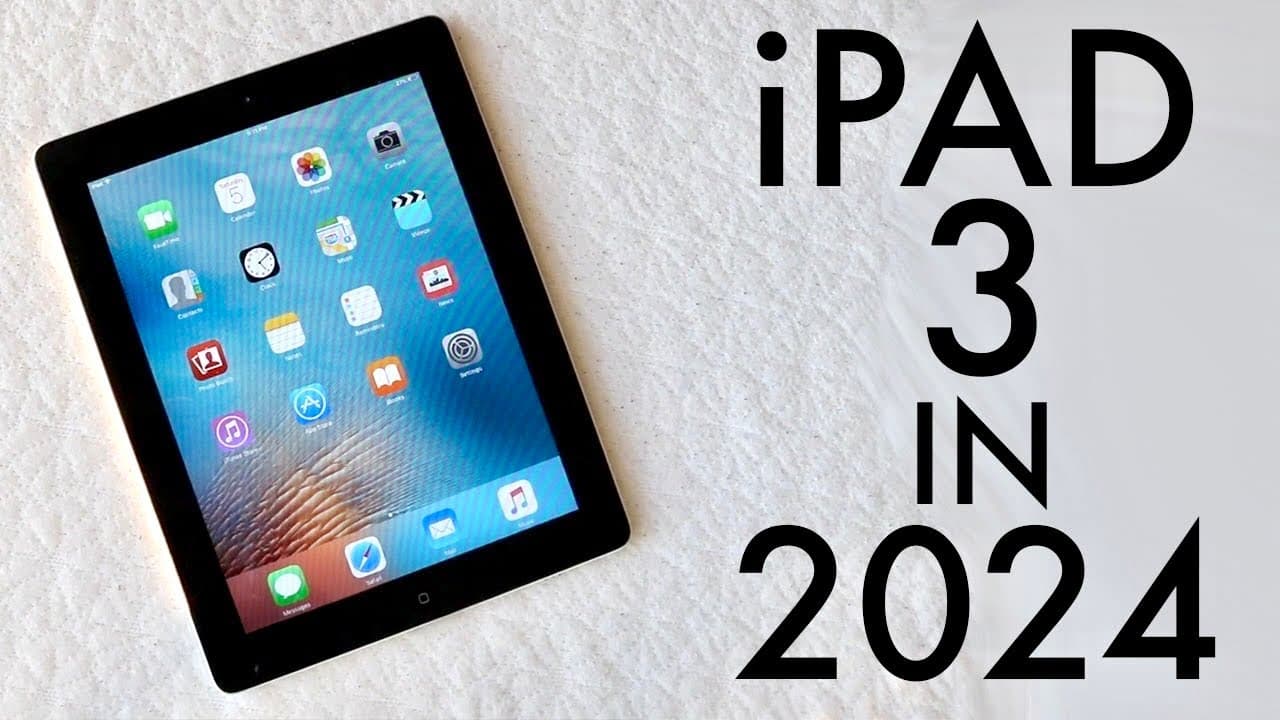
iPad 3 In 2024! (Still Worth It?) (Review)
TL;DR
The iPad 3 is outdated and no longer recommended for purchase.
Transcript
hello everyone the iPad third generation has been out for so many years now and I'll be completely honest I probably wouldn't recommend you know buying this iPad anymore I don't even think this iPad was worth it like 5 years ago to be honest but this thing is still kind of around and you're watching this video so there are still people who want to ... Read More
Key Insights
- ✋ The iPad 3 lacks software support, stopping at iOS 9, which raises security concerns for users.
- 🧍 The design of the iPad 3, while decent for its time, does not stand up to the sleekness of contemporary iPads.
- 👶 Compared to newer iPads, performance and capabilities of the iPad 3 are severely lacking, especially for modern applications.
- 😴 The 30-pin connector is considered obsolete, limiting the iPad 3's compatibility with current accessories.
- 💪 Despite its strong build quality, the iPad 3's camera quality is outdated and does not meet current expectations.
- ✋ The iPad 3's features, such as a high-resolution screen, are diminished by its overall slow performance and outdated hardware.
- 👶 Consumers are strongly urged to consider newer iPad models with updated features rather than the iPad 3.
Install to Summarize YouTube Videos and Get Transcripts
Explore YouTube Video Summarizer or Get YouTube Transcript Extractor
Questions & Answers
Q: What makes the iPad 3 outdated compared to modern tablets?
The iPad 3 is outdated primarily due to its lack of software updates; it stopped receiving support at iOS 9, which poses security risks. Additionally, its hardware, like the A5X chip and 1GB of RAM, falls short compared to current devices, impacting performance and usability.
Q: Are there any redeeming features of the iPad 3?
A redeeming feature of the iPad 3 is its construction quality; it has a solid build and a decent 9.7-inch IPS LCD panel with good resolution. It also includes a front and back camera, which, although outdated, was a novel feature at its launch and offers basic functionality.
Q: Why is the 30-pin connector a disadvantage for the iPad 3?
The 30-pin connector is a disadvantage because it has been replaced by newer standards such as Lightning and USB-C, leading to compatibility issues with modern peripherals. This could limit usability significantly, especially when attempting to connect to newer accessories or charging devices.
Q: What are better alternatives to the iPad 3?
Better alternatives include the iPad 9th generation, iPad 10, or iPad Air 4. These models offer more robust performance, software support, and better features, making them worthwhile investments compared to the iPad 3, which is severely outdated.
Q: What was the iPad 3's original camera quality like?
The iPad 3 featured a 5-megapixel camera on the back and a VGA front camera capable of recording in 480p. However, even at launch, the camera system was not competitive, similar to the iPhone 4, and it does not meet today’s standards for quality and clarity.
Q: How has the tablet market evolved since the iPad 3's release?
Since the iPad 3's release, the tablet market has seen significant advancements in performance, design, and capabilities. Modern tablets offer improved processors, better screens, enhanced multitasking features, and continual software updates, making them far superior options for consumers today.
Summary & Key Takeaways
-
The iPad 3, released in 2012, has not kept up with modern standards, lacking software updates and modern connectivity options, making it irrelevant for current users.
-
Key features like the IPS LCD panel and available cameras are subpar compared to new models, and its aging design and performance hinder its usability today.
-
Despite being a reasonably built device, its lack of software support and poor camera performance significantly diminish its appeal for today’s consumers.
Read in Other Languages (beta)
Share This Summary 📚
Summarize YouTube Videos and Get Video Transcripts with 1-Click
Try YouTube Summary with ChatGPT & Claude or YouTube Transcript Generator
Explore More Summaries from Simple Alpaca 📚






Summarize YouTube Videos and Get Video Transcripts with 1-Click
Try YouTube Summary with ChatGPT & Claude or YouTube Transcript Generator