How to Add Background Music To Video In Premiere Pro CC
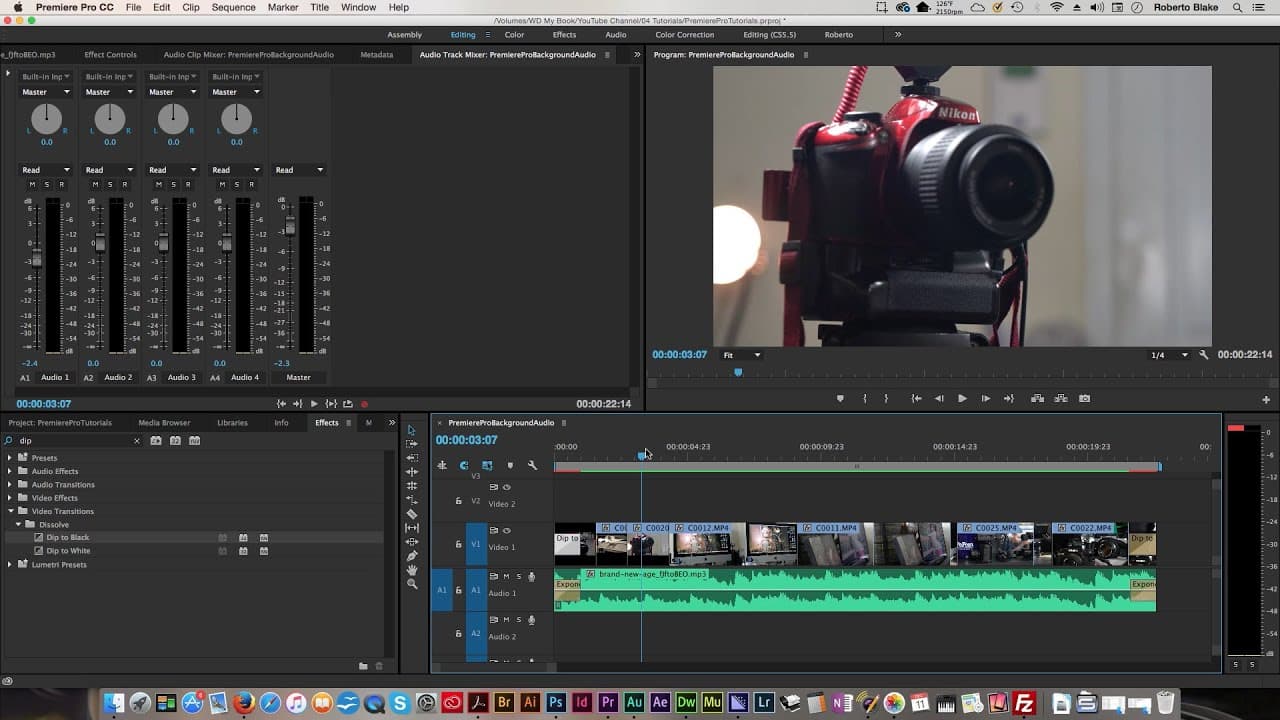
TL;DR
Learn how to import audio, apply effects like fading, and mix tracks in Adobe Premiere Pro easily.
Transcript
So, this is actually really simple and we're gonna jump right in. Now, assuming that you haven't imported your audio, I'm just gonna show you how to do that. I've already got my video imported here, but let's go ahead and import that audio. So, what I'm gonna do is I'm gonna grab it, from Finder here, in Mac, you could do the same thing in Windows,... Read More
Key Insights
- 🐲 Import audio easily by dragging files into Adobe Premiere Pro.
- ❓ Apply effects like Exponential Fade and Dip to Black for professional transitions.
- 😒 Use the Audio Track Mixer to adjust audio levels and mix tracks seamlessly.
- 🥶 Find free audio resources like AudioBlocks for YouTube videos.
- 🎮 Enhance your video projects with background music using simple techniques in Adobe Premiere Pro.
- 🥠 Stay tuned for future tutorials on audio mixing and adding voiceovers in Adobe Premiere Pro.
- 🎮 Creating smooth transitions between audio and video elements enhances the overall quality of your video projects.
Install to Summarize YouTube Videos and Get Transcripts
Explore YouTube Video Summarizer or Get YouTube Transcript Extractor
Questions & Answers
Q: How do you import audio in Adobe Premiere Pro?
To import audio, you can drag the audio file from Finder into your project files or timeline in Adobe Premiere Pro, making it easy to access and edit within your project.
Q: What effects can you apply to audio for smooth transitions?
Effects like Exponential Fade can be applied to audio in Adobe Premiere Pro to create smooth fades in and out, enhancing the overall quality and professional look of your video project.
Q: How can you mix tracks in Adobe Premiere Pro?
To mix tracks, use the Audio Track Mixer in Adobe Premiere Pro to adjust the different pieces of audio, such as voiceovers or background music, ensuring the audio levels are balanced for a cohesive final output.
Q: Where can you find free audio for your YouTube videos?
Websites like AudioBlocks offer a variety of free audio options for YouTube videos, with a 90% off deal available for yearly subscriptions, allowing you to use the audio indefinitely in your projects.
Summary & Key Takeaways
-
Import audio by dragging it into the project files or timeline.
-
Apply effects like Exponential Fade for smooth transitions and Dip to Black for video and audio alignment.
-
Mix tracks in the Audio Track Mixer to adjust audio levels for a professional output.
Read in Other Languages (beta)
Share This Summary 📚
Summarize YouTube Videos and Get Video Transcripts with 1-Click
Try YouTube Summary with ChatGPT & Claude or YouTube Transcript Generator
Explore More Summaries from Roberto Blake 📚






Summarize YouTube Videos and Get Video Transcripts with 1-Click
Try YouTube Summary with ChatGPT & Claude or YouTube Transcript Generator