How to Create a Smart Home Dashboard with Amazon Fire Tablet
TL;DR
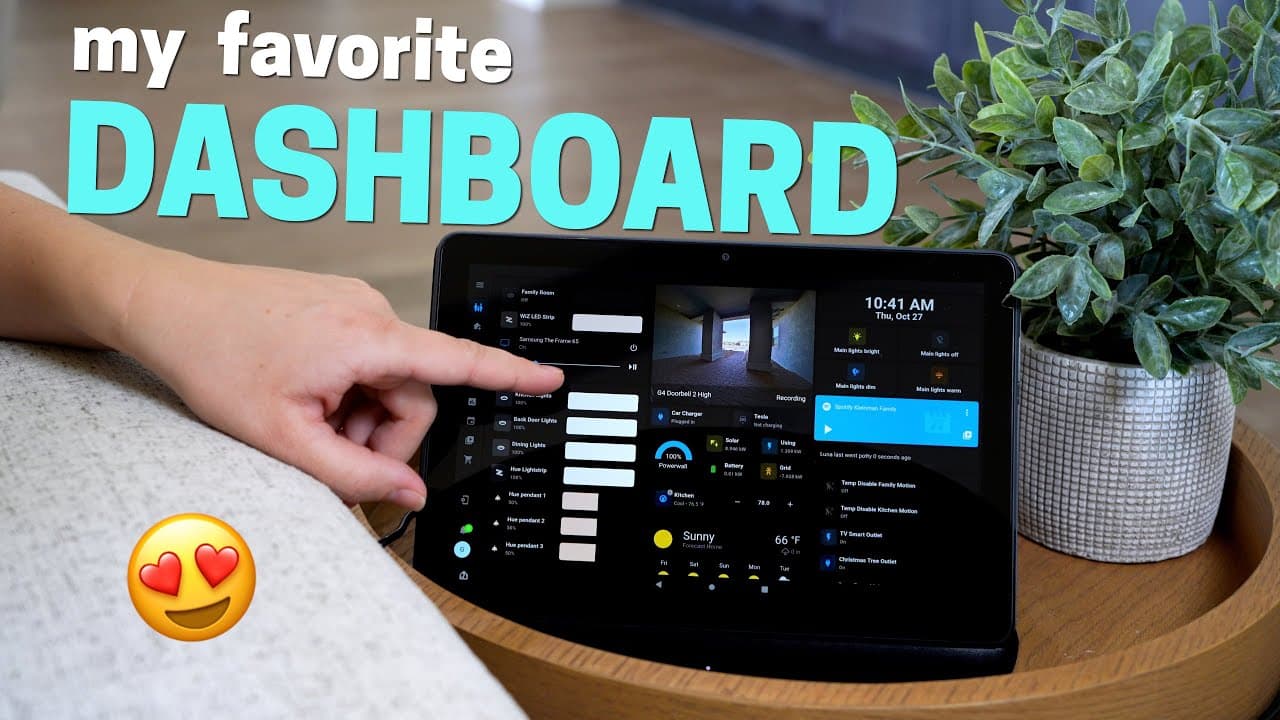
To create a smart home dashboard using an Amazon Fire tablet, set it up on a wireless dock for easy access and charging. Use the Home Assistant app to control lights, view security feeds, and monitor power usage, while enhancing the interface with themes like Mushroom UI. It's crucial to secure the setup by creating user accounts that limit access to essential functions.
Transcript
recently I added a dashboard right here next to my couch on this Wireless Dock and I love this thing it's really inexpensive it was super easy to set up and I use this thing all the time I'll explain how you can set this up yourself and how I did a massive overhaul on my whole dashboard interface people Mount dashboards up on the wall and I think t... Read More
Key Insights
- 👪 Wireless dock setup offers convenience and versatility for using a tablet as a home automation dashboard.
- 👏 Pinning apps on the tablet ensures quick access to essential functions without reloading delays.
- ❓ Customizing the dashboard with themes like Mushroom UI enhances the visual appeal and functionality.
- 👤 Securing the dashboard setup with separate user accounts prevents unauthorized access and modifications.
- 📱 The future trend of using tablets as smart displays with wireless docks for dual functionality is gaining popularity.
- 🥺 Integration of Google and Apple tablets with wireless docks may lead to innovative smart display solutions.
- 🎨 DIY dashboard setups provide flexibility in design and functionality tailored to individual preferences.
Install to Summarize YouTube Videos and Get Transcripts
Explore YouTube Video Summarizer or Get YouTube Transcript Extractor
Questions & Answers
Q: How does the wireless dock setup enhance the usability of the Amazon Fire tablet for home automation?
The wireless dock allows easy access to the tablet as a dashboard without wall-mounting restrictions, providing convenience and versatility for controlling smart devices.
Q: What are the key benefits of pinning an app on the tablet for the dashboard setup?
Pinning an app ensures it remains active, quick to load, and prevents unauthorized access, making it ideal for maintaining control over specific features and functions.
Q: How can users customize their dashboard interface using the Home Assistant app?
Users can personalize their dashboard by controlling lights, viewing doorbell feeds, monitoring power consumption, adjusting thermostat settings, and integrating music playback controls like Spotify.
Q: What security measures should be taken to protect the dashboard setup from unauthorized access?
Creating a separate user account with restricted access to the dashboard prevents accidental modifications to settings and safeguards the integrity of the home automation setup.
Summary & Key Takeaways
-
DIY setup of an Amazon Fire tablet on a wireless dock for a convenient and versatile home automation dashboard interface.
-
Customizing the dashboard using the Home Assistant app, with features like controlling lights, viewing doorbell feed, and monitoring power.
-
Enhancing the dashboard with a theme like Mushroom UI for a clean look and additional functionality.
Read in Other Languages (beta)
Share This Summary 📚
Summarize YouTube Videos and Get Video Transcripts with 1-Click
Try YouTube Summary with ChatGPT & Claude or YouTube Transcript Generator
Explore More Summaries from Smart Home Solver 📚



Summarize YouTube Videos and Get Video Transcripts with 1-Click
Try YouTube Summary with ChatGPT & Claude or YouTube Transcript Generator