Scikit Learn Machine Learning Tutorial for investing with Python p. 6
TL;DR
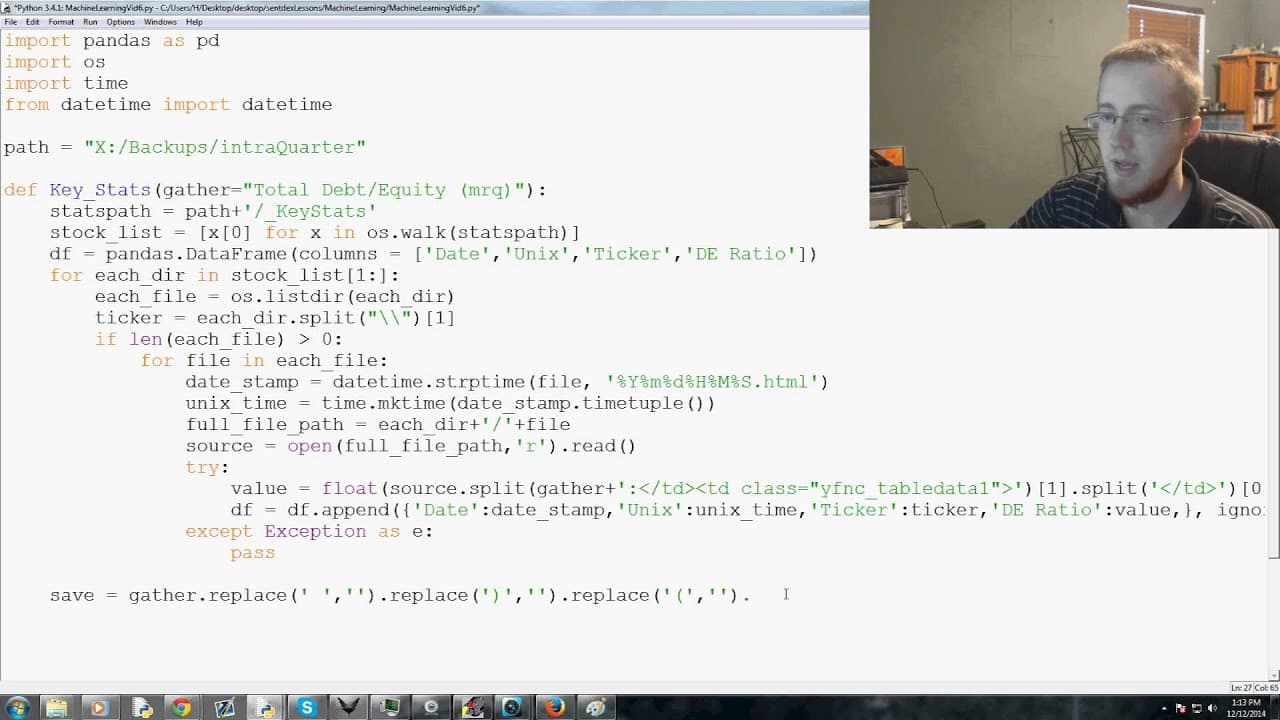
This video tutorial demonstrates how to use the pandas library in Python to structure and manipulate data for further analysis.
Transcript
hello everybody and welcome to the sixth part of our Python and machine learning tutorials series in the last video we were talking about how to kind of pull out the data and acquire the data now we're going to be talking about how to structure the data and kind of orient it for ourselves so the first thing that we're going to go ahead and do is we... Read More
Key Insights
- 🐼 Pandas is a popular library in Python for data manipulation and analysis.
- 🐼 The creation of a DataFrame in pandas involves specifying column names and their data types.
- 🤨 Appending data to a DataFrame in pandas can be done by using dictionaries to represent rows.
- 🐼 Handling exceptions when converting data to float in pandas can help ensure data quality.
- 👻 Saving a pandas DataFrame as a CSV file allows for easy access and sharing of structured data.
- 🐼 pandas provides efficient methods for indexing, filtering, and transforming data within a DataFrame.
- 💦 The ability to work with large datasets efficiently is one of the advantages of using pandas.
Install to Summarize YouTube Videos and Get Transcripts
Explore YouTube Video Summarizer or Get YouTube Transcript Extractor
Questions & Answers
Q: What is the purpose of using pandas in Python?
Pandas is a powerful library in Python used for data manipulation and analysis. It provides a DataFrame object to handle structured data efficiently.
Q: How can we append data to a pandas DataFrame?
To append data to a pandas DataFrame, we can use the df.append() method and pass a dictionary with column names as keys and corresponding values to the method.
Q: What does the 'ignore_index' parameter do when appending data to a DataFrame?
The ignore_index parameter set to True in the df.append() method ensures that newly appended rows have consecutive index values, ignoring the original index values.
Q: How can we save a pandas DataFrame as a CSV file?
To save a pandas DataFrame as a CSV file, we can use the df.to_csv() method and provide the desired file name as the argument. The DataFrame will be saved as a CSV file in the specified location.
Summary & Key Takeaways
-
The video introduces the use of pandas in structuring data in Python for machine learning applications.
-
The instructor explains how to create a pandas DataFrame and specifies the columns to include in the DataFrame.
-
The video demonstrates how to append data to a DataFrame using a dictionary format and handle exceptions when converting values to float.
-
The instructor shows how to save the structured data as a CSV file for further analysis.
Read in Other Languages (beta)
Share This Summary 📚
Summarize YouTube Videos and Get Video Transcripts with 1-Click
Try YouTube Summary with ChatGPT & Claude or YouTube Transcript Generator
Explore More Summaries from sentdex 📚






Summarize YouTube Videos and Get Video Transcripts with 1-Click
Try YouTube Summary with ChatGPT & Claude or YouTube Transcript Generator