Baking multiple textures & materials into 1 in Blender
TL;DR
Learn to combine multiple textures into one for optimization.
Transcript
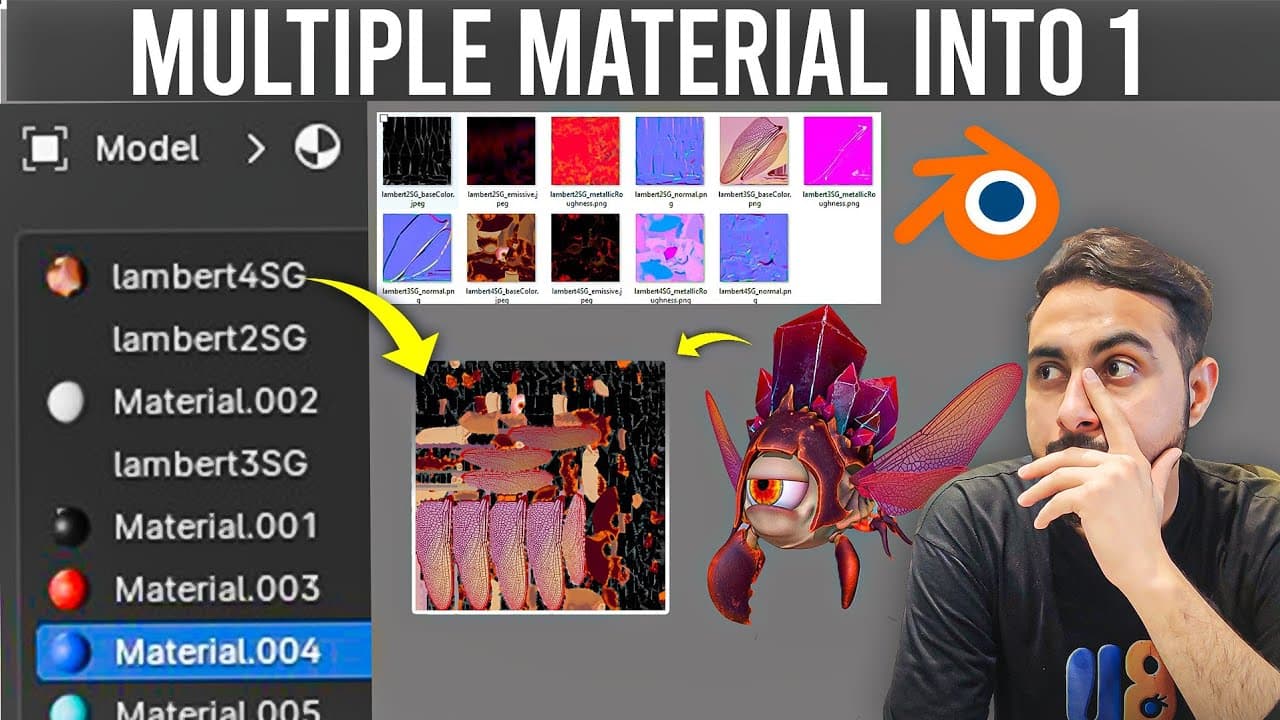
so you might get this issue a lot of times that you downloaded a free model and then you check that it have a bunch of materials and a lot of textures and then you notice that we don't actually need that most of the time we do it for optimization like for games we actually need less materials and less textures uh to get more optimized so so... Read More
Key Insights
- Combining multiple textures into a single map can optimize texture memory and improve rendering performance, especially useful in game development.
- The process involves creating a new UV map that consolidates all existing UVs into one, ensuring no overlaps to avoid rendering issues.
- A new image texture is created as a blank canvas with a recommended resolution of 2K to ensure adequate detail in the final texture.
- The baking process requires switching to the Cycles rendering engine, as Eevee does not support texture baking.
- During baking, it's crucial to disable direct and indirect lighting to prevent the scene lighting from affecting the baked texture.
- After baking, the old materials are removed, and a new single material is created using the baked texture, simplifying the material setup.
- If black dots appear on the final texture, it indicates overlapping UVs, which need to be corrected for a clean bake.
- Engaging with the community through comments can provide troubleshooting support and foster a learning environment.
Install to Summarize YouTube Videos and Get Transcripts
Explore YouTube Video Summarizer or Get YouTube Transcript Extractor
Questions & Answers
Q: What is the main benefit of combining multiple textures into one?
Combining multiple textures into one map optimizes texture memory and improves rendering performance. This is particularly beneficial in game development, where reducing the number of materials and textures can lead to faster load times and smoother performance.
Q: What are the initial steps in preparing for texture baking in Blender?
The initial steps involve selecting the objects you want to combine textures for and ensuring each object has a dedicated UV map. This foundational setup is crucial for the successful consolidation of textures into a single map during the baking process.
Q: How do you configure the bake settings in Blender?
To configure bake settings, switch to the Cycles engine in the Render Properties panel. In the Bake section, choose the appropriate bake type, such as Diffuse or Combined, and adjust settings like Margin and Selected to Active based on your project needs.
Q: What should be done if black dots appear on the baked texture?
Black dots on the baked texture indicate overlapping UVs. To resolve this, ensure that the UV map is correctly set up with no overlapping areas before baking. This step is crucial for achieving a clean and accurate texture bake.
Q: Why is it important to disable direct and indirect lighting during baking?
Disabling direct and indirect lighting during baking prevents the scene's lighting from being baked onto the texture. This ensures that only the texture information is baked, without any unintended lighting effects, resulting in a more accurate texture map.
Q: What role does the new image texture play in the baking process?
The new image texture acts as a blank canvas where all existing textures are baked into a single map. It should be created with a suitable resolution, typically 2K, to capture sufficient detail and ensure the final texture is of high quality.
Q: How can community interaction aid in the learning process?
Engaging with the community through comments allows users to seek troubleshooting support and share experiences. This interaction fosters a collaborative learning environment where users can learn from each other's challenges and solutions, enhancing the overall learning experience.
Q: What is the significance of removing old materials after baking?
Removing old materials simplifies the material setup by replacing multiple materials with a single one using the baked texture. This reduces complexity in the material setup, making the project more manageable and optimized for rendering and performance.
Summary & Key Takeaways
-
The tutorial provides a step-by-step guide on combining multiple textures into a single texture map in Blender. This process is essential for optimizing texture memory and improving rendering performance, particularly in gaming applications.
-
The method involves creating a new UV map, baking textures using the Cycles engine, and applying the baked texture to a simplified material setup. Key considerations include resolution and avoiding UV overlaps.
-
By following the outlined steps, users can effectively streamline their 3D project workflows, resulting in more efficient and manageable texture setups. The tutorial also encourages community interaction for troubleshooting and learning.
Read in Other Languages (beta)
Share This Summary 📚
Summarize YouTube Videos and Get Video Transcripts with 1-Click
Try YouTube Summary with ChatGPT & Claude or YouTube Transcript Generator