How Does the Graphics Pipeline Transform 3D Models?
TL;DR
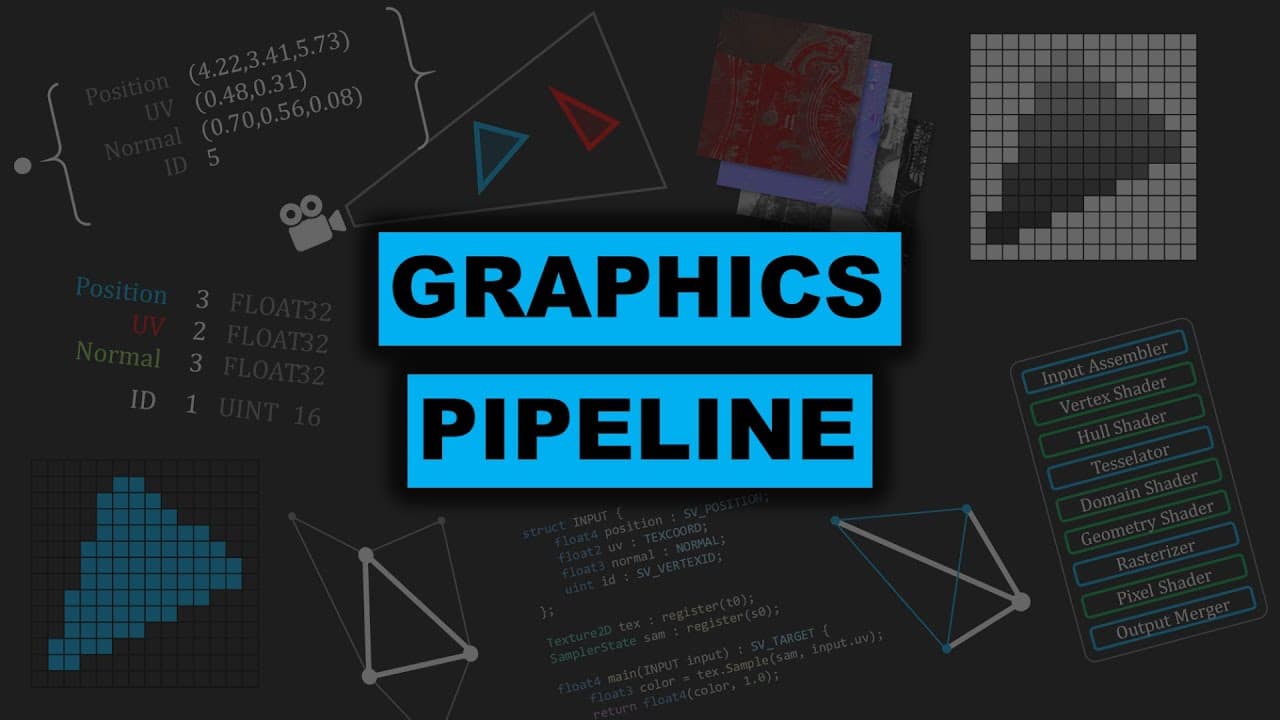
The graphics pipeline transforms 3D models into rendered images through multiple stages, including input assembly, vertex shading, tessellation, geometry shading, rasterization, and pixel shading. Each stage processes vertices and primitives, ultimately producing a final image with textures and colors. The depth buffer helps manage overlapping objects, ensuring correct rendering order.
Transcript
hello everyone today we will be discussing the graphics pipeline this is going to be the least mathematical video in my series on computer graphics but it will be the one that links everything together the graphics pipeline takes in some resources and outputs a render target the resources are triangles which make up a 3d model as well as textures t... Read More
Key Insights
- The graphics pipeline transforms 3D models into rendered images.
- Input assembler organizes vertex data for 3D models.
- Vertex shader transforms vertex attributes using matrices.
- Tessellation stage increases model detail by adding triangles.
- Geometry shader modifies primitives, aiding in complex shapes.
- Rasterizer converts triangles into pixel grids for rendering.
- Depth buffer manages depth information to ensure correct rendering order.
- Pixel shader assigns colors to pixels based on textures and attributes.
Install to Summarize YouTube Videos and Get Transcripts
Explore YouTube Video Summarizer or Get YouTube Transcript Extractor
Questions & Answers
Q: How does the graphics pipeline transform 3D models?
The graphics pipeline transforms 3D models into rendered images by processing vertex data through several stages, including input assembly, vertex shading, tessellation, geometry shading, rasterization, and pixel shading. Each stage applies transformations and shading, ultimately producing a final image with textures and colors. The depth buffer ensures correct rendering order by managing overlapping objects.
Q: What is the role of the input assembler in the graphics pipeline?
The input assembler organizes vertex data for 3D models, preparing it for further processing in the graphics pipeline. It takes vertex attributes from a vertex buffer, such as position, UV coordinates, and normals, and specifies how many components each attribute has. This organization is crucial for subsequent stages to correctly interpret and transform the data.
Q: How does the vertex shader transform vertex attributes?
The vertex shader transforms vertex attributes by applying matrix operations to them. It takes in attributes like position and UV coordinates and can modify them using external data such as matrices. This transformation is essential for positioning vertices correctly in 3D space, and it can also introduce new attributes, like color, for further processing in the pipeline.
Q: What is tessellation in the graphics pipeline?
Tessellation in the graphics pipeline is the process of increasing the detail of a 3D model by adding more triangles to its surface. The tessellation stage takes in a primitive, such as a square, and outputs a more detailed version with additional triangles. This is useful for enhancing low-poly models to high-poly models, improving visual detail and realism.
Q: How does the geometry shader modify primitives?
The geometry shader modifies primitives by taking in an entire primitive, such as a triangle, and potentially adding new vertices or altering its shape. It can also take adjacent vertices into account, allowing for complex modifications like turning a triangle into a pyramid or expanding a line into triangles. This stage is useful for creating complex shapes and effects, such as hair or particle systems.
Q: What is the purpose of the rasterizer in the graphics pipeline?
The rasterizer converts triangles from the graphics pipeline into a grid of pixels for rendering. It processes each triangle and determines which pixels it covers, generating a pixel grid that approximates the triangle's shape. This stage is crucial for translating vector-based models into raster images, which can then be colored and displayed on screen.
Q: How does the depth buffer ensure correct rendering order?
The depth buffer ensures correct rendering order by storing depth information for each pixel in the scene. As triangles are rasterized, their depth values are compared against the depth buffer. If a new triangle's depth is closer to the camera, it updates the depth buffer and renders in front of existing pixels. This prevents visual errors with overlapping objects, maintaining the scene's visual integrity.
Q: What is the function of the pixel shader in the graphics pipeline?
The pixel shader assigns colors to pixels based on vertex attributes and textures. It takes in interpolated attributes from the rasterizer, such as UV coordinates, and uses them to sample textures and calculate the final color for each pixel. This stage allows for detailed texturing and shading effects, contributing to the final rendered image's appearance and realism.
Summary & Key Takeaways
-
The graphics pipeline transforms 3D models into rendered images through a series of stages that process vertex data, apply shading, and manage textures. Key stages include input assembly, vertex shading, tessellation, geometry shading, rasterization, and pixel shading. The depth buffer ensures correct rendering order by managing overlapping objects.
-
Input assembler organizes vertex data, while the vertex shader transforms these attributes using matrices. Tessellation and geometry shaders add detail and modify primitives, respectively, allowing for complex shapes and increased model detail. Rasterization converts triangles into pixel grids, and pixel shading assigns colors based on textures.
-
The depth buffer plays a crucial role in managing depth information, ensuring that objects are rendered in the correct order. This prevents issues with overlapping objects, maintaining the visual integrity of the scene. Each stage of the pipeline contributes to the final rendered image, showcasing the complexity of real-time computer graphics.
Read in Other Languages (beta)
Share This Summary 📚
Summarize YouTube Videos and Get Video Transcripts with 1-Click
Try YouTube Summary with ChatGPT & Claude or YouTube Transcript Generator
Explore More Summaries from FloatyMonkey 📚
Summarize YouTube Videos and Get Video Transcripts with 1-Click
Try YouTube Summary with ChatGPT & Claude or YouTube Transcript Generator