Products
Features
YouTube Video Summarizer
Summarize YouTube videos
Web & PDF Highlighter
Highlight web pages & PDFs
Chat with PDF
Ask any PDF questions with AI
Ask AI Clone
Chat with your highlights & memories
Audio Transcriber
Transcribe audio files to text
Glasp Reader
Read and highlight articles
Kindle Highlight Export
Export your Kindle highlights
Idea Hatch
Hatch ideas from your highlights
Integrations
Obsidian Plugin
Notion Integration
Pocket Integration
Instapaper Integration
Medium Integration
Readwise Integration
Snipd Integration
Hypothesis Integration
Apps & Extensions
Chrome Extension
Safari Extension
Edge Add-ons
Firefox Add-ons
iOS App
Android App
Discover
Discover
Ideas
Discover new ideas and insights
Articles
Curated articles and insights
Books
Book recommendations by great minds
Posts
Essays and notes from readers
Quotes
Inspiring quotes collection
Videos
Curated videos and summaries
Explore Glasp
Glasp Newsletter
Weekly insights and updates
Glasp Talk
Interview series with great minds
Glasp Blog
Latest news and articles
Glasp Use Cases
Learn how others use Glasp
Build & Support
Glasp API
Access Glasp's API for developers
MCP Connector
Connect Glasp to Claude & ChatGPT
Community
Glasp Reddit Community
Students
Student discount and benefits
FAQs
Frequently Asked Questions
AboutPricing
DashboardLog inSign up

How to add students to the Read Write Inc. Phonics eBook Library
674 views
•
August 5, 2022
by
Oxford Education
YouTube video player
How to add students to the Read Write Inc. Phonics eBook Library

TL;DR

Add students to access books by adding them individually or importing a class with careful data entry.

Transcript

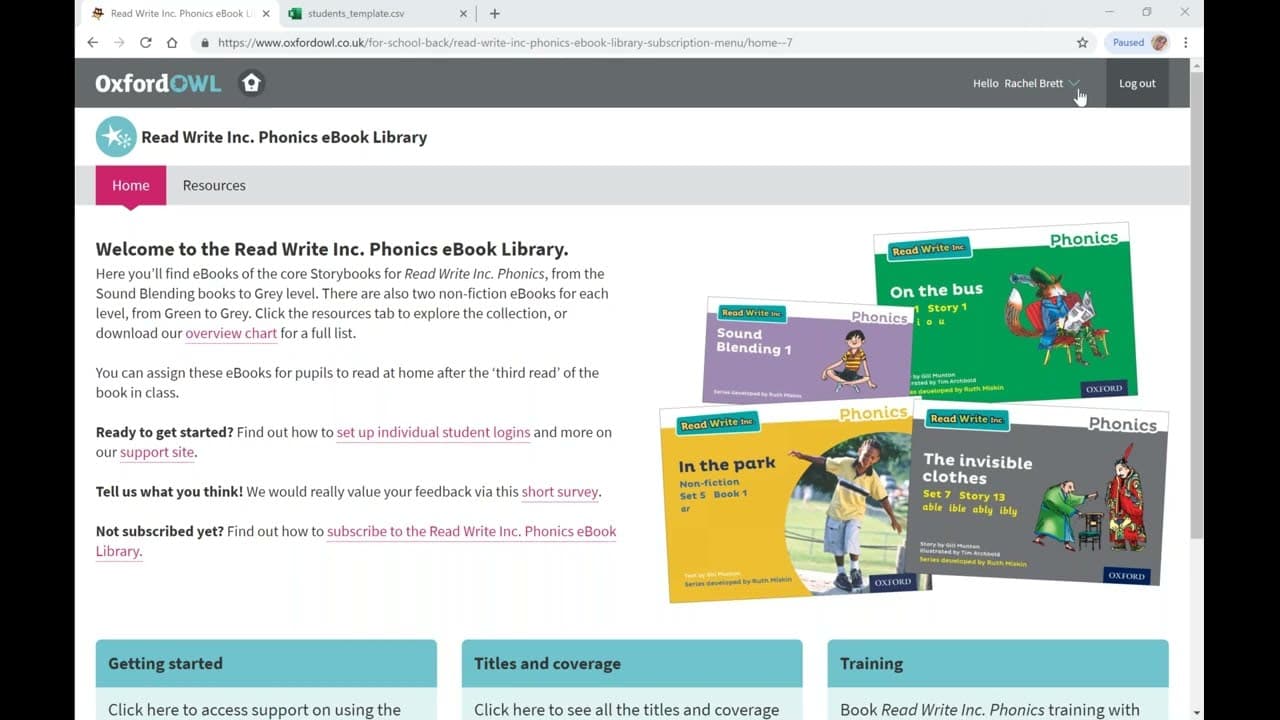
hello and welcome to the read write inc phonics ebook library subscription in this short video we will be adding students to the ebook library to enable them to access their allocated books you start by clicking the drop down arrow next to your name in the top right gray bar navigate to manage students and select to open the next screen here is a l... Read More

Key Insights

  • 🧑‍🎓 Adding students to the phonics ebook library can be done individually or by importing a class for efficiency.
  • 🧑‍🎓 Careful data entry is crucial to ensure successful addition and proper organization of student accounts.
  • 🧑‍🎓 Generating login credentials and creating signing cards are essential steps in the student addition process.

Install to Summarize YouTube Videos and Get Transcripts

Explore YouTube Video Summarizer or Get YouTube Transcript Extractor

Questions & Answers

Q: How can students be added to the Read Write Inc Phonics Ebook Library?

Students can be added either individually by filling in their details or by importing a class using a CSV file with correct formatting to upload their data.

Q: What information is needed to add a single student to the ebook library?

When adding a single student, you need to input their first name, last name, parent email, and select their year group to generate their login credentials.

Q: What steps are involved in importing a class to the ebook library?

To import a class, you need to prepare a CSV file with student data including first name, last name, year group, and parent email, ensuring correct formatting before uploading.

Q: Why is it recommended to upload one class at a time when importing students?

Uploading one class at a time gives better control over organizing signing cards and student data, preventing the need to sort them alphabetically if uploaded all at once.

Summary & Key Takeaways

  • The video demonstrates how to add students to the Read Write Inc Phonics Ebook Library by either adding them individually or importing a class.

  • Individual students can be added by filling in their details and generating login credentials.

  • Importing students involves uploading a CSV file with student data, ensuring correct formatting for successful import.


Read in Other Languages (beta)

English

Share This Summary 📚

Summarize YouTube Videos and Get Video Transcripts with 1-Click

Download browser extensions on:

Try YouTube Summary with ChatGPT & Claude or YouTube Transcript Generator

Explore More Summaries from Oxford Education 📚
A quick introduction to Read Write Inc. Fresh Start thumbnail
A quick introduction to Read Write Inc. Fresh Start
Oxford Education
What Are the Changes in the New TOK Curriculum? thumbnail
What Are the Changes in the New TOK Curriculum?
Oxford Education
The Complete Companions: Models of Memory thumbnail
The Complete Companions: Models of Memory
Oxford Education

Summarize YouTube Videos and Get Video Transcripts with 1-Click

Download browser extensions on:

Try YouTube Summary with ChatGPT & Claude or YouTube Transcript Generator

Apps & Extensions

  • Chrome Extension
  • Safari Extension
  • Edge Add-ons
  • Firefox Add-ons
  • iOS App
  • Android App

Key Features

  • YouTube Video Summarizer
  • Web & PDF Summarizer
  • Web & PDF Highlighter
  • Chat with PDF
  • Ask AI Clone
  • Audio Transcriber
  • Glasp Reader
  • Kindle Highlight Export
  • Idea Hatch

Integrations

  • Obsidian Plugin
  • Notion Integration
  • Pocket Integration
  • Instapaper Integration
  • Medium Integration
  • Readwise Integration
  • Snipd Integration
  • Hypothesis Integration

More Features

  • APIs
  • MCP Connector
  • Blog & Post
  • Embed Links
  • Image Highlight
  • Personality Test
  • Quote Shots

Company

  • About us
  • Blog
  • Community
  • FAQs
  • Job Board
  • Newsletter
  • Pricing
Terms

•

Privacy

•

Guidelines

© 2026 Glasp Inc. All rights reserved.