Task 6.5 Video Presentation
TL;DR
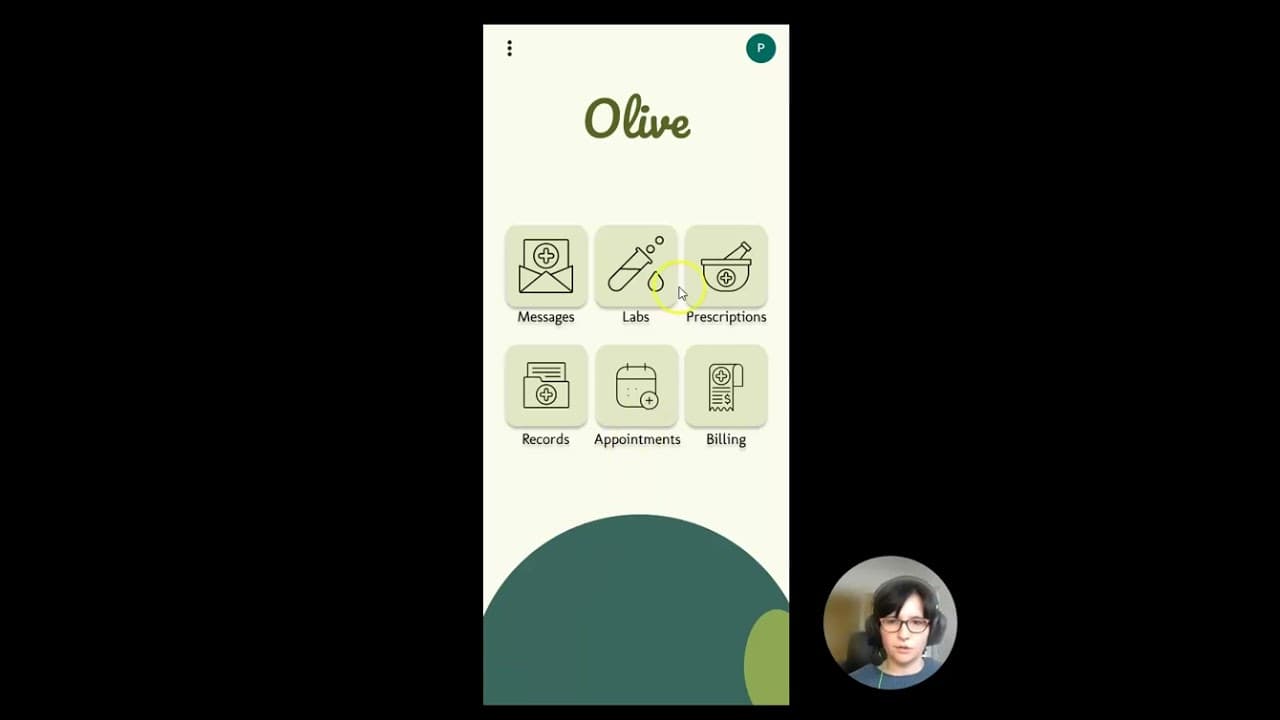
Overview of Olive's labs and prescriptions features.
Transcript
hi and thanks so much for joining me today my name is Amanda and I am the designer behind Olive today we're going to go over two of Olive's core features we're just going to jump right in uh on this Opening screen here it's just a little brief welcome to Olive which then dissolves into the login and welcome page this... Read More
Key Insights
- Olive offers a user-friendly interface allowing users to easily log in and access core features such as labs and prescriptions.
- Users can schedule lab appointments through a straightforward process that includes selecting dates, times, and laboratories.
- The platform provides an option to cancel or reschedule lab appointments if incorrect details are entered.
- Olive's prescription feature allows users to view their current prescriptions, including their status, and request refills seamlessly.
- The prescription refill process is simplified with autofill options for pharmacy details, ensuring ease of use.
- Both lab scheduling and prescription refills offer a cancel request option, providing flexibility for users to correct mistakes.
- The video presentation highlights the ease of navigation and the intuitive design of Olive's interface.
- Amanda, the designer, emphasizes the seamless experience provided by Olive for managing health-related tasks efficiently.
Install to Summarize YouTube Videos and Get Transcripts
Explore YouTube Video Summarizer or Get YouTube Transcript Extractor
Questions & Answers
Q: How can users schedule a lab appointment on Olive?
Users can schedule a lab appointment by logging into Olive and navigating to the labs section. Here, they can select 'schedule' to view a calendar and choose their preferred date. The system will display necessary labs, allowing users to book appointments. Users can also select their preferred laboratory before confirming the details.
Q: What should users do if they accidentally select the wrong date for a lab appointment?
If users select the wrong date for a lab appointment, they can easily correct it by using the cancel request feature. This option allows them to return to the previous page, where they can adjust their selection and reschedule the appointment with the correct details.
Q: How does Olive simplify the prescription refill process for users?
Olive simplifies the prescription refill process by providing a scroll menu of current prescriptions, indicating their status as active or expired. Users can select a prescription to refill, and the system autofills pharmacy details, making it easy to request a refill. Users can confirm the information and submit the request with minimal effort.
Q: Can users change their pharmacy selection when refilling a prescription?
Yes, users can change their pharmacy selection when refilling a prescription. Olive provides an option to select a preferred pharmacy during the refill process. Even though the system autofills previous details, users have the flexibility to choose a different pharmacy if needed before confirming the refill request.
Q: What happens if a user requests a refill for the wrong prescription?
If a user requests a refill for the wrong prescription, Olive allows them to cancel the request. This feature takes them back to the previous page, where they can correct the mistake by selecting the correct prescription to refill, ensuring that users can easily manage their prescriptions without errors.
Q: What are the main features highlighted in the Olive video presentation?
The main features highlighted in the Olive video presentation are the labs and prescriptions functionalities. The presentation demonstrates how users can schedule lab appointments and manage prescription refills through an intuitive and user-friendly interface. It emphasizes ease of use and flexibility, with options to cancel or reschedule if needed.
Q: Who is the presenter of the Olive video, and what is her role?
The presenter of the Olive video is Amanda, who is the designer behind the platform. Her role involves explaining and demonstrating Olive's core features, particularly focusing on the labs and prescriptions functionalities, to showcase how the platform provides a seamless and efficient user experience for managing health-related tasks.
Q: What flexibility does Olive offer to users in managing their health tasks?
Olive offers significant flexibility to users in managing their health tasks by providing options to cancel or reschedule lab appointments and prescription refills. This ensures that users can correct any mistakes or changes in their schedules easily. The platform's intuitive design further enhances user convenience and adaptability in managing health-related activities.
Summary & Key Takeaways
-
Amanda presents Olive, focusing on its core features: labs and prescriptions. The platform offers an intuitive interface for scheduling lab appointments and managing prescriptions. Users can easily navigate through the system, with options to cancel or reschedule appointments and refills, ensuring a flexible and user-friendly experience.
-
The labs feature allows users to schedule, view, and manage lab appointments, with options for selecting dates, times, and preferred laboratories. Mistakes can be corrected by canceling and rescheduling. The prescriptions feature provides a list of current prescriptions, with easy refill requests and autofill options for pharmacy details.
-
Olive's design prioritizes user experience, offering a seamless process for managing health tasks. Amanda demonstrates how users can effortlessly log in, access features, and make changes as needed. The video underlines Olive's commitment to providing an efficient and flexible platform for health management.
Read in Other Languages (beta)
Share This Summary 📚
Summarize YouTube Videos and Get Video Transcripts with 1-Click
Try YouTube Summary with ChatGPT & Claude or YouTube Transcript Generator