How to Engrave Dog Tags & Jewelry on a Cricut
TL;DR
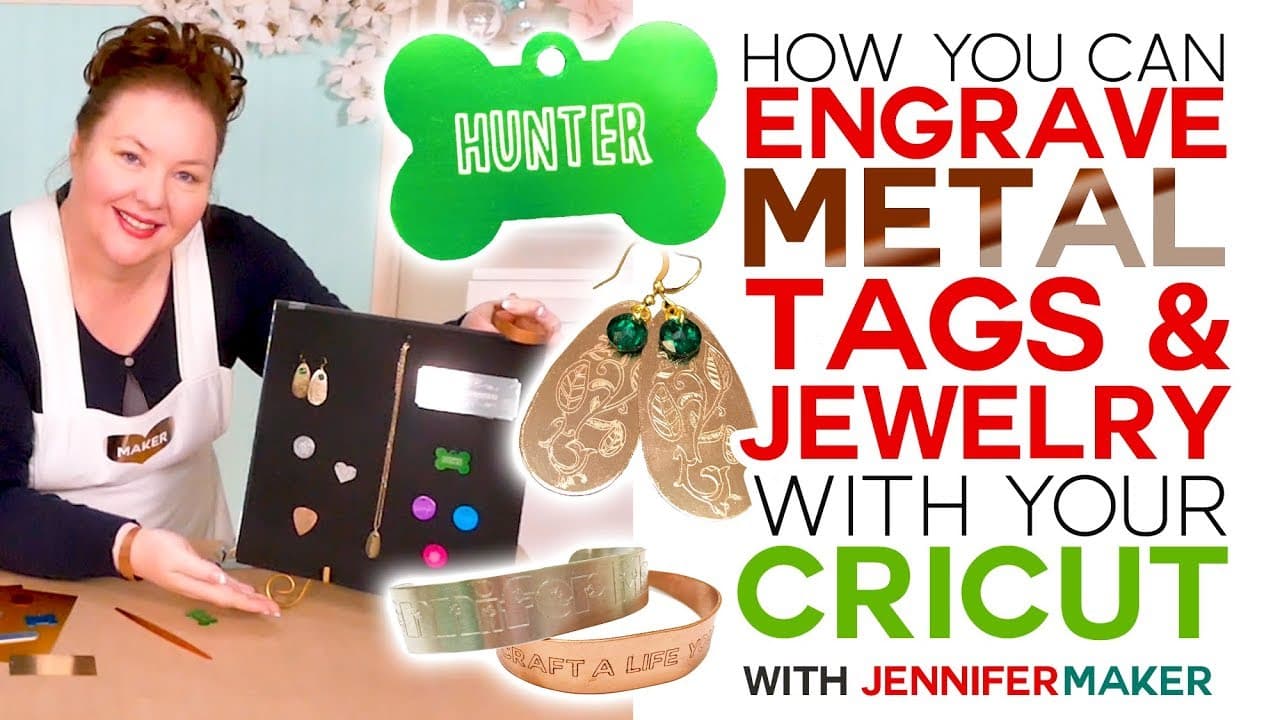
Jennifer Maker demonstrates how to engrave metal using the Cricut Maker, providing easy and fast techniques for creating personalized gifts.
Transcript
- Hello everybody my name is Jenifer Maker, today we are engraving metal tags, charms, bracelets, earrings, and necklaces using the Cricut Maker on The Great Maker Show and Tell. (upbeat music) So did you know that the Cricut Maker can engrave metal? It totally can, and yesterday I engraved these beautiful anodized aluminum dog tags and charms on m... Read More
Key Insights
- 🤘 The Cricut Maker offers a versatile tool for engraving various metals and other materials.
- 🤘 Soft metals like aluminum, brass, and copper are ideal for engraving, while harder metals should be avoided.
- 🎨 Paying attention to design placement and using design templates can help achieve centered and professional-looking engravings.
Install to Summarize YouTube Videos and Get Transcripts
Explore YouTube Video Summarizer or Get YouTube Transcript Extractor
Questions & Answers
Q: What materials can be engraved using the Cricut Maker?
The Cricut Maker can engrave soft metals like aluminum, brass, and copper. It is also possible to engrave acrylic, plastic, and leather.
Q: What is the recommended thickness for metal engravings?
It is recommended to use metal blanks no thicker than 16 gauge, which is approximately 1/16 of an inch.
Q: How can I center my engravings on small metal blanks?
Jennifer Maker suggests using the intersection of the six-inch lines on the mat as the center point. By aligning the design with these lines, you can ensure proper centering.
Q: Can I use the engraving technique on other materials besides metal?
Yes, engraving can also be done on materials like acrylic, plastic, and leather. The same techniques can be applied.
Key Insights:
- The Cricut Maker offers a versatile tool for engraving various metals and other materials.
- Soft metals like aluminum, brass, and copper are ideal for engraving, while harder metals should be avoided.
- Paying attention to design placement and using design templates can help achieve centered and professional-looking engravings.
- Engraved metal blanks can be transformed into personalized jewelry pieces through bending and additional embellishments.
Summary & Key Takeaways
-
The Cricut Maker can engrave various metals such as aluminum, brass, and copper, allowing users to make personalized tags, charms, bracelets, earrings, and necklaces.
-
Choosing soft metals like aluminum, brass, or copper is recommended for optimal engraving results.
-
It is important to pay attention to the thickness of the metal and ensure it can fit in the Cricut Maker while allowing free movement under the engraving tip.
-
Design templates can be downloaded from Jennifer Maker's blog and uploaded to Cricut Design Space for easy customization of engraved metal designs.
-
Wearable jewelry pieces can also be created by engraving and bending the metal blanks.
Read in Other Languages (beta)
Share This Summary 📚
Summarize YouTube Videos and Get Video Transcripts with 1-Click
Try YouTube Summary with ChatGPT & Claude or YouTube Transcript Generator
Explore More Summaries from Jennifer Maker 📚


Summarize YouTube Videos and Get Video Transcripts with 1-Click
Try YouTube Summary with ChatGPT & Claude or YouTube Transcript Generator