How To Make Working Email Subscription Form With Google Sheets Using HTML CSS & JavaScript
TL;DR
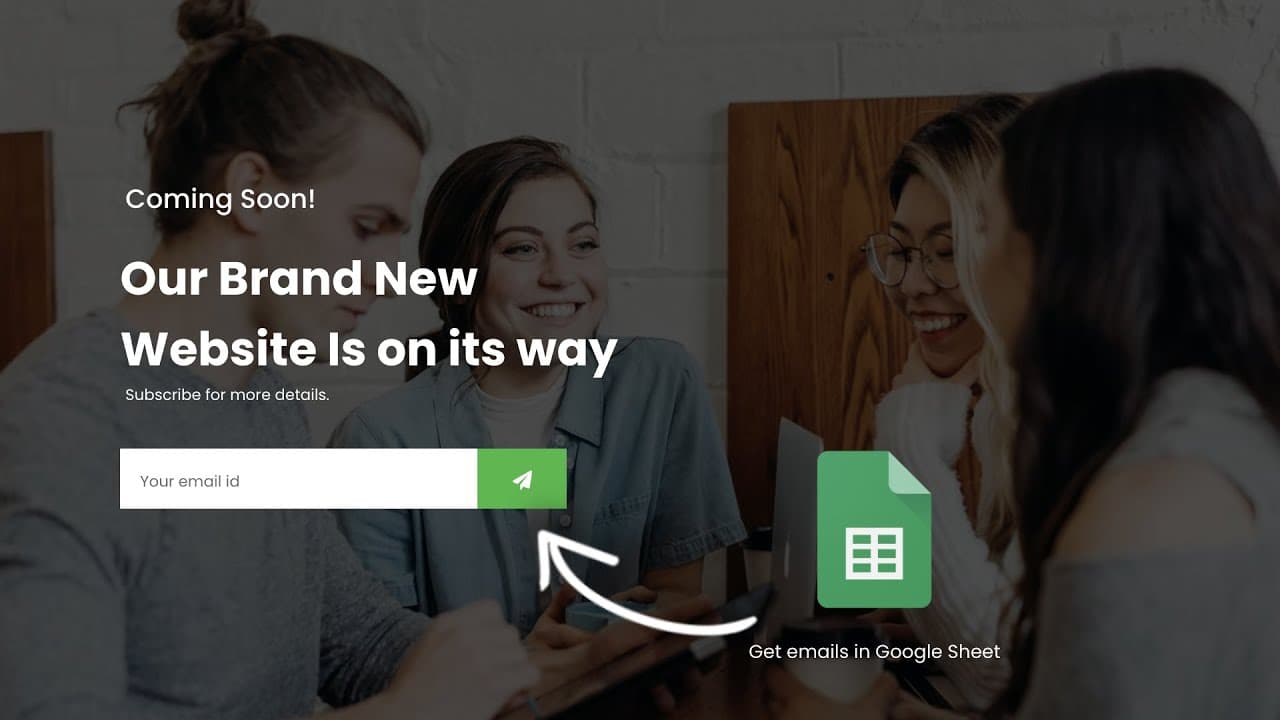
Learn how to create a coming soon page with an email subscription form using HTML, CSS, and JavaScript.
Transcript
hello everyone welcome back to another video of easy tutorials youtube channel today in this video we are going to create a coming soon page where we will add one email subscription form or newsletter form in this form if user will enter any email id and click on the send button then we will receive the user's email id on our google sheet let me sh... Read More
Key Insights
- 💌 This tutorial demonstrates how to create a coming soon page with an email subscription form using HTML, CSS, and JavaScript.
- 👻 The form allows users to enter their email addresses, which are then sent to a Google Sheet for storage.
- 💁 The video provides step-by-step instructions on coding the HTML file, styling the page with CSS, and handling form submission with JavaScript.
- 💁 Additional customization options, like background image, form styling, and success message, are explained in detail.
- 💁 Users can easily reset the form and hide the success message after submission with provided code snippets.
- 💁 The tutorial also covers connecting the HTML form to a Google Sheet using Google Apps Script.
- 💌 By following the instructions in the video, users can create a functional email subscription form for their coming soon pages.
Install to Summarize YouTube Videos and Get Transcripts
Explore YouTube Video Summarizer or Get YouTube Transcript Extractor
Questions & Answers
Q: How can I create a coming soon page with an email subscription form?
To create a coming soon page with an email subscription form, you will need to write HTML, CSS, and JavaScript code. The HTML file should include the basic structure, while the CSS file is used to style the page. The JavaScript code handles the form submission and data storage.
Q: How can I add a background image to the page?
To add a background image to the page, use the CSS property "background-image" with the URL of the image file. You can also apply additional styling, such as background size and position.
Q: How can I style the email subscription form?
You can style the email subscription form using CSS. Apply desired properties, like background color, text alignment, padding, font size, etc., to the form and its input fields and buttons.
Q: How can I store the submitted email addresses in a Google Sheet?
To store the submitted email addresses in a Google Sheet, you need to create a Google Sheet and use Google Apps Script. Create a script that listens for form submissions and writes the data to the Google Sheet. Deploy the script as a web app and obtain the script URL to be used in the HTML file.
Key Insights:
- This tutorial demonstrates how to create a coming soon page with an email subscription form using HTML, CSS, and JavaScript.
- The form allows users to enter their email addresses, which are then sent to a Google Sheet for storage.
- The video provides step-by-step instructions on coding the HTML file, styling the page with CSS, and handling form submission with JavaScript.
- Additional customization options, like background image, form styling, and success message, are explained in detail.
- Users can easily reset the form and hide the success message after submission with provided code snippets.
- The tutorial also covers connecting the HTML form to a Google Sheet using Google Apps Script.
- By following the instructions in the video, users can create a functional email subscription form for their coming soon pages.
- The video creator encourages viewers to ask questions in the comment section and subscribe to their channel for more tutorials.
Summary & Key Takeaways
-
This tutorial video demonstrates how to create a coming soon page with an email subscription form.
-
The form allows users to enter their email address, which is then sent to a Google Sheet.
-
The video provides step-by-step instructions on creating the HTML, CSS, and JavaScript for the form.
Read in Other Languages (beta)
Share This Summary 📚
Summarize YouTube Videos and Get Video Transcripts with 1-Click
Try YouTube Summary with ChatGPT & Claude or YouTube Transcript Generator
Explore More Summaries from GreatStack 📚



Summarize YouTube Videos and Get Video Transcripts with 1-Click
Try YouTube Summary with ChatGPT & Claude or YouTube Transcript Generator