Flask Web Development in Python - 2 - Your first Flask Web App
TL;DR
This video tutorial explains how to set up a Flask server to host a web application using Apache and MySQL.
Transcript
everybody welcome back to our flash tutorial videos series in the last video we got our server we basically just got started talked about our environment that we're going to be using and that was it now we need to actually set up our server to host our flask application so let's go ahead and get started there and actually you will host your very fi... Read More
Key Insights
- 📼 The video provides a comprehensive guide for beginners to set up a Flask server and host their web applications.
- ❓ It highlights the significance of installing necessary software and dependencies correctly to ensure a smooth setup process.
- 🕸️ The video addresses common issues such as caching and the need to restart Apache to see changes in the web application.
- ♻️ The use of virtual environment is recommended to isolate Flask and its dependencies from the system's global environment.
- 👻 The importance of proper server configuration, including virtual hosts, is emphasized to ensure the web application is accessible.
- 👤 The video suggests the use of SCP for file transfer, allowing users to edit Python files directly on their server.
Install to Summarize YouTube Videos and Get Transcripts
Explore YouTube Video Summarizer or Get YouTube Transcript Extractor
Questions & Answers
Q: What are the necessary software and dependencies needed to set up a Flask server?
The necessary software includes Apache, MySQL, Flask, and virtual environment. Install them using the appropriate commands mentioned in the video.
Q: How can caching issues affect the Flask server?
Caching issues may occur when changes made to the web application are not immediately reflected due to Flask's caching system. To overcome this, it is recommended to restart Apache after making any major changes.
Q: How can the Flask server be configured to host the web application?
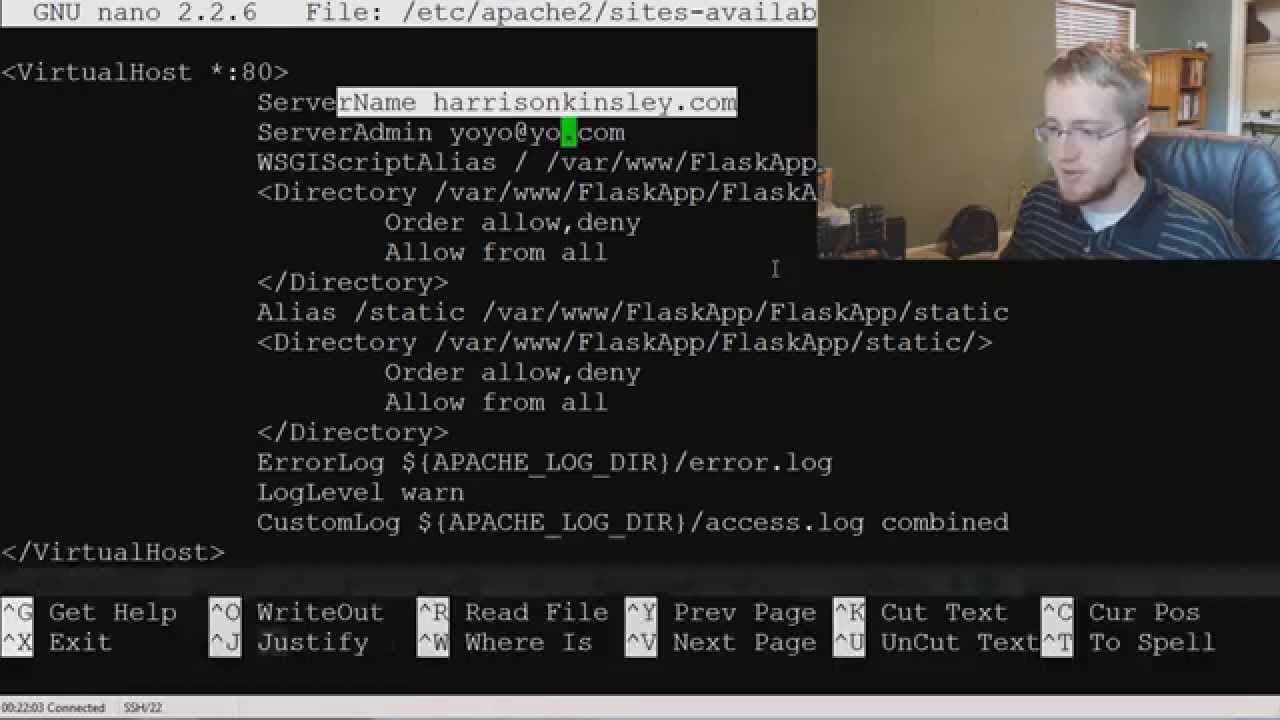
The video explains how to edit the Flask WSGI file and set up virtual hosts in the Apache configuration file to ensure the web application can be accessed correctly.
Q: Are there any security measures mentioned in the video?
While the video briefly mentions the importance of creating user-admin accounts and disabling the root user, it does not go into detail about security measures. It is advisable to research and implement additional security measures for real-world applications.
Summary & Key Takeaways
-
The video guides through the process of installing necessary software and dependencies, including Apache, MySQL, Flask, and virtual environment.
-
It provides step-by-step instructions on setting up the Flask server and configuring it to host the web application.
-
The video emphasizes the importance of restarting Apache to ensure changes take effect and addresses caching issues that may arise.
Read in Other Languages (beta)
Share This Summary 📚
Summarize YouTube Videos and Get Video Transcripts with 1-Click
Try YouTube Summary with ChatGPT & Claude or YouTube Transcript Generator
Explore More Summaries from sentdex 📚






Summarize YouTube Videos and Get Video Transcripts with 1-Click
Try YouTube Summary with ChatGPT & Claude or YouTube Transcript Generator