Blue Screen: Tech Support Scam Malware
TL;DR
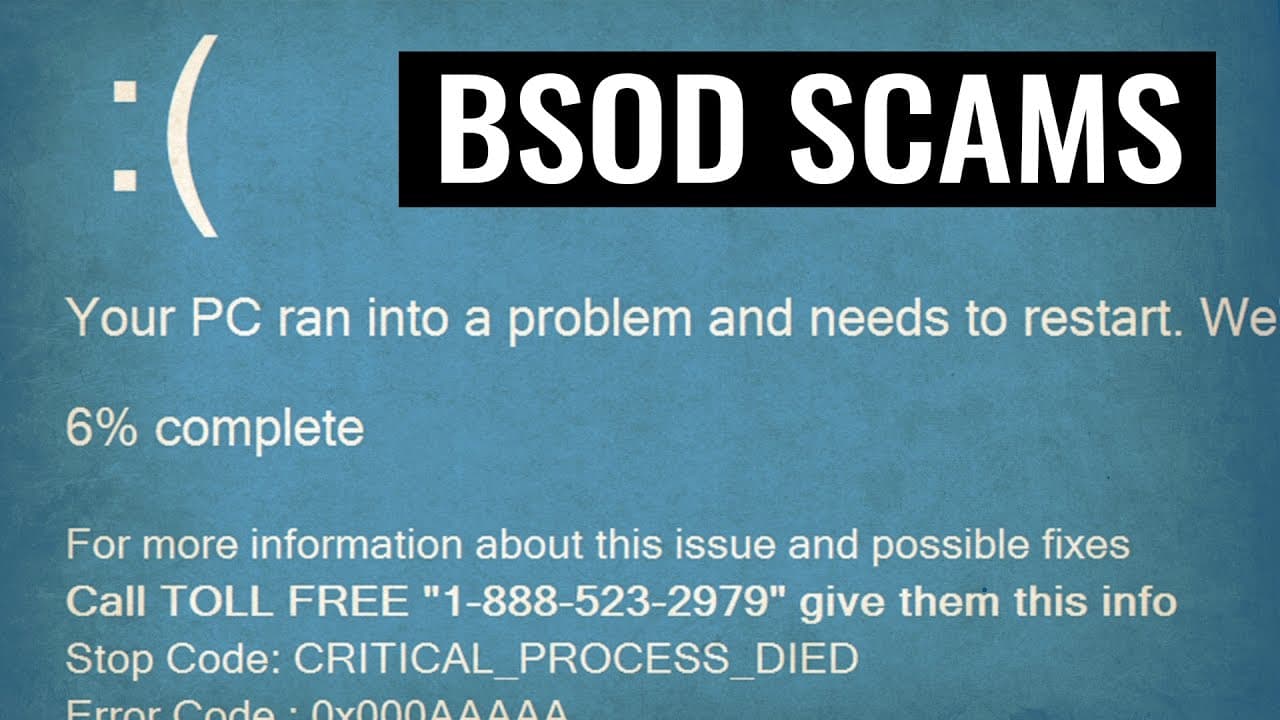
Cyber criminals are using a fake Blue Screen of Death (BSOD) error message to scam unsuspecting users into calling a fake Microsoft Tech Support number.
Transcript
everyone's afraid of a blue screen of death that is an unpleasant sight indeed that none of us want to see which means it is another great tool for these cyber criminals a few days ago I encountered a file called TSS l dot Z and the moment you run it you're greeted with this blue screen of death kind of error message and then you have a call number... Read More
Key Insights
- 🤙 The fake Blue Screen of Death (BSOD) error message is a common technique used by tech support scammers to trick users into calling a fake Microsoft Tech Support number.
- 😨 The scam preys on users' fear and lack of technical knowledge, making it important for awareness and education about such scams.
- 🥶 Recognizing the signs of a fake BSOD error message, such as a toll-free number, nonsensical codes, and unprofessional language, can help users avoid falling for the scam.
- 👤 Restarting the computer is usually enough to resolve the fake BSOD error message, but seeking assistance from trusted sources is recommended for inexperienced users.
- 👤 Antivirus software may not always detect the file responsible for the fake error message due to its ability to be closed by the user, making it important for users to exercise caution and skepticism when encountering such situations.
- 😄 The ease of programming and the availability of tools like Visual Basic or studio make it easier for scammers to create fake programs and exploit unsuspecting users.
Install to Summarize YouTube Videos and Get Transcripts
Explore YouTube Video Summarizer or Get YouTube Transcript Extractor
Questions & Answers
Q: What is the purpose of the fake Blue Screen of Death (BSOD) error message?
The purpose of the fake BSOD error message is to trick unsuspecting users into calling a fake Microsoft Tech Support number, where scammers will try to steal their personal information or money.
Q: How can users identify the fake BSOD error message?
Users can identify the fake BSOD error message by looking for signs such as nonsensical stop codes and error codes, lack of official Microsoft branding, unprofessional language, and the presence of a toll-free number.
Q: What should users do if they encounter the fake BSOD error message?
If users encounter the fake BSOD error message, they should not panic. Experienced users can simply restart their computer, and everything will be fine. Inexperienced users should ignore the message, not call the provided number, and seek assistance from a trusted source.
Q: Can antivirus software detect the file causing the fake BSOD error message?
While some antivirus software can detect the file responsible for the fake BSOD error message, not all antivirus products can identify it due to the presence of a closed option that allows users to bypass the message. This makes it difficult for antivirus companies to distinguish between legitimate programs and malware.
Summary & Key Takeaways
-
Cyber criminals are using a file called TSS l dot Z to display a fake BSOD error message, prompting users to call a toll-free number for help.
-
The error message contains a stop code and error code that look like gibberish, causing panic among users.
-
Experienced users know it is a scam and can easily resolve it by restarting their computer, but inexperienced users may fall for the scam and get scammed by fake Tech Support scammers.
Read in Other Languages (beta)
Share This Summary 📚
Summarize YouTube Videos and Get Video Transcripts with 1-Click
Try YouTube Summary with ChatGPT & Claude or YouTube Transcript Generator
Explore More Summaries from The PC Security Channel 📚






Summarize YouTube Videos and Get Video Transcripts with 1-Click
Try YouTube Summary with ChatGPT & Claude or YouTube Transcript Generator