How to create a responsive split screen using pure HTML5/CSS3
TL;DR
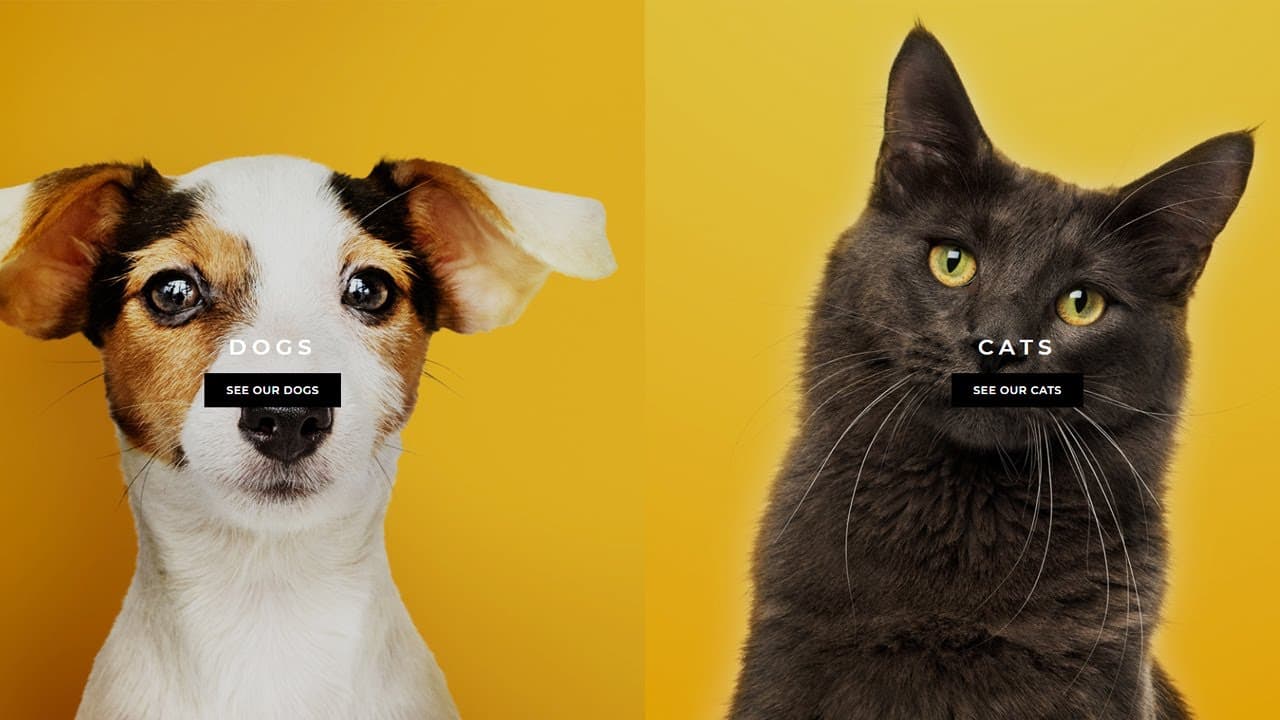
Learn how to create split-screen websites with a responsive design using CSS and no JavaScript.
Transcript
good day everyone so you've probably seen websites like this in the past where you have a split screen uh and you hover over a section of that screen and maybe the image moves and you can then click onto a link which will take you to a different part of the website so you probably won't believe this i mean it's not over the top with animations but ... Read More
Key Insights
- 🪡 Split-screen websites can be created using CSS without the need for JavaScript.
- 💻 Flexbox is an effective tool for creating the layout of split-screen websites.
- 🎨 Media queries are essential for making the split-screen design responsive and adaptable to different devices.
- 🪜 Additional elements like images, captions, and buttons can be easily added using HTML and CSS.
- 👤 CSS transitions and hover effects can enhance the user experience and add interactivity to the split-screen sections.
- 🎨 Optional design elements, such as gradient backgrounds, can be implemented to further enhance the visual appeal of the split-screen website.
- 👨💻 The tutorial provides a comprehensive guide with step-by-step instructions and code examples to create a split-screen website using CSS only.
Install to Summarize YouTube Videos and Get Transcripts
Explore YouTube Video Summarizer or Get YouTube Transcript Extractor
Questions & Answers
Q: How does the tutorial achieve the split-screen effect?
The split-screen effect is achieved using CSS flexbox. By setting the wrapper div to display as flex and setting the left and right divs to have a width of 50%, the content is divided into two equal parts.
Q: How does the tutorial ensure that the split-screen design is responsive?
The tutorial uses media queries to make the split-screen design responsive. By applying specific CSS rules to different screen sizes, the design adapts to different devices and breakpoints.
Q: How can images be added to the split-screen sections?
To add images, the tutorial suggests creating a div inside each split-screen column and giving it a class of "image." Then, the background image can be set using CSS, and additional styling can be applied to ensure the image fits within the div.
Q: How are hover effects and transitions added to the split-screen sections?
Hover effects and transitions are added by targeting the image divs and applying CSS rules. By utilizing the hover selector and the transition property, the image can change size smoothly when hovered over.
Key Insights:
- Split-screen websites can be created using CSS without the need for JavaScript.
- Flexbox is an effective tool for creating the layout of split-screen websites.
- Media queries are essential for making the split-screen design responsive and adaptable to different devices.
- Additional elements like images, captions, and buttons can be easily added using HTML and CSS.
- CSS transitions and hover effects can enhance the user experience and add interactivity to the split-screen sections.
- Optional design elements, such as gradient backgrounds, can be implemented to further enhance the visual appeal of the split-screen website.
- The tutorial provides a comprehensive guide with step-by-step instructions and code examples to create a split-screen website using CSS only.
- The author encourages questions from viewers and promises more tutorials on various web development topics in the future.
Summary & Key Takeaways
-
The tutorial demonstrates how to create a split-screen website using CSS for the layout and design.
-
The split-screen effect is achieved by using flexbox and media queries to adjust the layout for different screen sizes.
-
The tutorial also covers adding images, captions, and buttons to the split-screen sections, as well as applying hover effects and transitions.
-
The tutorial concludes with an optional addition of a gradient background to enhance the design.
Read in Other Languages (beta)
Share This Summary 📚
Summarize YouTube Videos and Get Video Transcripts with 1-Click
Try YouTube Summary with ChatGPT & Claude or YouTube Transcript Generator